Should you use email for internal communication?
.svg)
- Email is still one of the main internal tools: according to Lecko, 64% of employees name it among the tools they use to communicate and collaborate with colleagues.
- McKinsey puts the time spent handling email at around 28% of the working week, internal and external combined.
- Overuse produces three recurring effects: information that can no longer be found, information overload affecting 80% of employees worldwide, and lost productivity.
- Email still has legitimate internal uses: an internal newsletter, notifications and reminders, forwarding external content, and exchanges with people outside the organization.
- Everything else belongs elsewhere: instant messaging for live questions, a project tool for decisions, a library or drive for documents, an intranet or enterprise social network for company news.
- The rules matter more than the tools: decide who may write to all staff, map each type of message to a channel, and write it down in a charter.
According to Lecko’s latest study, 64% of employees say email remains one of the primary tools they use to communicate and collaborate with colleagues. This proves the use of email is still a firmly entrenched practice, even after three decades.
But let’s face it: we don’t always follow best practices with this medium. While it can be useful for communicating with external stakeholders, it’s not always appropriate when used internally.
What place does email have in internal communication? And should you really continue to use it to share information with your staff? We take a look at the issues internal email raises (good and not-so-good practices) and the alternatives you can consider to boost your internal communication.
Internal email: clearly identified problems
When not used in moderation, internal email creates a number of problems for your organization and your employees, including:
Difficulty with finding information
How many times has a colleague shared a document with you by email, and you saw it but planned to look at it later, only to find out later that you could no longer find it? Perhaps it became buried below a slew of newer emails or worse: you accidentally deleted it. You’ve probably had the reasonable reflex to look for your document in the search bar of your mailbox, but often to no avail…
The reason is simple: email is not designed for sharing long-term information and internal documents. Searching for a document among thousands of emails is a bit like looking for a needle in a haystack: it’s time-consuming (and no fun at all).
Other internal communication tools such as those mentioned below can help you facilitate access to information. Take advantage of it!
Information overload
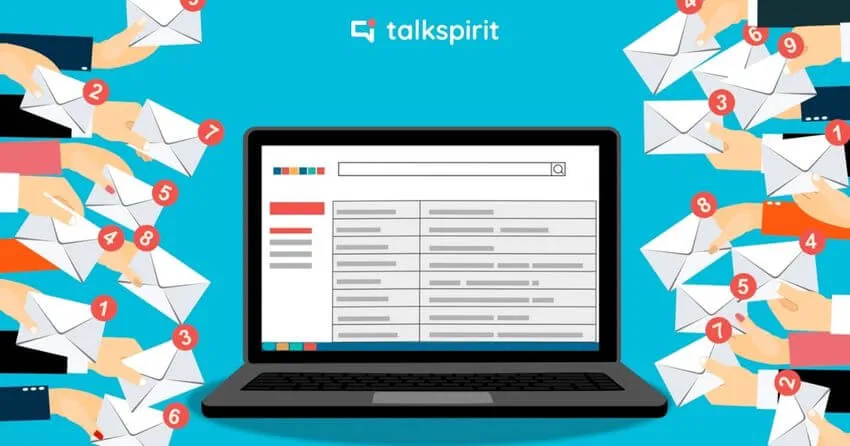
At the opposite end of the spectrum, email overload can also lead to information overload: an excess of information that your employees are no longer able to process. On average, this information overload affects 80% of employees worldwide, and translates into:
- increased stress
- increased mental workload
- lost productivity
The more emails your employees receive, the harder it is to manage the flow of information. As a result, they can sometimes miss important information, especially if it’s only communicated by email.
Reduced productivity
Sending too many internal emails can also be a drain on productivity. According to McKinsey, employees spend around 28% of their working time dealing with emails every week. Internal and external emails that need to be read, sorted, and prioritized, so that they can be answered as quickly as possible.
By reducing internal communication via email, your staff spends less time on these often menial, repetitive tasks. That equates to more time which they can then reinvest in their important projects, and which can help them gain in performance.
Better control of usage
These issues aren’t really intrinsic to email itself, but rather to how we use it. So, if you want to continue using it for your internal communications, it’s essential to clarify in which situations email is appropriate and in which it’s not.
The misuse of internal email
Perhaps you’ve already been the victim of long chains of internal emails with the simple goal of finding a slot for a meeting or endlessly mulling over a rather mundane task? Internal emails that could be sidestepped by sending a chat message or posting on your internal social network.
Put an end to this misuse of internal emails: give your teams a few guidelines. Indeed, it’s important to explain that email is NOT intended to be used for:
- live dialogue
- sensitive data (passwords, customer information, student grades, etc.)
- collaborative work
- internal project management
- document storage
- conflict management
- knowledge sharing
Good uses of internal email
Conversely, email is more suitable for:
- an internal newsletter that summarizes your organization’s news regularly
- notifications and reminders (to notify employees of events or new messages published on your intranet, for example)
- external content received via email that may be of interest to your colleagues (like best practices or an invitation to a trade show or conference)
- exchanges with stakeholders outside the organization (if they’re not invited to your internal social network)
Even then, this only applies if your teams follow a few best practices:
- Limit the number of recipients as much as possible, especially the number of people copied, to guarantee maximum relevance.
- Include a clear and concise subject line (after all, it’s the first thing folks will see!).
- Keep emails short and easy to read. For example, use bulleted lists and bold text for keywords. (An email’s not an article, so avoid writing reams of text.)
- Don’t share too many attachments, or files that are still works in progress. Send a link to a drive folder instead.
- Sort your email regularly. This simple practice helps you reduce your carbon footprint, avoid information overload, and stay on top of actionable items.
The best alternatives to email for internal communication
Now that you know how to make the most of internal email, you may be wondering what alternative tools you can use to communicate effectively and securely. The good news is that there are plenty! Depending on your needs, you can use:
- instant messaging to chat live with your colleagues
- a videoconferencing tool to encourage idea sharing and involve employees in decision-making
- a drive to store your organization’s important documents
- project management software to manage and track the progress of your in-house projects and create your own editorial calendar
- an intranet or enterprise social network to facilitate the flow of information and develop employee engagement
Read also: 12 alternatives to internal email for better productivity
At the same time, be careful not to use too many tools at the same time, or you’ll ultimately risk ending up with the same problems cited above. If you want to streamline your applications as much as possible, the best solution is to opt for an all-in-one tool that centralizes all the functionality you need.
Governing internal email: who writes to whom, and on which channel
Picking the right tools solves half the problem. The other half is the rules of the game, and those are rarely written down anywhere. The organizations that get internal email back under control are the ones that settled three questions explicitly: who is allowed to write to everyone, which channel carries which type of message, and who owns each channel. Without those answers, every new tool simply adds one more place to be interrupted.
Decide who can write to the whole organization
An all-staff email is a scarce resource, and treating it as one brings the volume down straight away. Keep the general distribution list to a handful of identified senders (internal communications, HR, the leadership team) and route every other request through them. Managers keep the list for their own team. What this rule removes is not useful information: it is the message sent to the entire company because that was easier than working out who the right dozen recipients were.
Map each type of message to a channel
Most arguments about internal email are not really about email. They are about a message landing in the wrong place: a decision buried in a thread, a procedure that exists in four versions, a question left unanswered for two days. A short grid settles it once and for all, and gives new joiners something to follow in their first week.
| Type of message | Where it belongs | Why |
|---|---|---|
| Type of messageCompany news, results, strategy | Where it belongsNews feed or intranet, with an email recap | WhyEveryone reads the same version, in a place where it stays findable |
| Type of messageQuick question, live coordination | Where it belongsInstant messaging | WhyAn answer in minutes, instead of a thread growing in ten mailboxes |
| Type of messageProject decisions and follow-up | Where it belongsProject management tool | WhyThe decision stays attached to the project, not to a date in a mailbox |
| Type of messageProcess, internal policy, reference document | Where it belongsDocument library or drive | WhyOne version, one location, still searchable months later |
| Type of messageWeekly or monthly recap | Where it belongsInternal newsletter, by email | WhyThis is what email does well: read outside the platform, no login needed |
| Type of messagePasswords and personal data | Where it belongsPassword manager or secure space | WhyEmail leaves a copy in every mailbox it passes through |
| Type of messageExchange with an external stakeholder | Where it belongsEmail | WhyThe other party is not on your platform |
Write that grid down as a channel charter: one page listing your channels, what each is for, who owns it, and the response time people can expect. Revisit it whenever a tool arrives or disappears, because a charter nobody updates is ignored within a quarter. If you are rolling out a new platform, the charter belongs in the launch plan rather than after it: see our 4 steps to launch a new internal communication tool.
Set the rules on sending hours too
Governing internal email also means saying when it should not be sent. An email written at eleven at night reads as an expectation, whatever its author intended. Scheduled sending, a stated quiet period, and managers who visibly respect it cost nothing, and they keep the right to disconnect alive in practice.
Spot the signs that email was the wrong channel
You do not need an analytics suite to know that a message missed. The signals are in plain sight: the same question asked again on chat three days later, a reply-all thread correcting the original, colleagues forwarding it to the people who should have received it, a decision announced by email that nobody applies. Each one tells you to move that type of message somewhere else. And if you already track internal communication KPIs, read your email statistics for what they are: an open rate tells you the subject line worked, not that the message was understood or acted on.
Talkspirit, the all-in-one tool for your internal communication
To this end, we created Talkspirit: a 100% European-made platform that brings together all the tools you need to streamline your internal communications and your teams’ work. All in a secure environment.
Here, you’ll find:
- a welcome portal and a news feed for sharing information with your colleagues and allowing them to react
- a library for consolidating your organization’s base knowledge on processes, resources, and such
- a drive and an online office suite for easy document sharing and co-editing
- a chat and videoconferencing feature to facilitate employee exchanges
- a directory for one-click identification of who does what in the organization
One platform, one place to look.
That is the whole point: the fewer inboxes and tools your teams have to juggle, the less internal email they generate in the first place. Information published once stays visible to everyone who needs it, without a copy landing in every mailbox in the company.
*
* *
To conclude
To the question “Should you continue to use email for internal communication?,” our answer is a solid “yes”, but only sparingly, and for the right purposes! Although email is more suited to external communication, it can also be used internally in moderation, such as to send a summary of information shared on your internal communication platform, thereby encouraging employees to log on.
However, email shouldn’t be your only tool for sharing information. Instead, other software, notably intranets and enterprise social networks, are better suited to this purpose and can help ensure employee engagement. The best solution, then, is to centralize most of your internal communications on this latter type of tool and limit email to certain occasions.
Want to learn more about best practices for improving internal communications? Talk to one of our experts for personalized support:
Talk to an expert
FAQ
Yes. According to Lecko's latest study, 64% of employees say email remains one of the primary tools they use to communicate and collaborate with colleagues, three decades after it became common.
Around 28% of the working week, according to McKinsey - internal and external emails that have to be read, sorted and prioritized so they can be answered quickly.
On average 80% of employees worldwide. Information overload means an excess of information people can no longer process, and it translates into increased stress, a heavier mental workload and lost productivity.
An internal newsletter summarizing company news, notifications and reminders, and forwarding external content that may interest colleagues, such as best practices or an invitation to a trade show or conference.
Depending on the need: instant messaging to chat live with colleagues, a videoconferencing tool to encourage idea sharing and involve employees in decisions, and a drive to store documents.
No - but use it sparingly, and only for the right purposes. Email suits external communication better; internally it works for things like a summary of what was shared on the internal communication platform.