
Remote Work: 7 Tips for Effective Collaborative Working at a Distance

.svg)
38% of French employees currently work remotely on a regular basis, estimates a recent Malakoff Humanis study. But while this new working model continues to gain traction, its organisation still needs rethinking in many companies (at least according to 80% of business leaders!).
Endless video calls, loss of cohesion, excessive monitoring of employees, lack of communication and collaboration within teams… Remote work — or hybrid work — can give rise to many pitfalls.
How do you avoid these mistakes? What best practices should you implement to facilitate collaborative work remotely? And which tools should you favour to improve your teams' productivity while working remotely?
Discover our 7 tips for becoming a pro at collaboration at a distance.
1. Put the right tools in place
The first step to facilitating remote collaborative work is to equip your employees properly — with the right hardware, but above all with the collaborative tools they need to work.
Video conferencing, team messaging, project management, shared calendar, online productivity suite… All of these functions are essential for remote collaboration. If you haven't yet invested in this type of solution, now is the time!
A good way to optimise costs while making your employees' day-to-day easier is to opt for an collaborative platform all-in-one. With this type of tool, there's no need to invest separately in a video conferencing tool, a project management tool and a chat tool — all these features are available on a single platform.
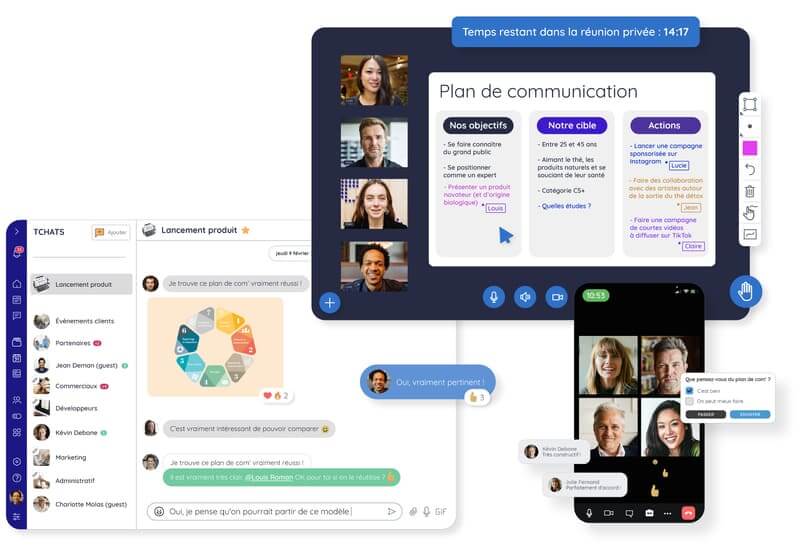
This is what Talkspirit offers — a communication and collaboration tool that allows you to:
- communicate in real time via chat and video conferencing,
- share information via a welcome portal, a news feed and a library,
- and collaborate remotely via groups, an office suite enabling real-time co-editing of documents, and a project management module.
All within an environment that is 100% secure, hosted in France, and environmentally responsible.
Once your tool is in place, you will of course need to train and support your teams to help them get started and integrate it into their working routine. Download our methodology guide "6 steps to implementing a collaborative tool" for our best advice on this:
2. Establish communication and collaboration rules
Facilitating remote collaborative work also means clarifying how your teams will communicate and collaborate day-to-day, by establishing clear rules. We recommend making explicit:
- What hours each person should be reachable — both to respond to messages and to join meetings. These hours are a key foundation for smooth collaboration in remote teams, while giving everyone flexibility. For example, if you decide that everyone must be available at minimum between 10am and 4pm, you ensure that teams have a shared window to work together, while allowing employees to organise the rest of their time as they see fit.
- Where employees should share information, specifically:
- Which tools (for example, you can ask them to favour chat for synchronous exchanges, and the news feed for asynchronous exchanges),
- And in which groups (specify, for example, that team groups should be used for exchanges on team projects, and thematic groups for sharing information between employees from different teams)
- How this information should be shared, in particular:
- Should it be communicated verbally or in writing? You could, for example, favour written communication for information sharing and project tracking, and verbal communication for decision-making and collective thinking. Of course, adapt these rules according to your company culture.
- When should it be shared? When working remotely, it can sometimes be difficult to separate professional and personal life. To respect each person's right to disconnect, suggest, for example, that your teams refrain from sending messages outside of normal working hours (e.g. before 9am and after 6pm on weekdays).
- And what language should be used? In some international companies, all communications must be in English, while in others the language varies by office. Clarifying this point from the outset will make it easier to facilitate remote collaborative work between your teams spread across multiple sites.
3. Limit the number and duration of your meetings
It may seem counter-intuitive, but limiting meetings is a good way to facilitate remote collaborative work. Why? Because too many meetings kills meetings! In other words, excessive meetings damage your teams' productivity and prevent them from collaborating effectively.
Read also: How to improve the effectiveness of your remote meetings?
On average, employees waste three hours a week due to unnecessary meetings, according to Asana's latest study. To avoid this productivity loss, it is important — just as with messages — to put a few best practices in place, in particular to:
- Limit the duration of video conferences (one hour maximum, for example),
- Reduce the number of meetings organised (for example, a maximum of two meetings per week for each team),
- Define the hours during which meetings can be scheduled (both to prevent abuse and to allow everyone to focus on important tasks during certain time slots),
- Ensure the relevance of each meeting (if a meeting can be summarised in a message, an email or a post, it probably doesn't need to happen!),
- Ensure that the meeting meets its objectives (for example, by having a clear agenda and a facilitator who asks the right questions).
Finally, don't forget: meetings are not the only solution for facilitating remote collaborative work. Depending on the type of information you want to share, you can also use chat, the news feed, your project management board, your team drive, or your knowledge base. All features you can find on the Talkspirit collaborative platform!
4. Set objectives
In the office or working remotely, it is important to set clear objectives — at company, team and individual level. These objectives will allow your employees to know where the company wants to go and what contribution they can make. It is therefore a good way to motivate your teams while clarifying what is expected of them.
To develop these objectives, there are several methods:
- The OKR method (Objectives and Key Results), which consists of defining ambitious goals and measuring them through key results.
- The SMART model, which proposes setting objectives that are Specific, Measurable, Achievable, Realistic and Time-bound (i.e. defined by deadlines).
- The CLEAR method, better suited to changing environments, which consists of setting objectives that are Collaborative, Limited (in duration and scope of action), Emotional (creating connections between teams), Appreciable (easily attainable, and therefore more satisfying for teams) and Refinable (meaning they can evolve over time).
Whatever methodology you choose, make sure to set both quantitative objectives (based on numbers) and qualitative ones (based on perception). More difficult to measure, qualitative objectives can be used to evaluate indicators such as customer satisfaction, employee engagement or your brand image (notably through surveys). They should not be overlooked!
5. Clarify each person's roles and responsibilities
In addition to objectives, you also need to bring clarity to the roles and responsibilities of each member of your team, as well as the associated tasks. This will help avoid misunderstandings and potential duplication of work.
Read also: [Asana 2021 Report] Why "work about work" is killing productivity
If your team regularly works on projects, we recommend using the RACI matrix (Responsible, Accountable, Consulted, Informed) to easily visualise the distribution of roles. To do this, list all your team's tasks and ask yourself the following questions:
R (Responsible): Who is in charge of accomplishing which task?
A (Accountable): Who ensures the task is completed correctly?
C (Consulted): Who can give their opinion / provide expertise on this task?
I (Informed): Who needs to be kept informed of progress on the task?
Using this matrix, each team member knows what they are supposed to do and who to consult or inform in order to move forward.
In addition to using the RACI method, we also recommend having the clearest possible project management, by specifying for each task:
- what is expected of the employee,
- what added value the task will bring to the rest of the team (or even the rest of the company),
- when the task must be completed,
- and how the results will be measured.
Want to go further? Download our methodology guide "10 best practices for boosting your teams' productivity", remotely and in the office:
6. Create rituals
Simplifying remote collaborative work requires particular attention — both from managers and internal communications teams. And for good reason: an employee can become more easily demotivated, or even suffer from isolation when regularly working remotely. What's more, according to the 2021 Julhiet Sterwen barometer, 55% of employees believe that remote work risks reducing their sense of belonging and creating a growing disengagement from the company.
To prevent these negative effects, it falls to the company — and especially managers — to establish unifying rituals, both to facilitate team working and to create connections from a distance. These rituals can take different forms, for example:
- a "good morning" message on chat to start the day well,
- weekly team meetings for project tracking,
- monthly company-wide meetings for visibility on each department's activities,
- virtual coffee breaks via video conference every Friday to recreate informal moments at a distance,
- team-building events (drinks, karaoke, quiz, escape room, foosball tournament, sports class, etc.) organised every two weeks — in person and/or remotely,
- quarterly offsite sessions,
- etc.
Read also: 5 best practices for maintaining your company culture from a distance
Finally, remember: just because your teams work 100% remotely doesn't mean you can't organise in-person activities. The key is to maintain a balance between remote and on-site rituals, so as not to frustrate those who can't be there in person, while giving those who can the opportunity to "meet in real life" and maintain team cohesion.
7. Give continuous feedback
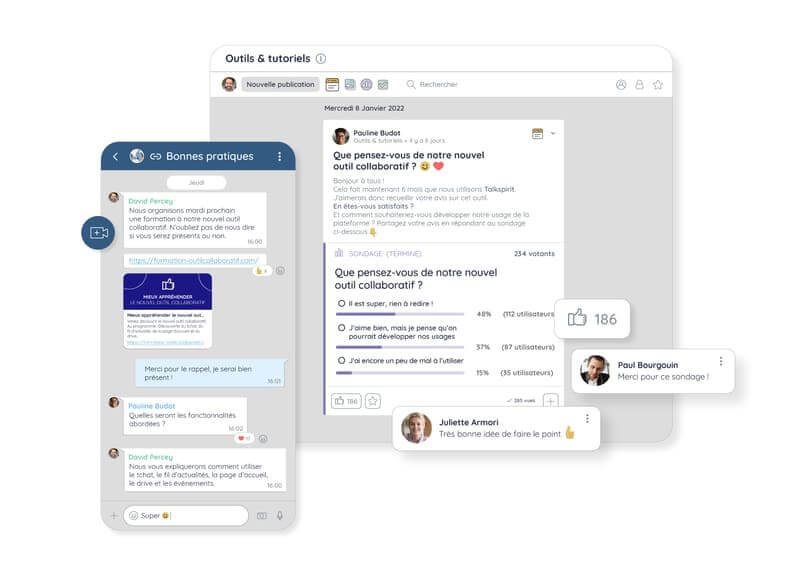
Our final tip for facilitating remote collaborative work? Ask your team for feedback! It is the best way to continuously improve your working practices. To do this, simply create a survey (which you can send to both employees and managers) with open-ended questions such as:
- What do you think of our current working practices?
- Do you have suggestions for initiatives to implement for better remote collaboration?
- How are you using the collaborative tools available to you? Do they meet your collaboration needs?
- Do you feel there is good company cohesion? If not, what would need to happen to improve it?
- Are you able to work easily with different teams remotely? If not, what problems do you encounter?
- What do you think of the way information is shared within the organisation? Can you easily find the information you need, or is it complicated day to day?
Then it's up to you to adapt your collaborative practices based on team feedback, so they respond to real needs.
Read also: Webinar recap: "Why and how to build a feedback culture?"
*
* *
In short, facilitating your teams' remote collaborative work means putting communication rules in place, deploying the right collaborative tool(s), establishing rituals at company and team level, being as clear as possible about who does what, and regularly seeking your employees' views.
Want more best practices for better remote collaboration and boosting your teams' performance? Download the methodology guide below 👇
Access the Methodology Guide
In our methodology guide "10 tips for boosting your teams' productivity", you will discover: all our best practices for saving your employees' time, helping them manage their time, prioritise important tasks and measure performance — whether working remotely or in person.



