Best Collaboration Platforms

.svg)
- The comparison covers 11 collaboration platforms and their main strengths.
- Talkspirit is 100% made in France and hosts its data in the EU with Cloud Temple; Happeo hosts in Europe, in Finland and the Netherlands.
- Slack and Rocket.Chat are geared mainly toward instant messaging, while Talkspirit presents itself as a complete platform.
- Teams and WhatsApp have a vendor subject to the Cloud Act, a US federal law passed in 2018.
- Paid pricing starts at €3 per user per month with Wimi and reaches €9 with Gladys; LumApps and Happeo quote on request only.
- Free trials range from 7 days with Confluence to 30 days with Jamespot.
Are your people drowning in emails?
Looking for a way to modernize your internal communication?
Want to connect your employees better and speed up how they interact ?
Does your company need to smooth out its communication and its collaborative work ?
You're in the right place!
In recent years, most companies have been looking to reinvent the way they work and to transform the employee experience, making it more enjoyable and more productive — in particular by rolling out an effective collaboration platform.
Here at Talkspirit, we thought it would be helpful to give you some pointers to guide your choice.
Here are the 11 best collaboration platforms and their main strengths:
- Talkspirit
- Slack
- Teams
- Jamespot
- Wimi
- Gladys
- LumApps
- Confluence
- Rocket.Chat
- Happeo
Get to know each of these solutions and see which one will best help your team meet the challenges of collaborating at scale in the digital age.
1. Talkspirit
A complete platform to streamline communication and collaborative work day to day across the company.
%252520(1).png)
Talkspirit is a collaborative platform that's 100% made in France, built for companies (mainly SMEs and mid-market firms) but also for nonprofits and public bodies. It draws on modern social and collaborative features (chat, video conferencing, groups/communities, Kanban board, chatbots, and more) to keep information flowing internally and make working together more enjoyable and more productive. Customers: Gîtes de France, CEA , Eckès Granini, and more
Key features:
- complete all-in-one platform
- easy to get started; interface revamped in early 2020
- centralization of internal resources (directory, org chart, documents, etc.)
- multi-domain access, even without email, to bring ALL your employees together
- access for your partners, contractors and clients
- responsive customer service & user support (FR and EN), 7 days a week
- available in 8 languages
- GDPR: data hosted in the EU (with Cloud Temple)
Limitations / drawbacks:
- Talkspirit is a versatile solution that isn't necessarily ideal if you're looking for a tool for a single, very specific need.
Pricing:
- paid plans from €5 / month per user. Volume discounts from 500 users. Preferential terms for nonprofits.
- free trial (15 days)
- free personalized demo
Read the reviews from Talkspirit users
2. Slack
A collaboration app that replaces your emails for greater productivity.
%252520(1).jpeg)
Slack is a collaborative work platform that brings together the right people, relevant information and the tools needed to get projects done. Unlike Talkspirit, Slack is a platform geared particularly toward instant messaging, one-to-one or in groups. A simple, pleasant tool that centralizes communication flows and connects with many collaborative tools.
Key features:
- instant messaging
- a market benchmark, especially among developer teams
- document organization and storage
- many business-tool integrations
- smart, intuitive content search
Limitations / drawbacks:
- relentless notifications
- high pricing
- an app designed mainly for startups
Pricing:
from €6.25 / month per user, with a freemium tier
Methodology guide to download (free): 8 key tips for choosing the right collaboration platform
3. Teams
The secure team messaging built into the Microsoft 365 suite.
.png)
Microsoft Teams is a secure collaborative platform from Microsoft 365 that makes teamwork easier through video conferencing and instant messaging. A tool for collaborating easily and securely with your colleagues.
Key features:
- access to Microsoft 365 tools/software
- ability to connect a wide range of Microsoft devices.
- secure access.
- strongly geared toward ChatOps & teamwork.
Limitations / drawbacks:
- limited access to internal resources (no directory or org chart)
- no email-free access available
- vendor subject to the Cloud Act
- high pricing
Pricing:
from €3.40 excl. tax for Microsoft Teams Essentials, with a freemium tier
4. Jamespot
To unlock your people's collaborative potential and collective intelligence!
.jpeg)
Jamespot is a collaboration software that helps boost productivity across teams by encouraging and simplifying the sharing of information and knowledge, making project management more agile day to day.
Key features:
- ready-to-use, customizable platform
- modular, with many downloadable in-house apps (which can also be a drawback)
- ability to set up custom workflows
- 100% French development, hosting and customer service
Limitations / drawbacks:
- you need to download the modules to use certain features
- technical guidance needed to make the most of the platform's flexibility.
- analytics feature still maturing
Pricing:
from €4 / month per user, with a 30-day free trial of the premium edition.
5. Wimi
The software for simple, effective project management!
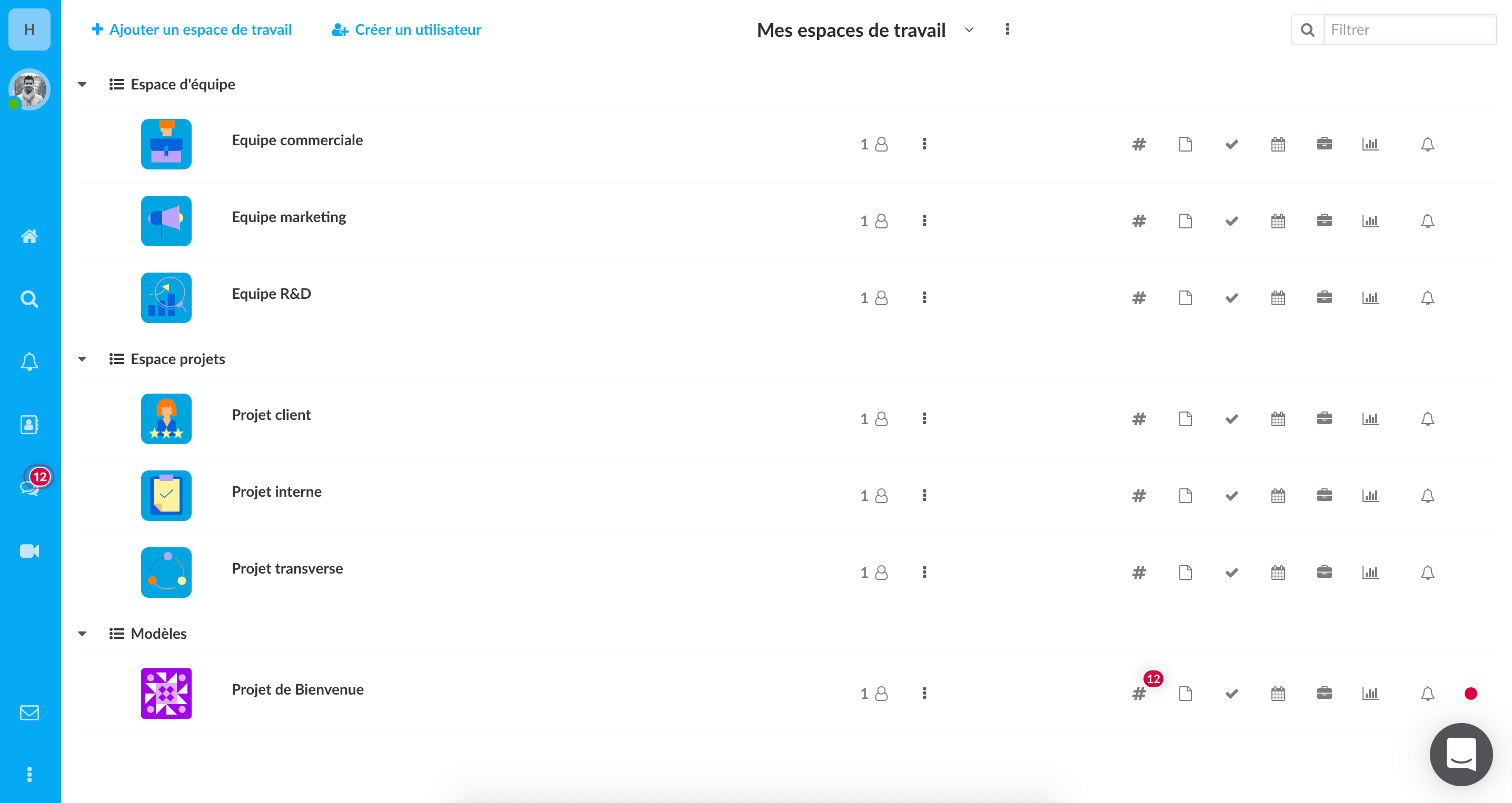
Wimi is the project management solution that brings people together around essential tools for boosting productivity, such as: video conferencing, chat, document sharing and even a Gantt chart.
Key features:
- fine-grained access-rights management
- all-in-one project management solution
- extended security (Wimi Armored)
- free, unlimited guest invitations
Limitations / drawbacks:
- no news feed
- limited access to internal resources (directory, org chart, etc.)
- storage limited from 10 GB to 500 GB, depending on the plan chosen
- high pricing
- a collaboration tool, not well suited to day-to-day information sharing
Pricing:
from €3 / month per user, with a 14-day free trial.
Methodology guide: Download our free white paper to discover the 8 steps to choosing the right collaboration platform
6. Gladys
An all-in-one digital environment for collaborating and innovating with ease
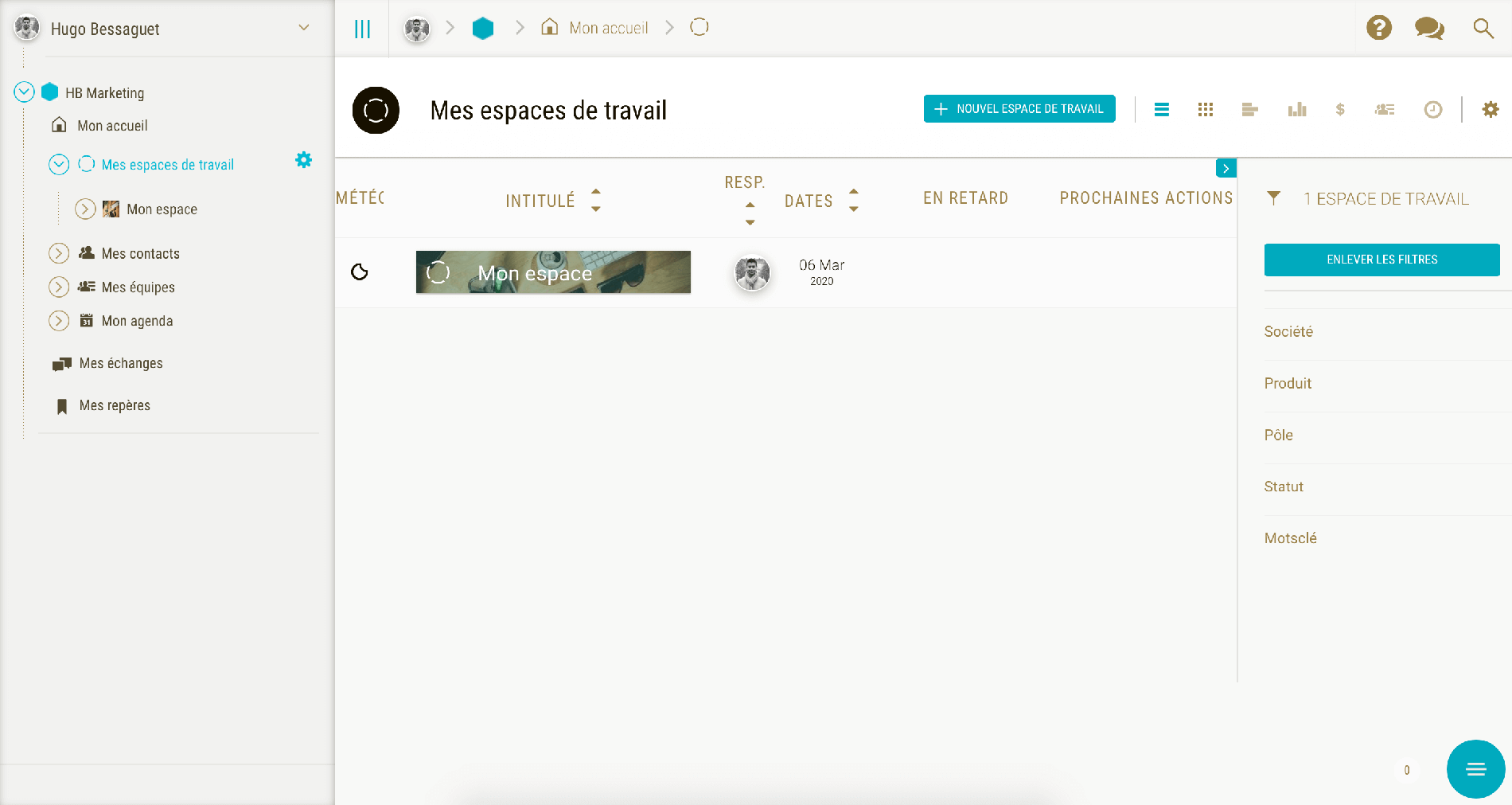
Gladys is the all-in-one solution for boosting innovation across teams. The software brings together all the tools you need to collaborate in one place, namely: task management, planning, idea collection and shared monitoring.
Key features:
- software that fosters collaborative innovation and project management
- engaging to use, with relevant presentation
- Simple interface that's easy to get to grips with
Limitations / drawbacks:
- not designed to facilitate information flow and conversations
- no org chart or announcement system
Pricing:
from €9 / month per user, with a free version and a 30-day free trial of the premium edition.
7. LumApps
A social, accessible intranet solution that makes integrating your Google Workspace and Microsoft 365 tools easier.
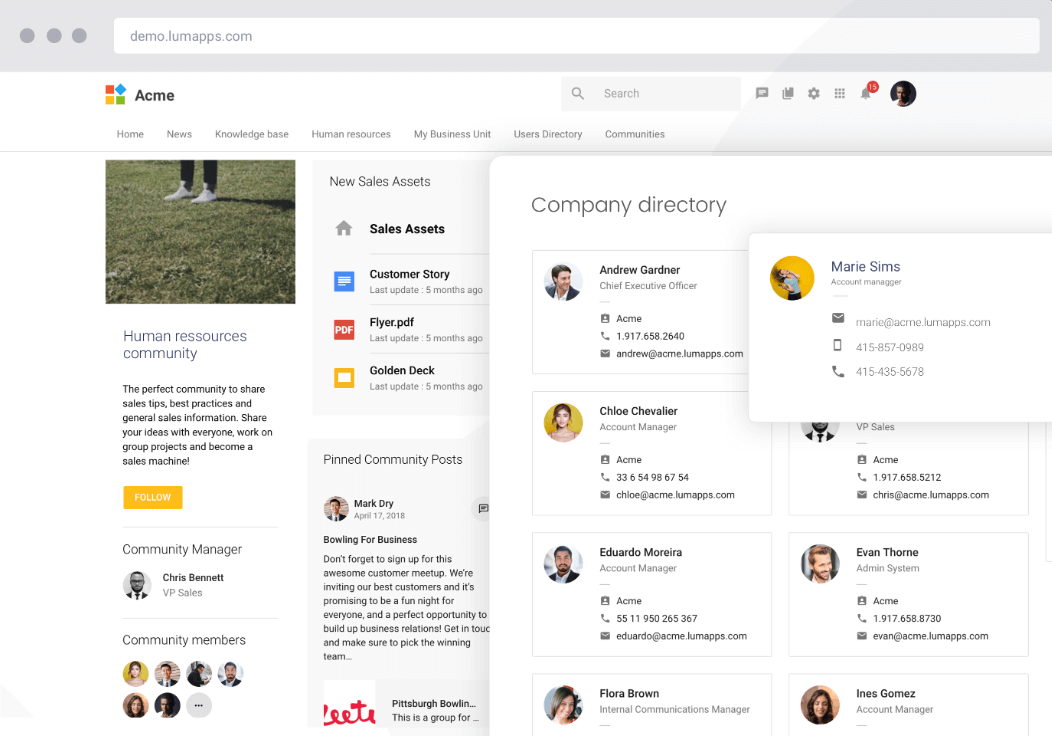
LumApps is a platform for all of your internal communications and external ones. A holistic social, collaborative intranet that integrates with your professional tools and apps (notably the Microsoft and Google suites).
Key features:
- available in 15 languages
- officially approved by Google
Limitations / drawbacks:
- no free trial available, pricing mostly on request
- more geared toward project management and knowledge management than collaboration
Pricing:
on request only
8. WhatsApp
The free app with 2 billion users, for exchanging instant messages in groups.
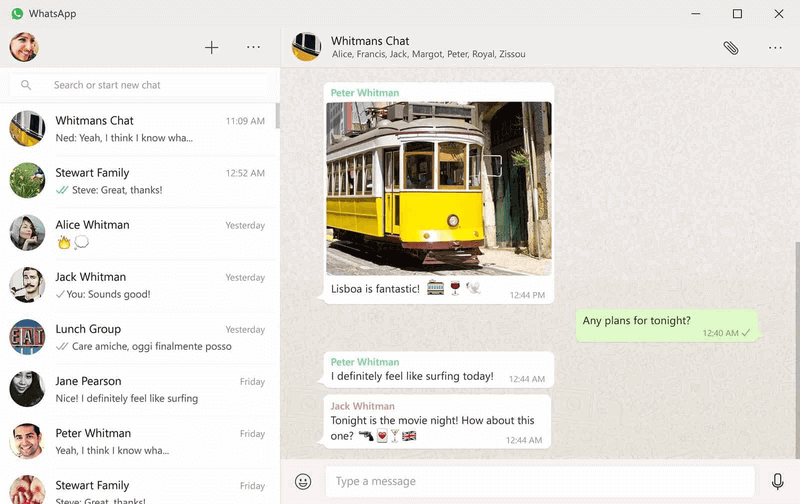
WhatsApp is free, available on Android and iOS, and lets you send messages and make calls anywhere in the world, simply, quickly and securely. Mainly suited to micro-businesses, but not recommended for larger companies.
Key features:
- strong brand recognition
- 100% free
- fast, simple and secure communication
- accessible anywhere in the world
- WhatsApp Business API (customer support & notifications) for companies
Limitations / drawbacks:
- no features dedicated to collaboration
- geared mainly toward instant messaging
- limited access on desktop
- no integration with business tools (so a risk of losing control over your data and losing business information)
- vendor subject to the Cloud Act *
Pricing: free
9. Confluence
The tailor-made team workspace
%252520(1).png)
Confluence is a collaborative solution for creating content and structured layouts. You can also react in real time and collaborate from anywhere, thanks to the mobile app.
Key features:
- many features on the online content-creation side
- geared toward project management and team workspaces
- flexible to use
- integration with other Atlassian tools
- technical robustness
- a very active community (500 plugins)
Limitations / drawbacks:
- few features for team communication and conversation
- the social aspect isn't emphasized enough
- training needed to use the platform
- short free trial (7 days)
Pricing:
from $5.50 / month per user, with a free version and a 7-day free trial.
Methodology guide: 8 steps to choosing the right collaboration platform
10. Rocket.Chat
Your communication, simplified through a team chat.
%252520(1).png)
Like Slack, Rocket.Chat is primarily an instant messaging tool. Take control of your communication, manage your data and have your own collaboration tool to boost your team's productivity. The tool replaces email and improves the way you communicate.
Key features:
- attractive pricing
- self-hosting
- custom emojis
- intuitive, pleasant design/UX
- integration of many apps
Limitations / drawbacks:
- mobile app lacks functionality
- geared mainly toward instant messaging
- available in English only (not available in French)
Pricing:
from €7 / month per user, with a free version.
11. Happeo
The multilingual intranet for your company.
%252520(1)%252520(1).png)
Happeo is a digital workspace and social intranet solution for G-Drive. The perfect blend of an enterprise social network and a collaboration platform, with a built-in chat, a news feed and quick access to shared documents.
Key features:
- Google Cloud partner (integration of all Google Workspace tools: Sheets, Docs, Slides, Drive)
- Slack integration
- centralization of other productivity tools (directory, page editors, channels, etc.)
- certifications: ISO 27001 & GDPR
- a tool dedicated to social collaboration
- data hosted in Europe (Finland & the Netherlands)
Limitations / drawbacks:
- no access to or integrations with Microsoft 365 software or other collaborative tools
- lack of collaboration features
- usability could be better
Pricing:
on request only
*Cloud Act: a US federal law on the surveillance of personal data, passed in 2018, that compels US service providers to hand over, on request, all stored data to federal authorities, regardless of where the servers are located (even in the EU) (Source: Wikipedia)
- - - - - - - -
Now it's over to you :)
As we've seen, every collaboration platform is different — in features, in look and feel, in usability. Choose the one that will help your people the most. Many of these platforms offer demos, so don't hesitate!
FAQ
The comparison covers 11 collaboration platforms: Talkspirit, Slack, Teams, Jamespot, Wimi, Gladys, LumApps, WhatsApp, Confluence, Rocket.Chat and Happeo. Each one is presented with its key features, its limitations and its pricing.
Talkspirit is 100% made in France and hosts its data in the EU with Cloud Temple. Happeo holds ISO 27001 and GDPR certifications, with data hosted in Europe, in Finland and the Netherlands. Jamespot relies on 100% French development, hosting and customer service.
The article flags a vendor subject to the Cloud Act for Teams and for WhatsApp. It describes the text as a US federal law on the surveillance of personal data, passed in 2018, which compels US service providers to hand over all stored data on request, wherever the servers sit.
Published prices start at €3 per user per month with Wimi, €4 with Jamespot, €5 with Talkspirit and €6.25 with Slack, and reach €9 with Gladys. LumApps and Happeo give their pricing on request only.
Slack and Rocket.Chat are primarily instant messaging tools, built around conversation flows. Talkspirit presents itself as a complete all-in-one platform, adding video conferencing, groups and communities, a Kanban board and the centralisation of internal resources.
Two platforms in the comparison publish no price list: LumApps, whose pricing is mostly on request and which offers no free trial, and Happeo, available on request only. The others show a public price, from free with WhatsApp to a monthly price per user.