10 Best Practices for Running Effective Meetings

.svg)
- Only one meeting in four ends in a decision: no preparation, discussions that drift, or a tool that is not up to the job.
- Ten bad habits to drop: no purpose, wrong time slot, wrong people, no preparation, an undefined facilitator role, one person doing all the talking, mixed-up topics, overrunning, no decision, unclear follow-up.
- Ten best practices to adopt, from setting the agenda to sharing the minutes.
- The facilitator frames the discussion, gives everyone the floor, drives the decision and keeps to time. Write those accountabilities down.
- The techniques that change a meeting: an opening round or ice breaker, brainstorming in small groups, a vote to decide, the five whys to dig into a problem.
- Follow-up matters as much as facilitation: minutes shared, actions assigned with a deadline in your project management tool.
Ineffective meetings, sound familiar? Plenty of companies want to put an end to them, and few manage it. On average, only one meeting in four leads to a decision. The usual causes: poor preparation, discussions that are hard to keep on track, or a tool that is not up to the job. To avoid these pitfalls, appoint a facilitator who knows how to run a meeting properly.
Nobody is born a facilitator. It is a skill you learn. To help you understand what the role involves, this article brings together:
- 10 bad habits to avoid as a facilitator or participant,
- and 10 best practices to adopt for running meetings that actually work.
Read on to put an end to meeting overload!
10 Bad Habits That Make Your Meetings Ineffective
Do you often feel you are wasting your time in meetings? If so, one of these bad habits is probably to blame. Whether you are the facilitator or simply a participant, do your best to avoid them.
1. Not Thinking About Why You Are Calling the Meeting
Holding a meeting without knowing why you are holding it is the first trap many companies fall into. Whether the meeting is already scheduled or not, always ask yourself whether it is really necessary, and what it is meant to achieve.
- Do you have important topics to discuss that require a shared decision?
- Do you need to bring several people together to brainstorm on a strategic issue?
- Do the topics to be covered absolutely need to be discussed in real time (rather than asynchronously)?
If you answered yes to one of these questions, a meeting may well be justified. If not, it is worth questioning whether the meeting should happen at all.
2. Scheduling the Meeting at the Wrong Time
Have you ever received an invitation and thought it was the worst possible slot for a meeting? Picking the wrong time slot can seriously undermine a meeting. So rule out meetings:
- during the lunch break,
- before 9 a.m. or after 6 p.m.,
- in the middle of a packed day,
- and on days already full of meetings.
Check where participants will be, so you avoid the meeting joined from a train where you catch one word in two. And where you can, avoid stacking meetings back to back, with no break in between. If people join straight after a long meeting, they will struggle to stay focused on what you are saying.
3. Inviting the Wrong People
Running an effective meeting starts with inviting the right people. Rather than inviting everyone by default, invite only the people concerned, that is, those you need in order to make a decision, and those who need the information you are going to share.
4. Not Preparing for the Meeting
A good meeting is a meeting prepared in advance. Forget meetings without a clear agenda, they simply waste everyone's time.
Once the agenda is set, clarify what is expected of each participant before and during the meeting. For example:
- Are participants expected to prepare a presentation?
- Should they think through the topics to be discussed beforehand?
- Can they add the points they want to raise to the agenda?
This ensures every participant comes to the meeting prepared.
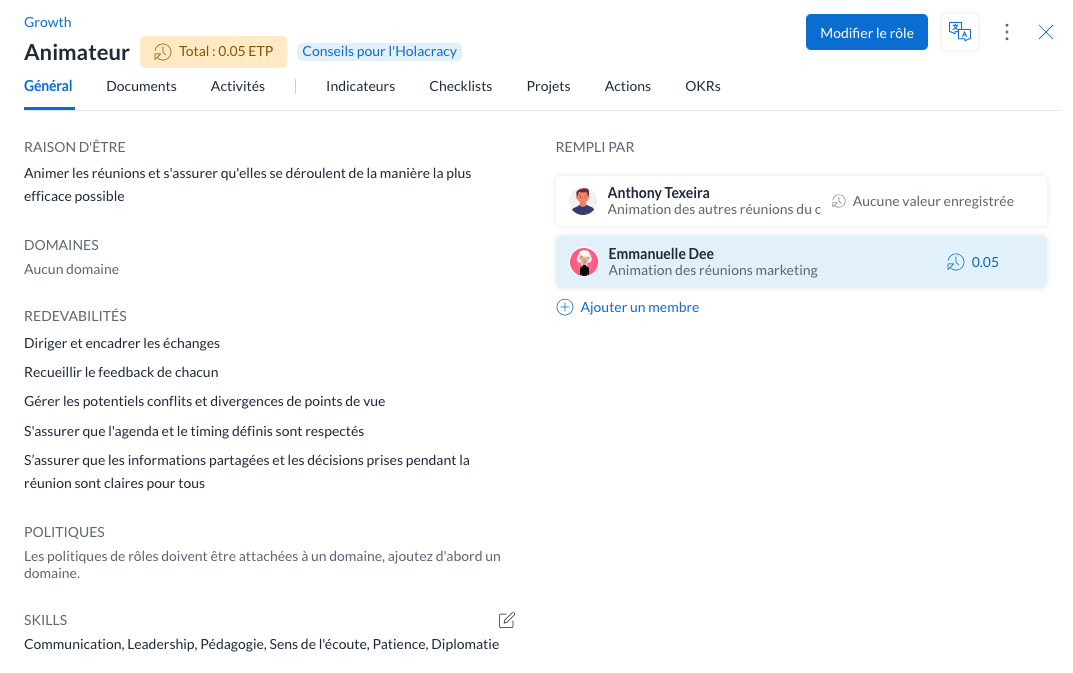
5. Leaving the Facilitator Role Undefined
The facilitator is the person in charge of running the meeting, which means:
- guiding and managing the discussion,
- gathering input from each participant,
- managing any disagreements or conflicting viewpoints,
- and making sure the information shared is clear to everyone.
In some cases, the facilitator also wears other hats, taking notes and following up on actions, for instance. In others, the note-taker and project-owner roles are delegated to other people.
The result: more often than not, the facilitator's responsibilities are unclear to everyone, which creates communication problems during the meeting.
So take the time to document what is expected of the facilitator, using a tool like Talkspirit.
6. Not Letting Participants Speak
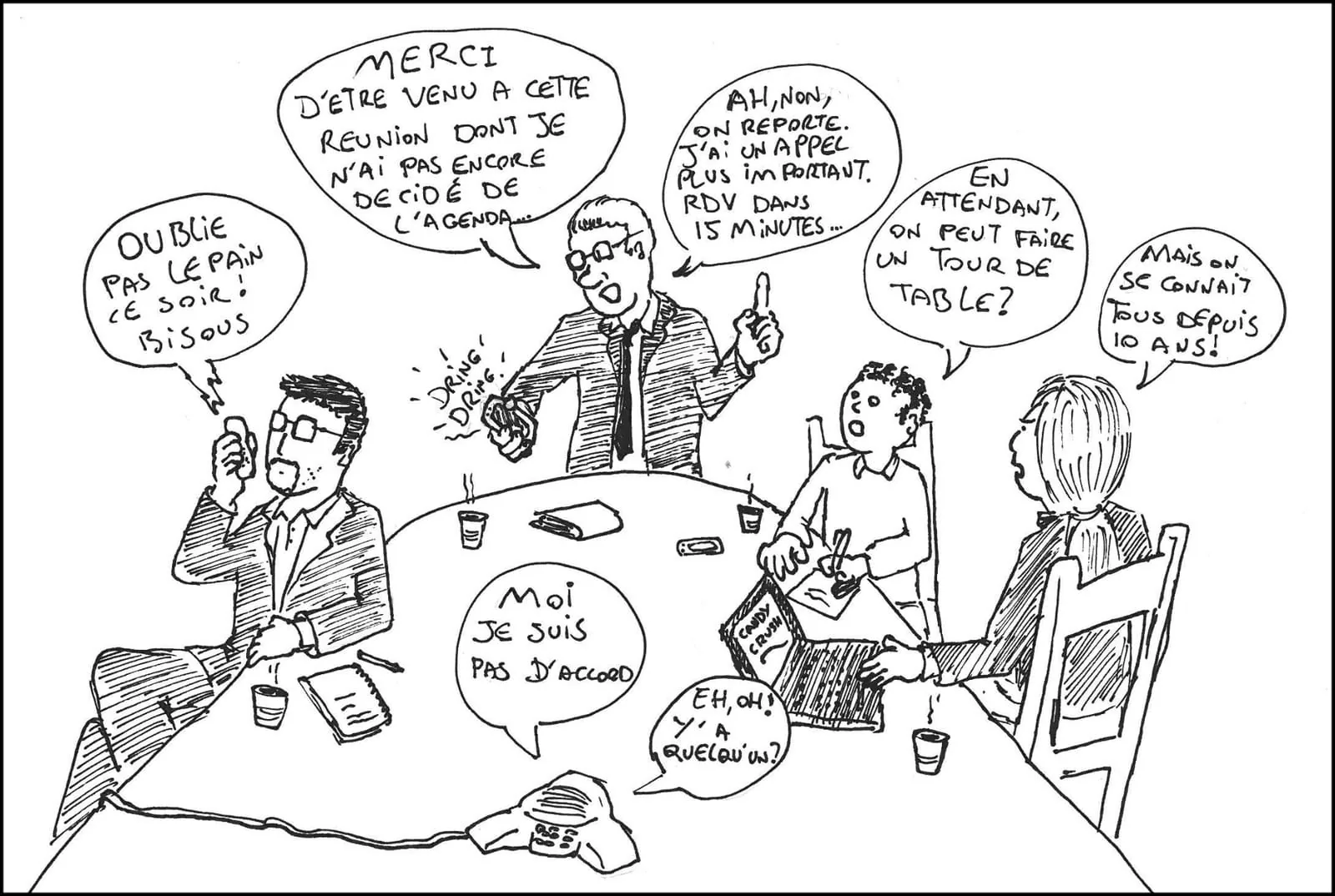
Be careful: running a meeting does not mean doing all the talking. It is a common mistake, made by facilitators and participants alike. To be effective, a meeting has to let everyone speak freely, without being cut off.
So practice active listening and give the floor to each person in turn, to stop your meetings turning into a long monologue or an indistinct din.
7. Trying to Discuss Several Topics at Once
Another pitfall is drifting away from the items on the agenda, or trying to cover several topics at once. This habit stops you finishing on time and delays your decisions. The result: everyone leaves the meeting unsatisfied.
To run a meeting well, make sure the discussion sticks to the items on the agenda, and not to side topics. Try as well to go deep on the more complex subjects. To dig into the cause of a problem, you can apply the five whys method, which consists of asking participants the question why five times over.
8. Not Respecting the Time Allotted
Do your meetings tend to drag on longer than planned? Do people show up late one time in two? Time to drop these habits.
An effective meeting starts on time and ends on time. So anticipate the time you actually need, to avoid the snowball effect (a meeting that overruns can stop the next one starting on time, and so on).
If your meetings are particularly long, remember to build breaks into the agenda 😉.
9. Leaving Without a Decision
Meetings that end without a decision or a concrete action are commonplace in companies. They are often pointless, and they cost your teams valuable time.
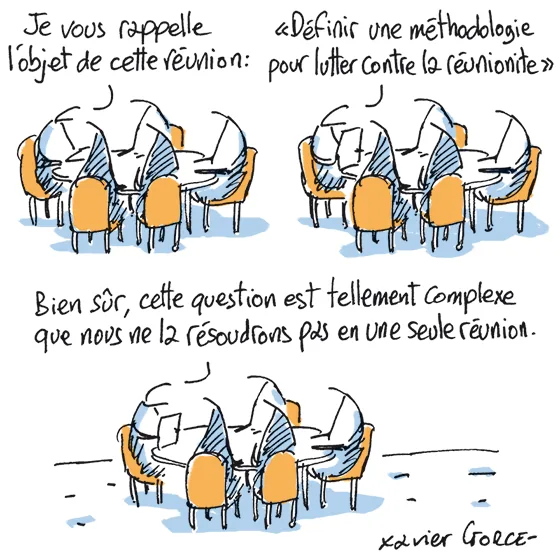
After all, the point of a meeting is not to philosophize for hours, it is to reach a shared agreement. So cap how long each person speaks, and use a voting system to reach decisions quickly.
10. Leaving Follow-Up Actions Unclear
The meeting is over, but nobody really knows what happens next. Several reasons can explain this:
- Follow-up actions and post-meeting task assignments were never discussed during the meeting
- Nobody took notes, so nobody remembers what needs doing
- No minutes were shared with participants afterwards, and no follow-up was done to check that everyone completes the tasks assigned to them.
Make sure to formalize follow-up actions during and after your meetings so they do not get forgotten.
10 Best Practices for Facilitating Meetings Effectively
Now that you know what to avoid, let us move on to the best practices for running a meeting that wastes no one's time.
1. Define the Purpose and the Agenda
The first thing to do before scheduling a meeting is to clarify its purpose, that is, what you want to achieve with it. Identify the topics to cover in order to get there, and which of them call for a decision.
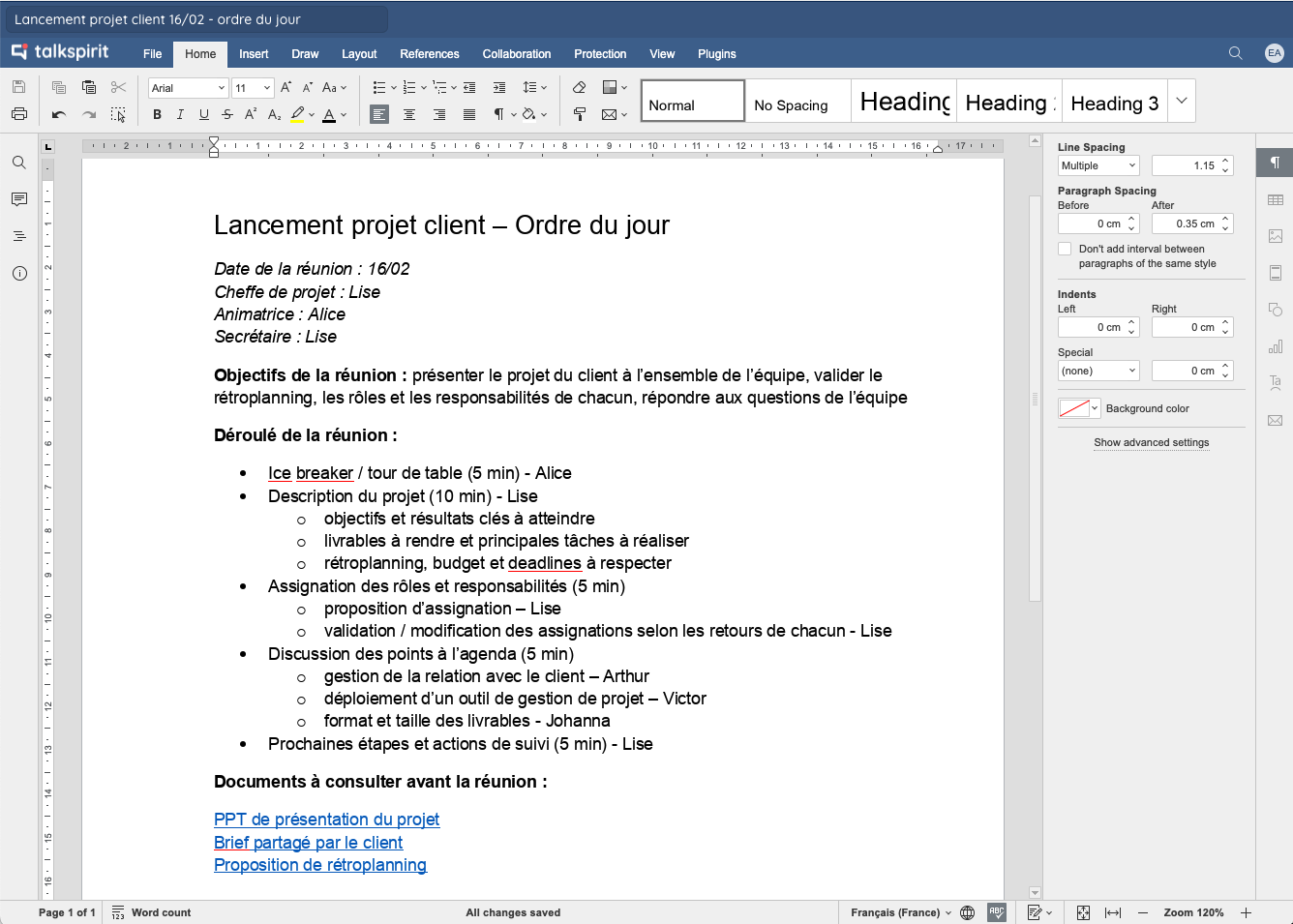
From there, you can draw up an agenda for your meeting, and invite participants to add the points they want to discuss. Nothing complicated: just use a co-editable document like the one below (created in the Talkspirit OfficeNow suite).
2. Organize the Meeting Properly
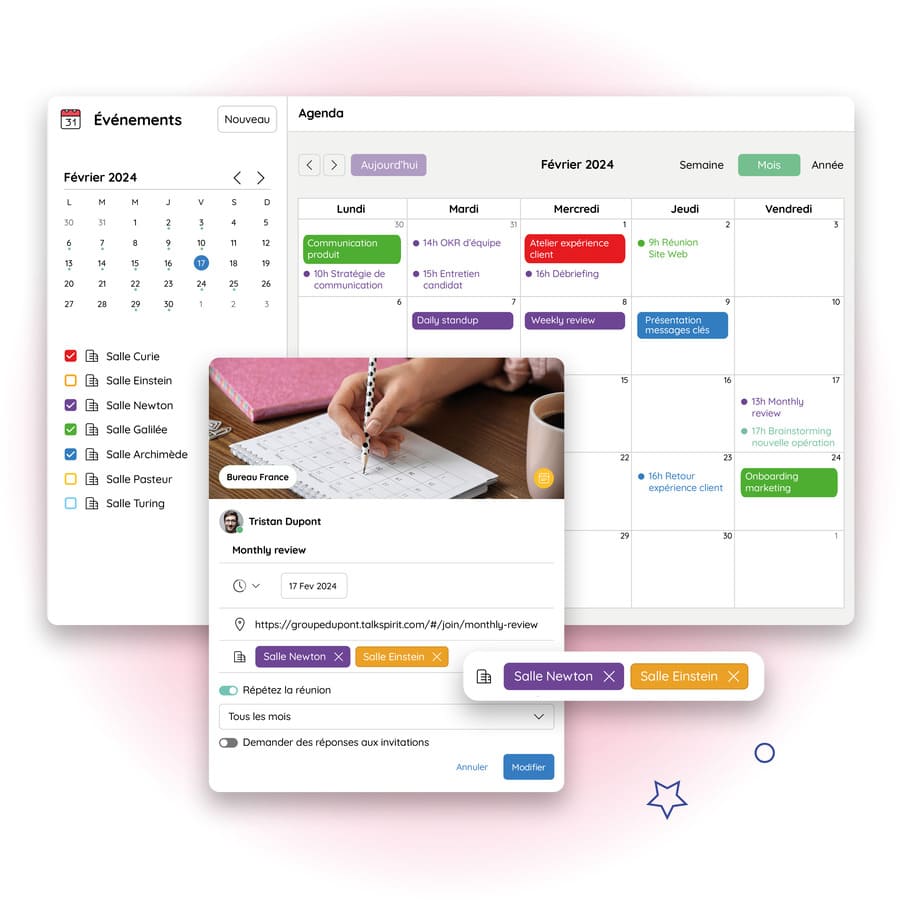
The next step is of course to organize the meeting. Send a calendar invitation to participants, taking care to invite only the people who genuinely need to be there. In the invitation, state the theme, the purpose and the agenda (and add a link to the documents to read, if there are any) so that everyone can prepare in advance.
Ask each participant to confirm their attendance and to share in advance the points or questions they want to raise. That gives you time to think a solution through beforehand.
3. Clarify the Format
Meeting formats have changed a great deal in recent years. To avoid misunderstandings, make clear:
- where the meeting takes place: remotely, on site or in hybrid mode (that is, with a mix of remote and on-site participants),
- and what kinds of information are to be shared during the meeting.
Depending on the format, you will need to add a video conferencing link to the invitation, book one or more meeting rooms, or both.
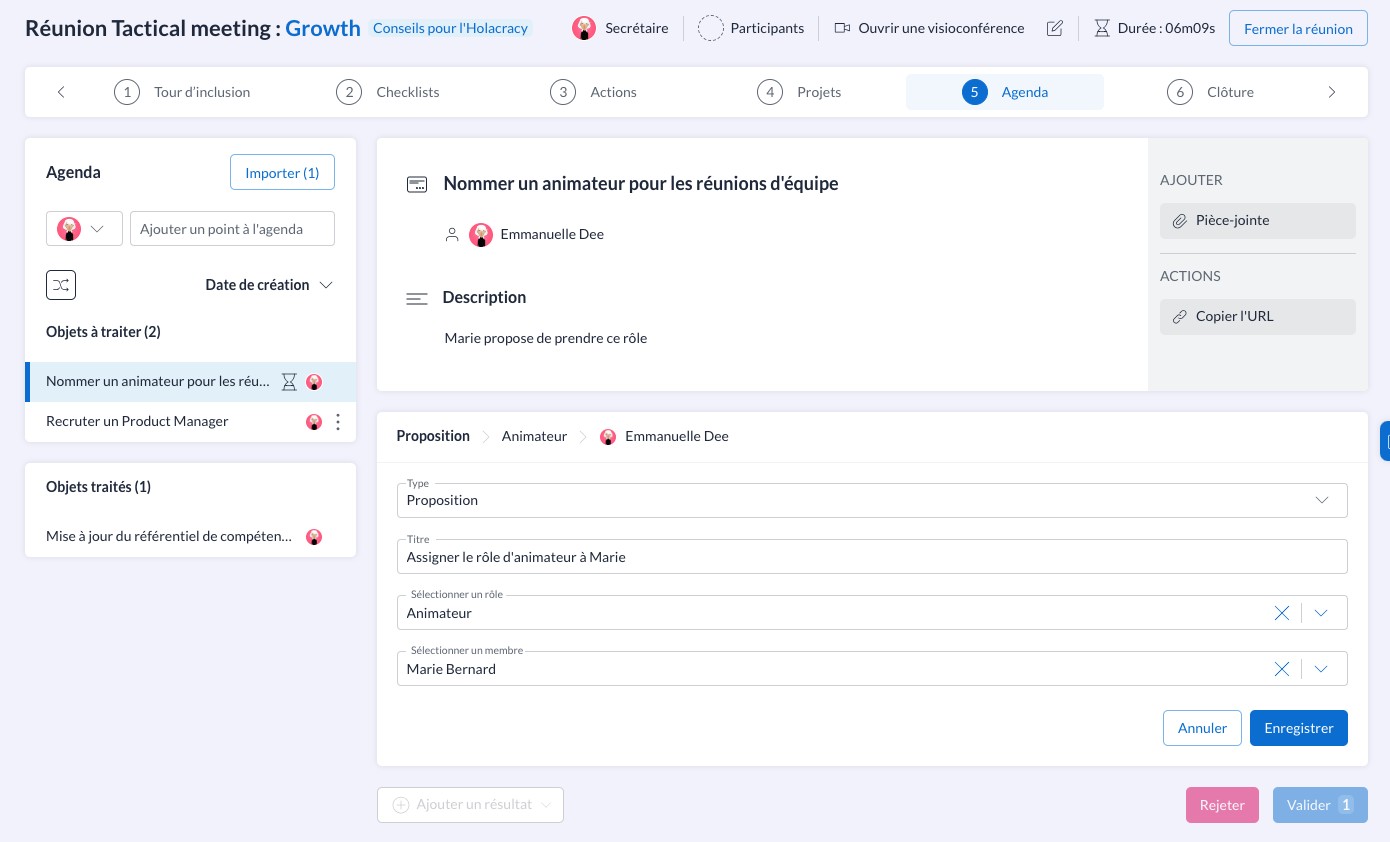
To save time, you can also create your own meeting templates in Talkspirit. The tool lets you define the key stages of your meetings and the type of content to be shared at each one (for example, an action checklist, key indicators, a project progress report, a report tracking your OKRs).
4. Choose the Right Collaborative Tool
It is hard to run a hybrid meeting without a solid collaborative tool. To choose the right one, look closely at your needs:
- Which features are essential in a video conferencing tool? (recording, polls, breakout rooms, screen sharing, and so on)
- Do you need to equip your meeting rooms?
- What other features do you need to organize and run meetings? (shared calendar, resource booking, chat rooms, office suite, etc.)
- What are your constraints? (data hosted in France, SSO authentication, mobile app, ease of use, and so on)
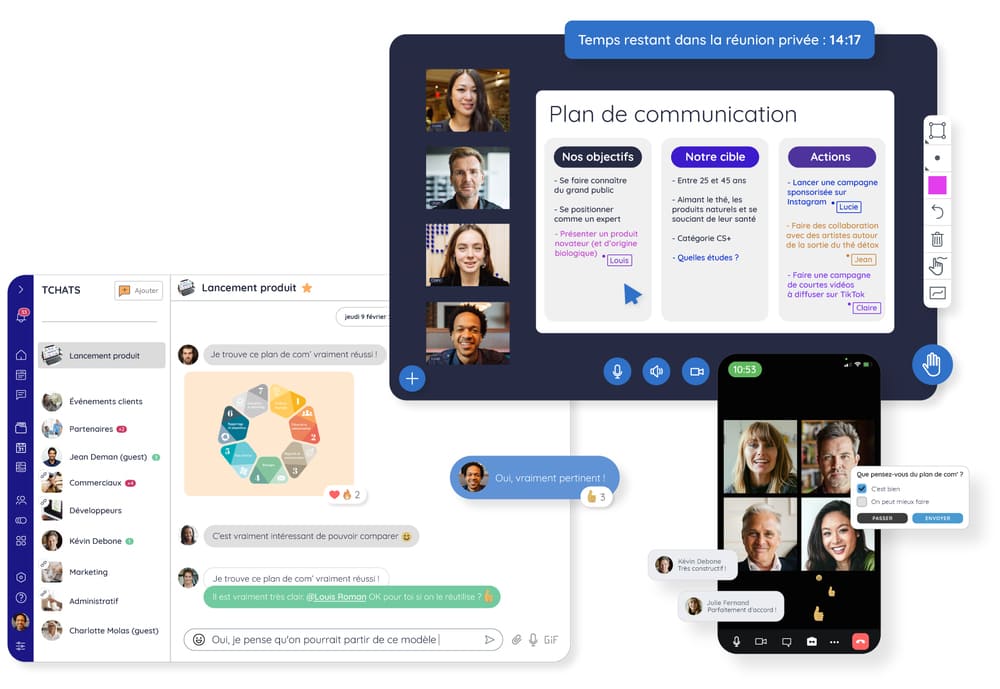
At Talkspirit, we bring everything you need together on a single platform. Our collaborative tool is French-made and includes all the features you need to organize, run and follow up a meeting: chat and video conferencing, webinars, meeting room equipment, shared calendar, office suite, project management, and more.
5. Establish Internal Ground Rules
The best way to put an end to meeting overload? Write a practical meeting guide, setting out the ground rules that apply in meetings, for participants and facilitators alike. For example:
- arrive on time,
- prepare for the meeting in advance,
- raise your hand to speak,
- do not interrupt someone who is speaking,
- respect everyone's point of view,
- do not multitask during a meeting (answering emails, checking your phone, etc.),
- mute your microphone when someone else is speaking,
- avoid technical jargon.
These rules can also go in your onboarding handbook (or any other onboarding document), so that new joiners can read them easily.
Read also: HR: How to Onboard a New Employee
6. Keep Participants Engaged
Facilitating a meeting also means doing everything you can to keep participants engaged throughout. Here are some ideas for different meeting formats:
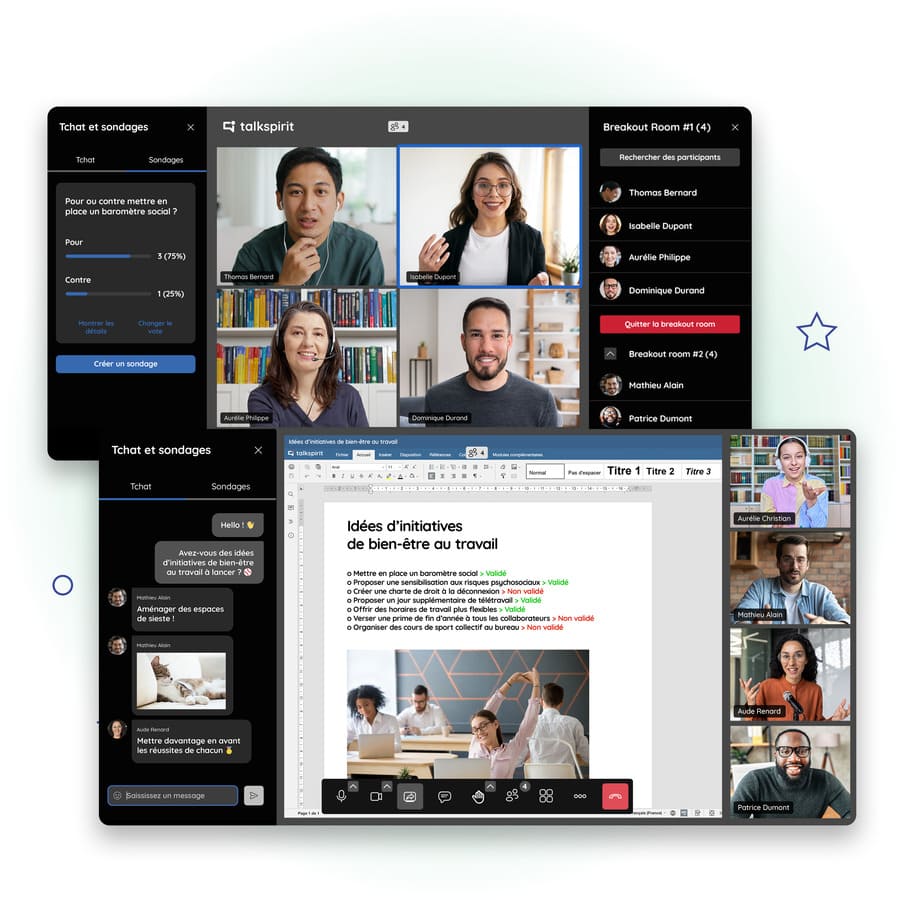
- At the start of the meeting, run a round of introductions or an ice breaker (an activity that literally breaks the ice) to put participants at ease and lighten the atmosphere.
- Gamify the meeting experience: run polls, quizzes and challenges, and keep score to encourage participants to give their best
- Share your screen and use a whiteboard to make your presentation more interactive
- Invite participants to brainstorm in small groups (using breakout rooms)
7. Encourage Everyone to Speak Up
Running a meeting is not only about passing information down the line. Every participant should be able to speak and give their opinion, so the discussion is worth having.
Encourage participants to ask their questions as they come up during the meeting. Keep dedicated time for the agenda items. And give the floor to those who speak least, so you get feedback from everyone, not just from the people comfortable speaking up.
8. Stick to the Agenda and the Time Allotted
The facilitator also has to make sure the meeting meets its purpose and does not wander off in all directions. They keep the discussion framed so the agenda is respected, the expected decisions are made, and above all so the meeting does not overrun.
If needed, they can appoint a timekeeper to watch the clock and remind everyone how much time is left.
9. Take Notes
Taking notes is essential when you run a meeting. Obvious, perhaps, but in some companies finding a written record of a meeting is surprisingly hard.
So at the start of the meeting, appoint a note-taker. Any participant can play this role, the facilitator included, so feel free to rotate it from one meeting to the next.
10. Follow Up After the Meeting
Following up after a meeting matters as much as running it. It is what lets you remind participants of what was discussed, and keep the people who could not attend informed.
Here are a few good practices for following up on a meeting:
- Share the minutes with the people concerned (participants, and invitees who could not come) through a post on your enterprise social network. Include the topics covered, the decisions taken and the follow-up actions to carry out.
- Ask for feedback from participants on the meeting, using a poll for instance. And invite them to suggest improvements for the next ones.
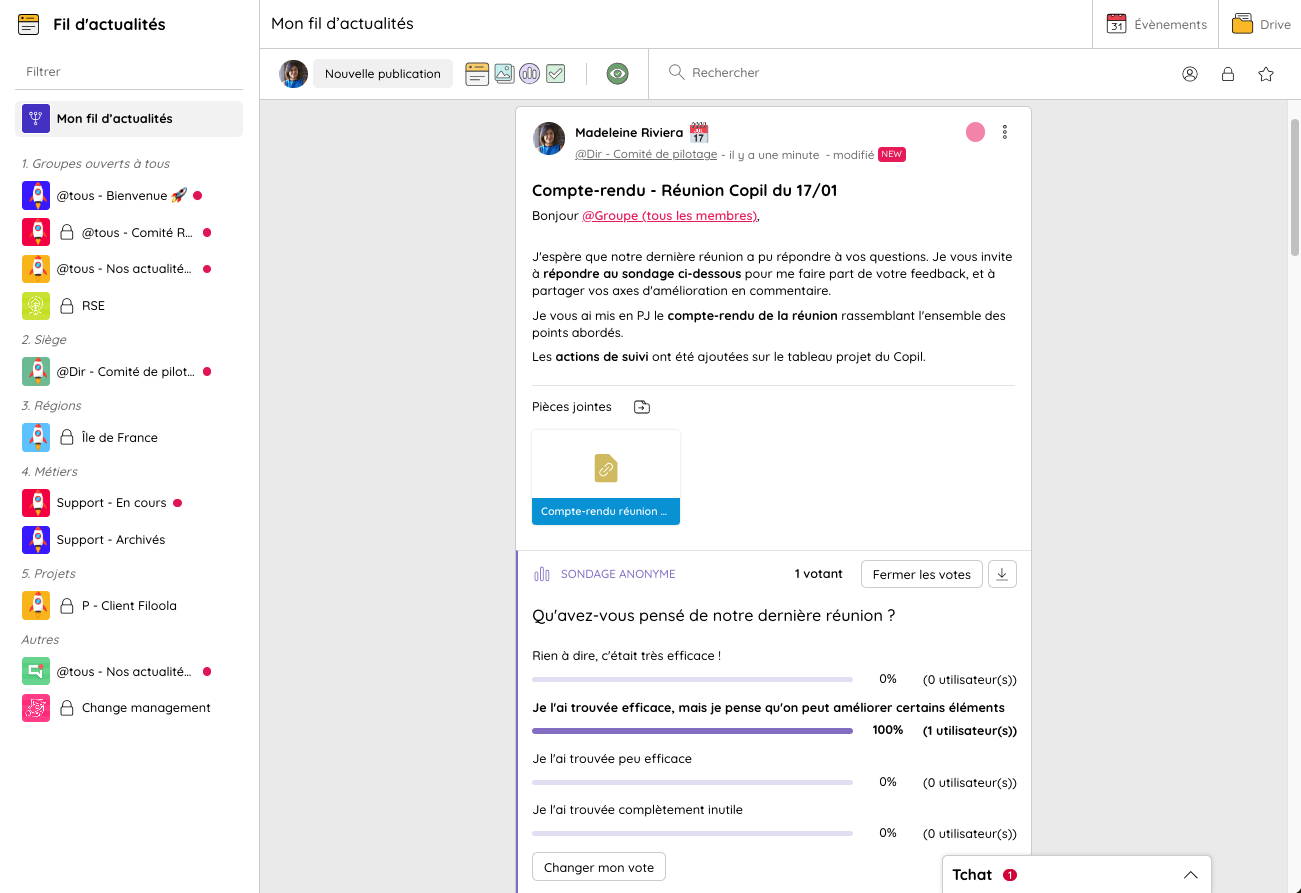
- Add the follow-up actions to your project management tool. Assign the right actions to the right people, and add deadlines so tasks get done on time. Talkspirit has a Projects module that makes this follow-up straightforward, so give it a try.
To Conclude
With these best practices you now have what you need to run your meetings effectively, wherever your participants happen to be. New habits take a little time to settle, so be patient and lead by example so your teams follow. Finally, equip yourself properly: set up video conferencing in your meeting rooms, and roll out a collaborative tool with a built-in video module. The right tools make all the difference, particularly when you run hybrid meetings.
Need a reminder to keep these practices in mind? Download our ultimate checklist for effective meetings 👇
Access the Checklist
In this checklist you will find: our best practices for effective meetings, the 14 key actions to take before, during and after every meeting, plus suggested resources to go further.
FAQ
One in four, on average. The usual causes: poor preparation, discussions that are hard to keep on track, or a tool that is not up to the job.
Guiding and framing the discussion, gathering input from each participant, handling disagreements, and making sure the information shared is clear to everyone. The facilitator may also take notes and follow up on actions, or delegate those roles.
The lunch break, before 9 a.m. and after 6 p.m., the middle of a packed day, and days already full of meetings. Check where participants will be too, so nobody joins from a train.
Only the people concerned: those you need in order to make a decision, and those who need the information you are going to share. Inviting everyone by default is one of the ten bad habits.
Share the minutes with the people concerned, participants and invitees who could not come, setting out the decisions taken and the actions assigned. Without notes, minutes or follow-up, nobody knows what happens next.
An opening round or ice breaker to get people talking, brainstorming in small groups (breakout rooms) to produce ideas, a vote to settle a decision, and the five whys to dig into the cause of a problem. Break the agenda into short segments, each with an announced duration, and hand timekeeping to a named person.