
Talkspirit Introduces a Post Approval Workflow
.svg)
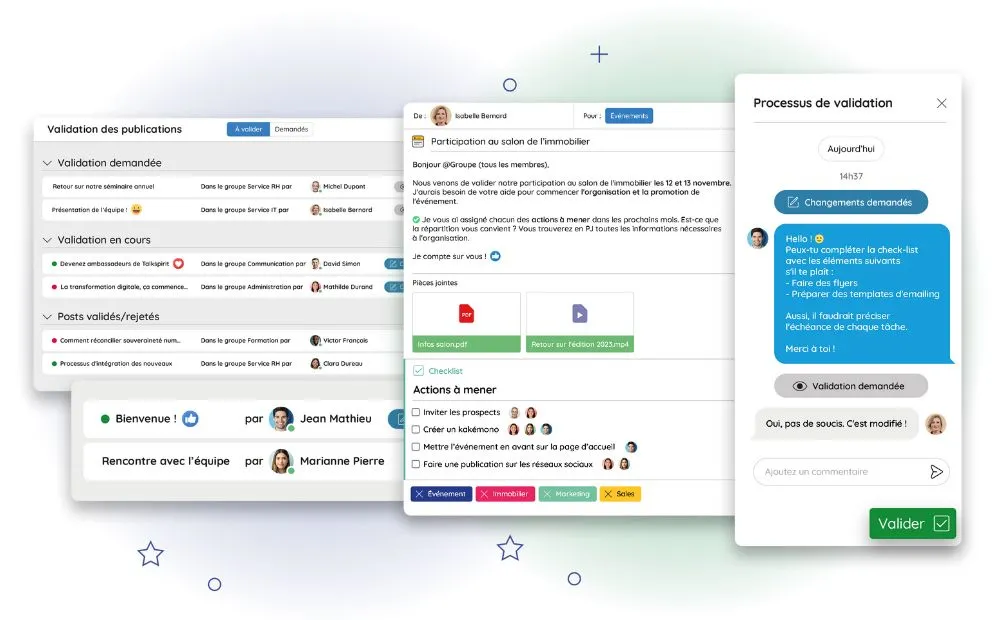
With this new feature, you can hit "publish" with total confidence 🙈. We're talking about… the post approval workflow! Its goal? Streamline the review and approval of posts on Talkspirit, to build a feedback culture, and turn every employee into an active contributor to internal communications.
What does this approval workflow involve? What benefits does it bring to your employees and managers? And how do you roll it out in your organization? That's exactly what we're covering today!
Streamline Your Approval Workflows
Are your internal communications taking weeks—or even months—to get approved? We promise there's a better way. Enter: our new post approval workflow.
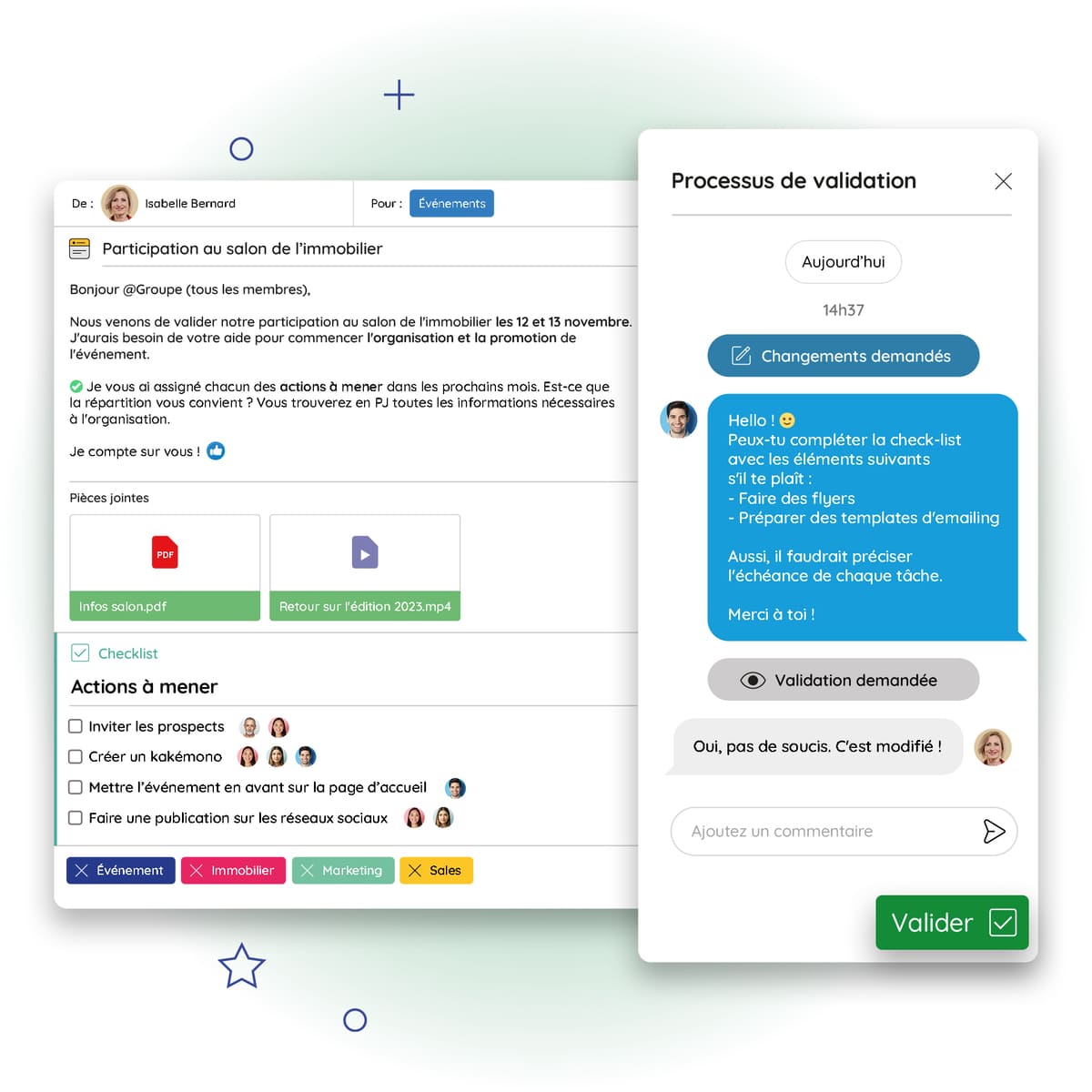
With this feature, you can now review, moderate, and approve content shared by your employees on the news feed. Need to suggest an edit on a post? Send a counter-proposal? Done in one click—no more endless back-and-forth to collect everyone's feedback.
To keep things organized, you can view all your approved posts, posts under review, and posts awaiting review in a dedicated dashboard. At a glance, you know exactly who to follow up with, which posts need changes, and which are ready to go live.
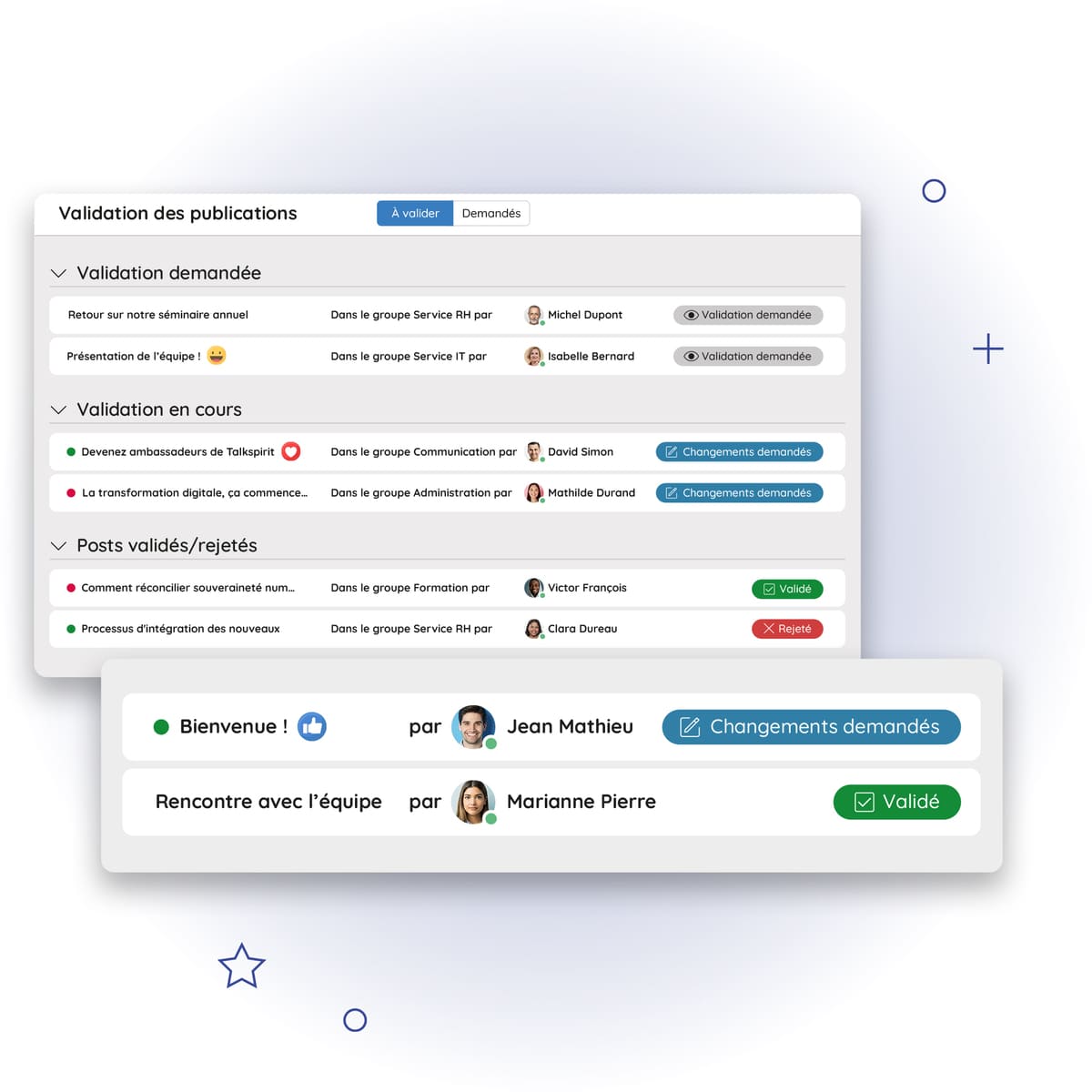
The result: your internal communications get approved faster and stay on-message. More efficiency, less friction!
Read also: 6 Best Practices for Smoother Internal Communications with an Intranet
Build a Feedback Culture
A clear approval workflow also helps encourage the sharing of feedback. That's essential for continuous improvement—and for fostering recognition and employee engagement.
According to an Officevibe study, 4 in 10 employees disengage when they receive little or no feedback—a figure that speaks volumes about the importance of building this practice into your organization.
With the post approval workflow, this feedback loop happens directly on your Talkspirit platform. Here's how it works:
- An employee drafts a post on Talkspirit.
- They assign a reviewer (either the group manager or someone of their choosing, depending on whether the workflow is set to mandatory).
- The reviewer receives the approval request in a dedicated section of their news feed.
- The reviewer has several options: approve the post outright, reject it, or suggest edits via a comment thread.
- If comments are added, the author is notified and can either accept the suggestion or send a counter-proposal, which the reviewer can then accept or decline.
Watch the walkthrough video 👇
This system gives both the reviewer (whether a manager or a peer) and the post author a voice in the process. Everyone can weigh in and feel heard until a shared agreement is reached.
Turn Employees into Internal Communications Contributors
Want to get your employees more involved in internal communications? The post approval workflow is a great way to do just that—because internal comms isn't just the responsibility of leadership or managers. Everyone has a role to play, regardless of their position.
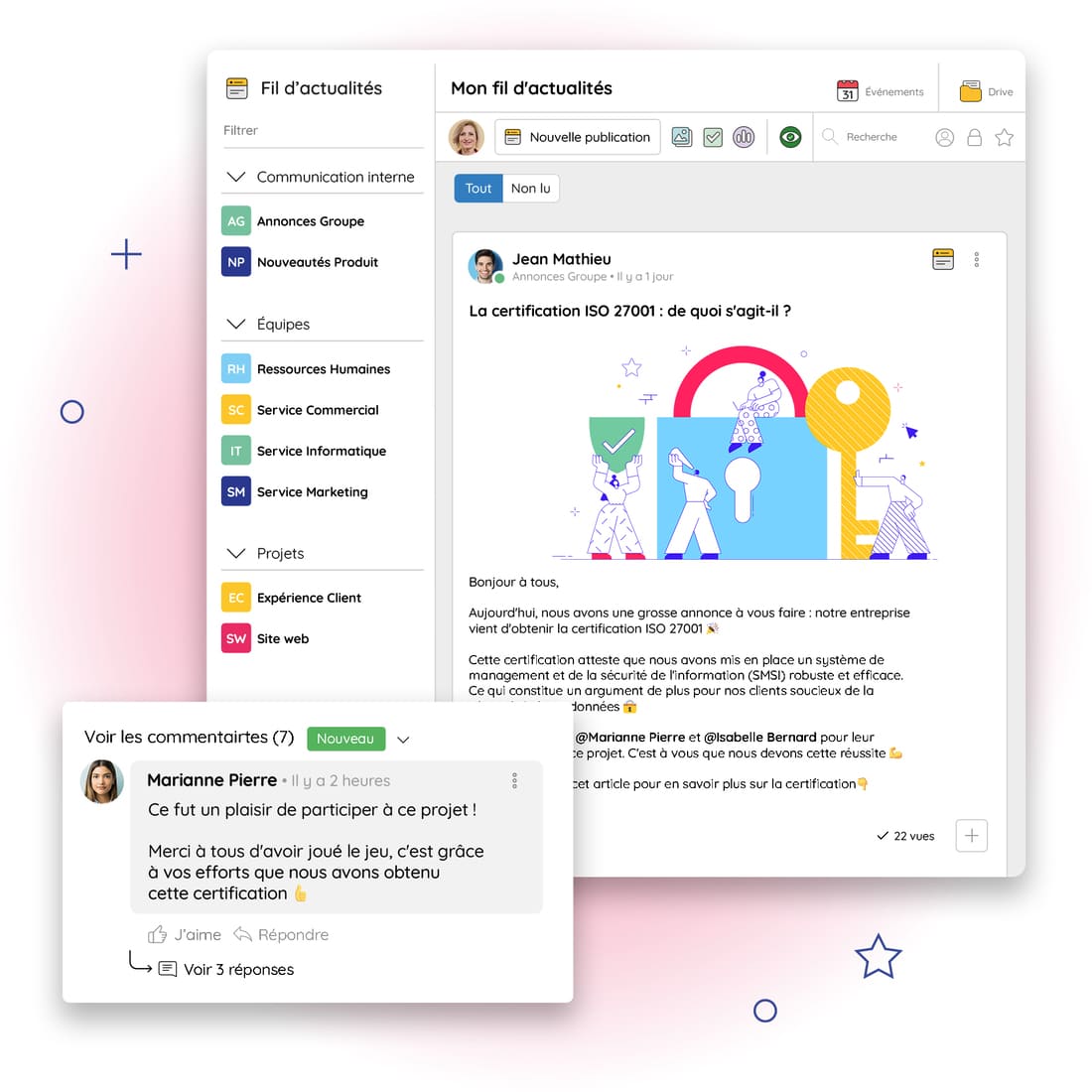
That said, many organizations find that employees often hesitate to post on their own for fear of saying the wrong thing. A review process can help ease those fears and encourage employees to speak up—shining a light on their projects and helping them connect with other teams—while keeping your communications consistent. Who knows, you might even uncover future brand ambassadors 😉
Read also: Turn Your Employees into Ambassadors on Your Corporate Social Network!
PS: many other features can help you energize your internal communications on Talkspirit. Discover them all here.

Our Tips for Making the Most of the Approval Workflow
Now that you know what the approval workflow can do, you're probably wondering: how do you set it up? Here are our best practices for getting the most out of this feature:
- Run an internal survey to ask users whether the feature would be useful to them, and if so, how. This will help you identify which groups would benefit from the approval workflow and whether it should be mandatory.
- Pilot the feature with a small group of users to validate the use case before rolling it out more broadly.
- Document how the workflow works in your Talkspirit library—for example, by creating a dedicated page with an FAQ and usage guidelines.
- Activate the feature across all identified groups (if you have many groups, roll it out gradually).
- Train users, admins, and group managers so they know how to use the feature effectively (for example, via a video tutorial or a live demo).
- Promote the feature on your welcome portal and news feed to give it visibility internally.
- Stay open to feedback from users, and proactively ask for their input to keep improving your approval process over time.
To Conclude
Faster decisions, greater recognition, more engaged employees… Putting a post approval workflow in place can bring real benefits to your organization. Interested? Request a demo or try it for free on the Talkspirit platform ✨



