
Group Statistics Get a Major Upgrade
.svg)
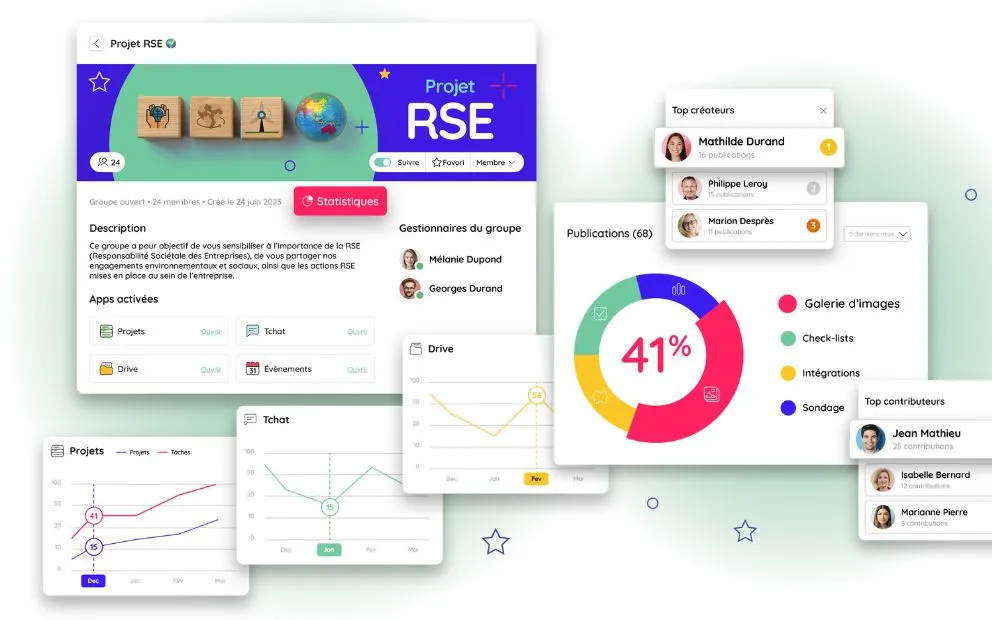
Measuring engagement and adoption on a collaborative platform is far from straightforward. People often wonder how to set objectives, but above all how to measure whether those objectives have been met. It is to make that work easier that we have completely redesigned our group statistics.
Do you manage a group on Talkspirit? Then this feature should be of interest to you! It is what lets you review in detail the usage statistics of your communities, and track progress towards your objectives. Everything you need to improve your internal communication continuously!
Here is an overview of group statistics, available from 25 October 2023 on Talkspirit, along with our best practices for using them.
Group Statistics Features
Tracking User Engagement
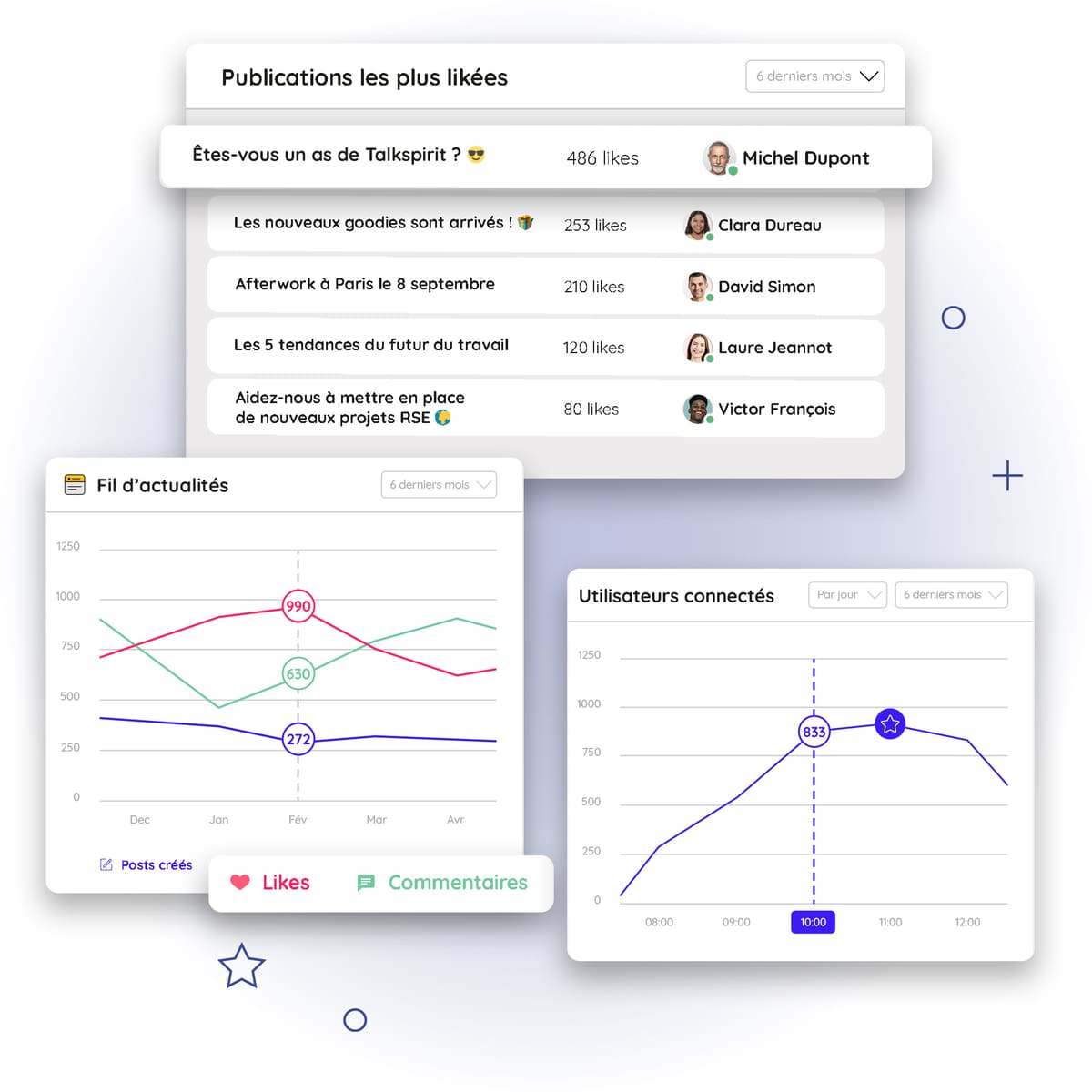
Available on every Talkspirit group, the group statistics feature lets community managers track user engagement and activity by looking at:
- The active user rate: this shows how often users log in each day or week, and so measures the platform’s level of adoption.
- The number of posts created: this metric shows how much content group members are producing. The higher the number, the more active and engaged your users are.
- The number of likes and comments on posts: this is THE figure to watch to measure engagement on your enterprise social network.
- The top most-liked posts: with this ranking, you can see at a glance which content performed best, and so spot what group members prefer.
Read also: Internal Communication: 7 Tips to Boost Employee Engagement
These group statistics can be tracked over different periods (a month, six months or a year, for example), which lets the group manager compare the data, spot trends, and where necessary put corrective actions in place to reach the objectives that were set.
When this tracking is done regularly, it can therefore be a key lever to boost the effectiveness of your internal communication!
Identifying Employee Ambassadors
Ambassadors are the stars of your collaborative platform 🤩. Their role? To convince your users of the value of using the platform, and help them make the best possible use of it.
These ambassadors can also act as spokespersons for senior management, internal communications, and frontline employees. They therefore play a key role before, during, and after the rollout.
Identifying these employee ambassadors can sometimes take time. To make that easier, we have therefore built into the group statistics:
- a ranking of the group members who have created the most posts,
- and a ranking of those who have interacted the most with posts (through likes or comments, for example).
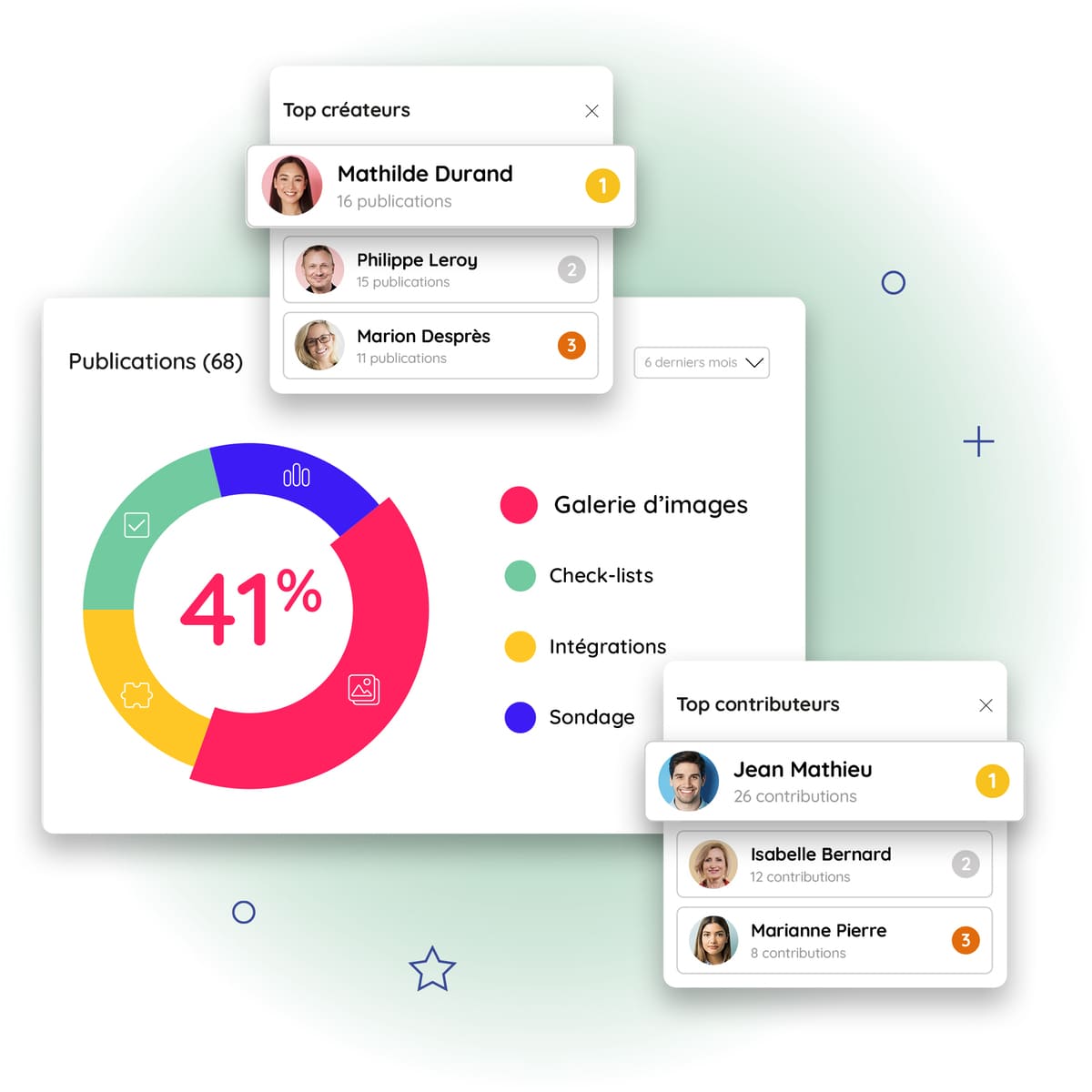
Thanks to these two rankings, you can easily identify the people who regularly share content, and those who are most involved in the community. You are then free to get in touch with them and turn them into future ambassadors 😉.
Read also: 10 Best Practices to Drive Engagement on Your Collaborative Platform
Tracking Collaboration Usage
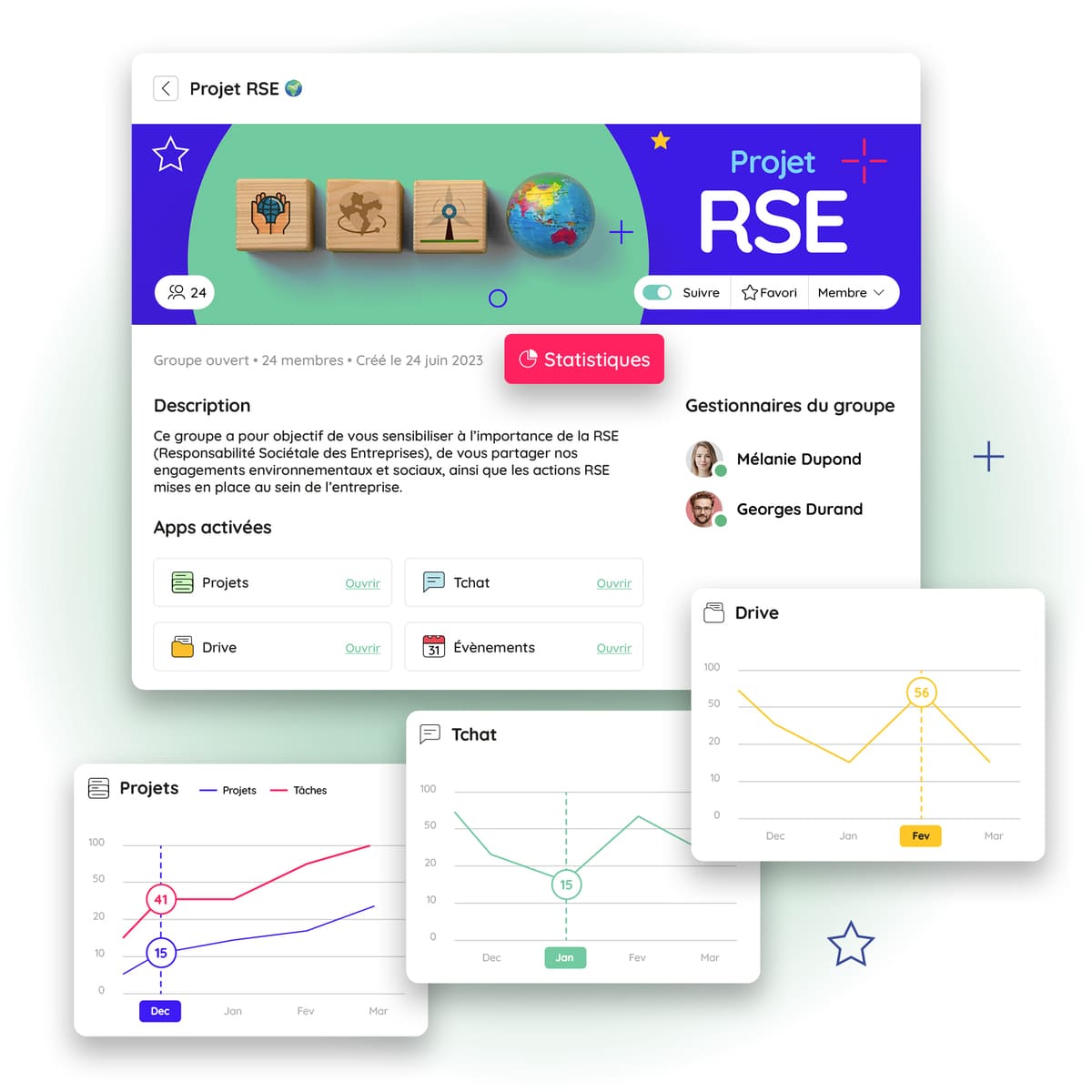
If you have activated different apps on a group (for example projects, the drive, chat or events), you can also track their usage from the group statistics. Over a given period, you can review:
- the number of chat messages sent,
- the number of new files added to the drive,
- the events organised,
- the projects and tasks created.
You can also get an overview of the type of device your users log in from (computer or mobile). That lets you track how the platform is being adopted by different employee profiles, in particular those working mainly in offices and those often in the field and on the move.
Tracking these group statistics is a good way to understand and measure the collaborative practices on your platform. By comparing data across your different groups, you can see which groups have good practices, and identify what to adjust in order to move other groups’ practices forward.
Read also: [Infographic] 9 Key Statistics to Know About Collaboration Tools
Best Practices for Making the Most of Group Statistics
To get the most out of the group statistics feature, it is important to make it part of your daily routine. Here are a few best practices to follow whenever a new group is created on Talkspirit:
- Appoint one or more group managers, favouring the people with the most expertise on the subject and those who are the most engaged.
- Define the objectives you want to reach over a given period, using the OKR method (Objectives and Key Results), which links each goal to a measurable key result.
- Identify the KPIs to track for measuring those objectives, the frequency at which they should be reviewed (weekly, monthly, every six months…), and who is responsible for monitoring them.
- Regularly review these KPIs via the group statistics feature to check whether objectives have been met.
- Share the key figures with group members, for example through a post on the news feed.
- Put targeted actions in place to move practices forward and continuously improve your usage statistics.
*
* *
There you have it, you now know everything you can do with group statistics! To start using this feature as soon as it is released, it is very simple: go to the Talkspirit group of your choice, and click the “statistics” button. And if you are not a customer yet, no worries: all you have to do is request a demo or start a free trial of Talkspirit 😉.
Try it for free



