Best Software for Team Communication

.svg)
- The comparison reviews fifteen team communication tools, from Talkspirit and Slack through to GoToMeeting and Jitsi.
- Each tool is presented with its key features, its limitations and its pricing.
- Four vendors are flagged as subject to the Cloud Act: Slack, Google Chat & Google Meet, Microsoft Teams and Zoom.
- Two options are open source: Rocket Chat, created in 2015, and Jitsi, whose pricing section simply reads free.
- Talkspirit highlights email-free access so you can include ALL your employees, whereas Microsoft Teams lists no email-free access among its drawbacks.
Is team communication important to you ?
Do you believe smooth communication makes collaboration easier ?
Are you looking for a tool that improves the way your employees communicate ?
Discover our top 15 team communication software tools :
- Talkspirit
- Slack
- Google Chat & Google Meet
- Microsoft Teams
- Zoom
- Flock
- Ryver
- RingCentral Video
- Spike
- Fleep
- Rocket Chat
- Chanty
- Brosix
- GoToMeeting
- Jitsi
And choose the one that fits you best.
1. Talkspirit
The all-in-one platform that simplifies the way your employees communicate
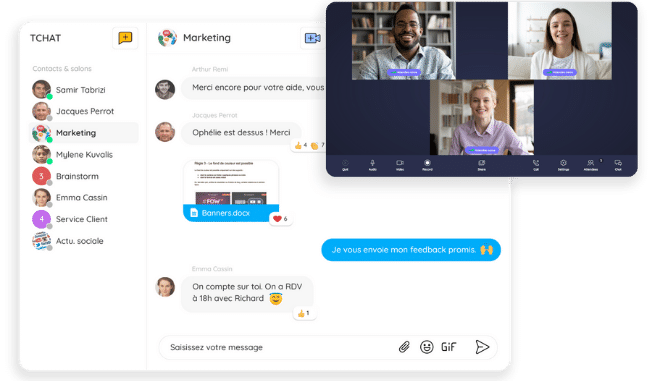
Talkspirit is an all-in-one French collaboration platform that brings together in one place all the tools you need day to day to communicate effectively with your teams: instant chat, video conferencing, audio conferencing, posts and comments…
Talkspirit serves more than 500 customers today. Among them, the communications agency Bergamote, which, on top of boosting its productivity, managed to cut its internal emails by nearly 100%.
Key features:
- instant chat
- video conferencing and audio conferencing
- Kanban board
- live video
- email-free access available so you can include ALL your employees
- the ability to create topic-based discussion groups
- available on mobile
- responsive customer service & user support (FR and EN) 7 days a week
- GDPR: data hosted in the EU (with Cloud Temple)
Limitations / drawbacks: Talkspirit is an all-in-one collaboration tool that will meet all of your team communication needs. That said, Talkspirit isn't the ideal solution if you're only looking for an online messaging app.
Pricing:
- paid plans starting at €5 / month per user (volume discounts from 500 users and special rates for nonprofits)
- free trial (15 days)
- free personalized demo
Read what Talkspirit users have to say.
2. Slack
The collaborative messaging tool that breaks down communication silos
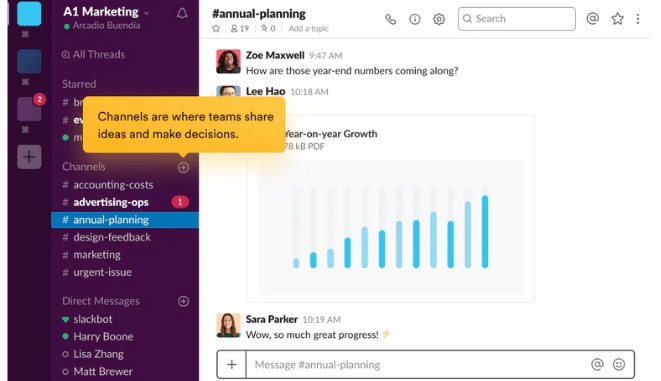
Slack is a messaging app that organizes your conversations into customizable topic-based channels. Easy to use, Slack also offers a large number of integrations with external apps.
Key features:
- easy-to-use tool
- very well-developed integrations system
- web and mobile apps
- video conferencing
Limitations / drawbacks:
- without proper care, the high volume of conversations can become a time sink
- vendor subject to the Cloud Act *
Pricing:
- starting at €6.25 / month per user, with a freemium version
3. Google Chat & Google Meet
The communication tools built by Google
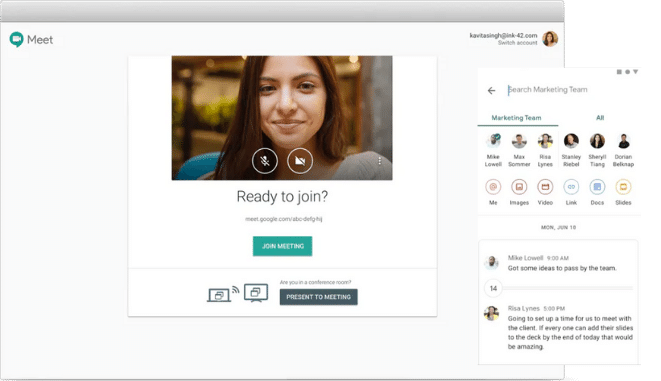
Both included in the Google Workspace collaboration suite, Google Chat and Google Meet (previously combined in the single Hangouts product) let you communicate via private messaging and make high-quality video calls, respectively.
Key features:
- group chat
- conversation threads
- chatbot
- powerful search function
- HD video calls and screen sharing
- instant captions
Limitations / drawbacks:
- G Suite doesn't offer a desktop app
- frequent updates require users to keep adapting
- vendor subject to the Cloud Act *
Pricing:
- Business Starter plan at €4.68 / month per user
- Business Standard plan at €9.36 / month per user
- Business Plus plan at €15.60 / month per user
- Enterprise plan on request from the sales team
- 14-day free trial
4. Microsoft Teams
The chat solution from Office 365
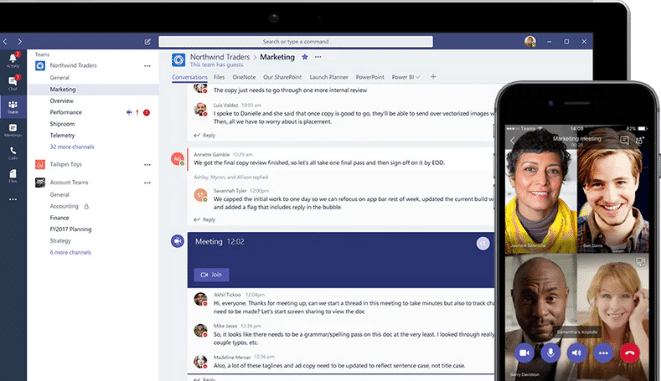
Microsoft Teams is an online collaborative workspace that, among other features, lets its users enjoy built-in chat and join audio and video calls: handy tools for smoothing out everyday team communication.
Key features:
- instant messaging
- solid integration with the Microsoft 365 ecosystem of tools
- document storage, sharing and co-editing
Limitations / drawbacks:
- no email-free access
- vendor subject to the Cloud Act *
Pricing:
- starting at €3.40 excl. tax for Microsoft Teams Essentials, with a freemium version
5. Zoom
The cloud-based video and web conferencing platform
.png)
Zoom is a video and web conferencing platform that lets you host high-quality online meetings, but also share files and use group messaging.
Key features:
- built-in HD video and audio
- recordings and transcriptions
- group chats
- built-in collaboration tools
Limitations / drawbacks:
- support teams could be improved
- stability of the mobile solution could be optimized
- vendor subject to the Cloud Act *
Pricing:
- free plan
- Pro plan at €13.99 / month per license
- Business plan at €18.99 / month per license (up to 300 participants)
- Enterprise plan at €18.99 / month per license (up to 500 participants)
- Zoom United Business plan at €33 / month per license
6. Flock
The collaborative messaging app for teams
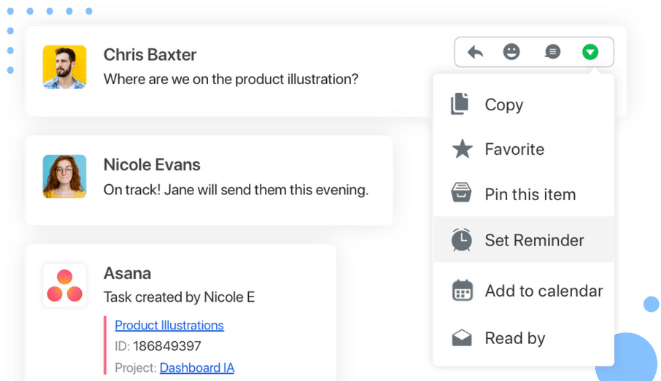
Flock is a tool available on PC and mobile that lets your teams communicate instantly through instant messaging, organize themselves into discussion groups, and also join audio and video calls. Flock also offers more than 40 integration options.
Key features:
- instant messaging
- video conferencing
- public and private groups
- integrations with Google Drive, GitHub, Trello, Asana, etc.
Limitations / drawbacks:
- technical support could be improved
- search tool (messages, photos…) isn't very effective
Pricing:
- free plan
- Pro plan at $4.50 / month per user
- Enterprise plan on request
- 30-day free trial
7. Ryver
An all-in-one communication and collaboration app
.png)
Ryver is a communication software and collaboration tool that lets your employees work more efficiently, notably through features like group messaging and audio and video calls.
Key features:
- ease of use
- well-developed integrations system
- the ability to create several topic-based chat rooms
Limitations / drawbacks:
- slow loading (notably when connecting to your platform)
Pricing:
- Starter plan at $49 / month (up to 12 users)
- Unlimited plan at $79 / month (unlimited number of users)
- Enterprise plan at $149 / month (unlimited users and extra features)
More information on the vendor's website.
8. RingCentral Video
The communication platform that lets teams collaborate more effectively
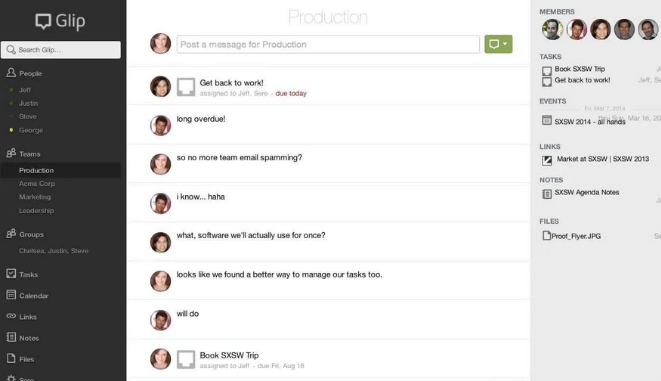
RingCentral Video is a conversation and collaboration platform that lets your teams communicate via instant messaging, meet in online video meetings, and also share files and organize their work.
Key features:
- instant messaging
- video conferencing and screen sharing
- adding comments to shared files
Limitations / drawbacks:
- a solution that seems to have evolved little in recent years
- RingCentral Video is collaboration software, but the features tied to that use case need improvement
Pricing:
- RingCentral Video Pro plan free
- RingCentral Video Pro+ plan at $11.99 / month per user
9. Spike
The software that turns your emails into chat
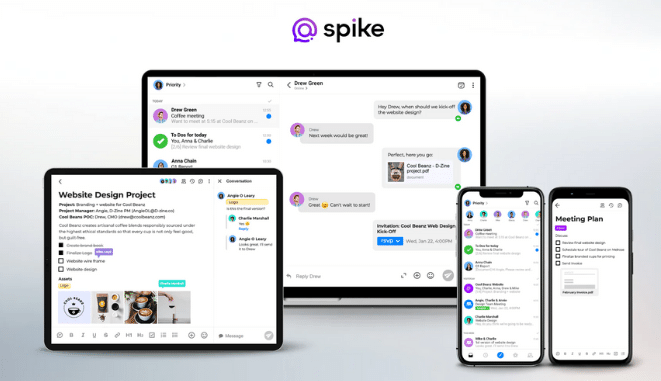
Spike is a messaging app designed to unify all of your everyday communication. The result? Your team conversations are simplified and you save time.
Key features:
- less time spent in your inbox
- instant messaging
- audio and video conferencing
- collaborative features
Limitations / drawbacks:
- some features still need optimizing
- emails containing photos display poorly
- interface could be improved to make the user experience more pleasant
Pricing:
- free plan
- Pro plan at $4 / month per user
- Business plan at $6 / month per user
- Enterprise plan at $40 / month per user
10. Fleep
The flexible collaborative messaging tool
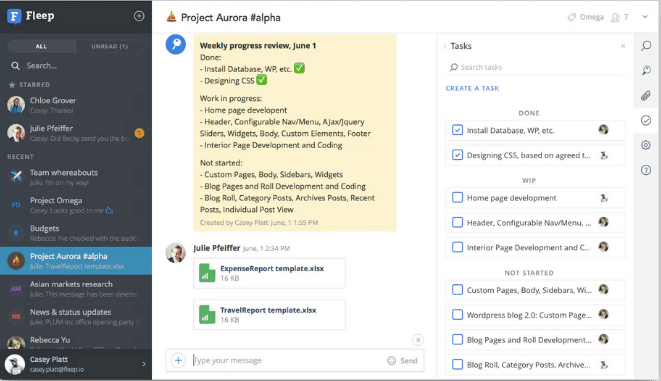
Fleep is a flexible messaging app that lets you improve your teams' communication and also support collaboration.
Key features:
- audio conferencing
- video conferencing with screen sharing
- instant messaging
- the ability to send emails through the app
Limitations / drawbacks: the quality and stability of voice calls could be optimized
Pricing:
- Basic plan free
- Business plan at €5 / month per user
- Enterprise plan on request
11. Rocket Chat
The open source team communication platform
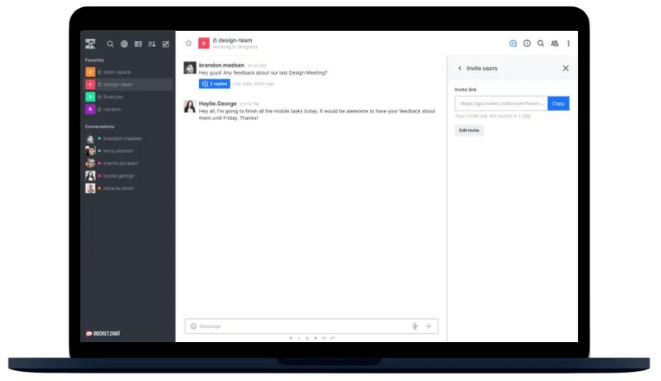
Rocket Chat is an open source software created in 2015 that lets you communicate and collaborate with your team, share files, talk via instant messaging and hold online audio and video meetings.
Key features:
- instant messaging
- the ability to @mention a member
- an interface that's intuitive to get started with
Limitations / drawbacks:
- the notifications system could be improved
- the platform apparently runs into a significant number of bugs fairly regularly
Pricing:
- free plan (Free)
- Pro plan at $3 / month per user
- Enterprise plan on request
12. Chanty
The collaboration software for communication between teams
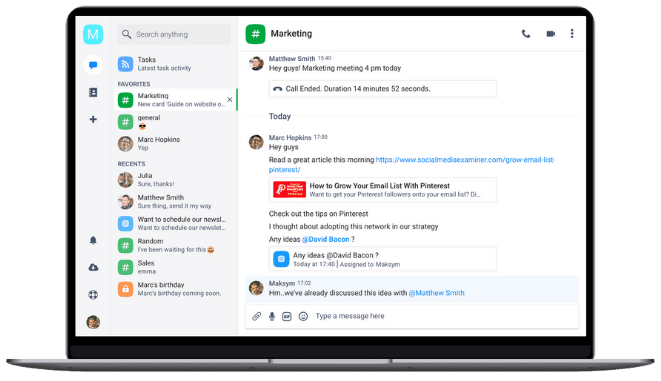
Chanty is an easy-to-use team messaging tool that lets your employees communicate and collaborate more effectively. Chanty brings every aspect of communication together in one place: chat, video and audio calls, screen sharing...
Key features:
- affordable solution
- easy to use
Limitations / drawbacks:
- integrations system needs developing
- range of features needs expanding
Pricing:
- free plan
- Business plan at $3 / month per user
13. Brosix
The secure instant messaging app
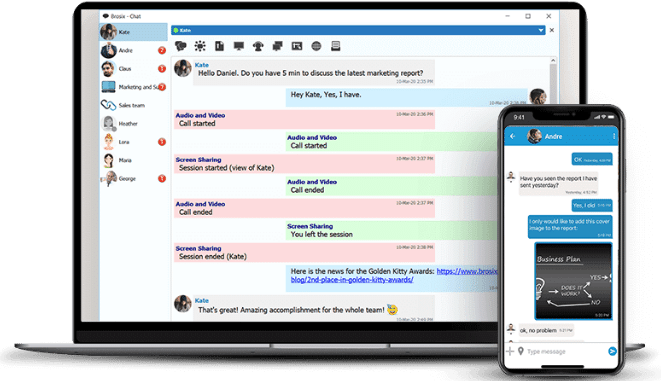
Brosix is an instant messaging platform that lets you create a private communication space for your team. Brosix also lets you hold video conferences, audio conferences and share files.
Key features:
- advanced administration features
- affordable solution
- easy to use
Limitations / drawbacks: integrations system needs developing
Pricing:
- Startup plan free
- Business plan at $4 / month per user
- Premium plan at $6 / month per user
14. GoToMeeting
The tool that improves communication for remote teams
.png)
GoToMeeting is an online platform that lets you easily host high-definition video conferences and audio conferences to communicate better with your employees as well as your external stakeholders.
Key features:
- HD video
- webcam preview
- screen sharing
- drawing tool
- in-session chat
Limitations / drawbacks:
- can't send a meeting link directly from your platform (copy / paste required)
- integrations system needs developing
Pricing:
- Professional plan at €10.75 / month per organizer
- Business plan at €14.33 / month per organizer
- Enterprise plan on request
15. Jitsi
The free tool for hosting secure, high-quality conferences
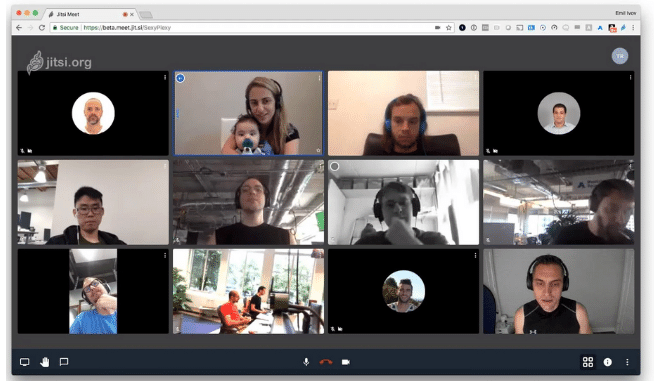
Jitsi is an open source video conferencing software that lets you host quality video and audio conferences to make remote communication with your teams easier.
Key features:
- HD audio and video
- free online meetings for up to 100 simultaneous participants
- multiple simultaneous screen sharing
- accessible on PC, Mac, mobile and tablet
Limitations / drawbacks:
- in-session chat could be improved
- server stability
Pricing: free
*Cloud Act: a U.S. federal law on the surveillance of personal data, passed in 2018, that requires U.S. service providers to hand over, on request, all stored data to federal authorities; regardless of where the servers are located (even in the EU) (Source: Wikipedia)
- - - - - - - -
Now that you have everything you need, it's your turn :)
Each of these team communication tools has its own pros and cons. Choose the one that best fits your company. Don't hesitate to take advantage of the free trials these solutions offer, or to reach out to us for more information!
FAQ
The article covers fifteen tools: Talkspirit, Slack, Google Chat & Google Meet, Microsoft Teams, Zoom, Flock, Ryver, RingCentral Video, Spike, Fleep, Rocket Chat, Chanty, Brosix, GoToMeeting and Jitsi.
Four are flagged in the article: Slack, Google Chat & Google Meet, Microsoft Teams and Zoom. The Cloud Act is described as a federal law on the surveillance of personal data, passed in 2018, that requires U.S. service providers to hand over stored data on request.
Two of them. Rocket Chat is an open source software created in 2015, with a free plan and a paid Pro plan. Jitsi is an open source video conferencing software whose pricing section simply reads free.
Talkspirit lists email-free access available so you can include ALL your employees among its key features. Microsoft Teams, by contrast, lists no email-free access among its limitations and drawbacks.
The range is wide. Talkspirit starts at €5 per user per month and Slack at €6.25, Chanty and Rocket Chat sit at $3 per user per month, while Ryver bills a flat $49 per month for up to 12 users. Jitsi is free.
It depends on the use case. Slack, Chanty and Brosix are messaging apps first, whereas Zoom, GoToMeeting and Jitsi are built around video and audio conferencing. Talkspirit brings instant chat, video conferencing and audio conferencing together in one place.