Talkspirit Upgrades Its Shared Calendar
.svg)
You've been eagerly waiting for it, and it's finally here: the new shared calendar module is now available on Talkspirit!
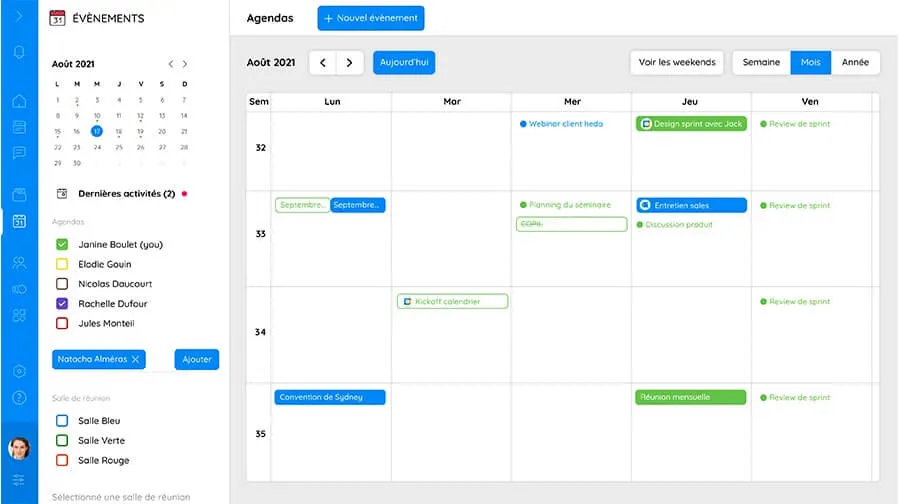
Accessible from the new "events" icon added to the navigation bar, the shared calendar allows you to manage your schedule with ease, plan events and meetings, and share them with your colleagues.
Here's everything you need to know about this module.
Features
Calendar sharing and management
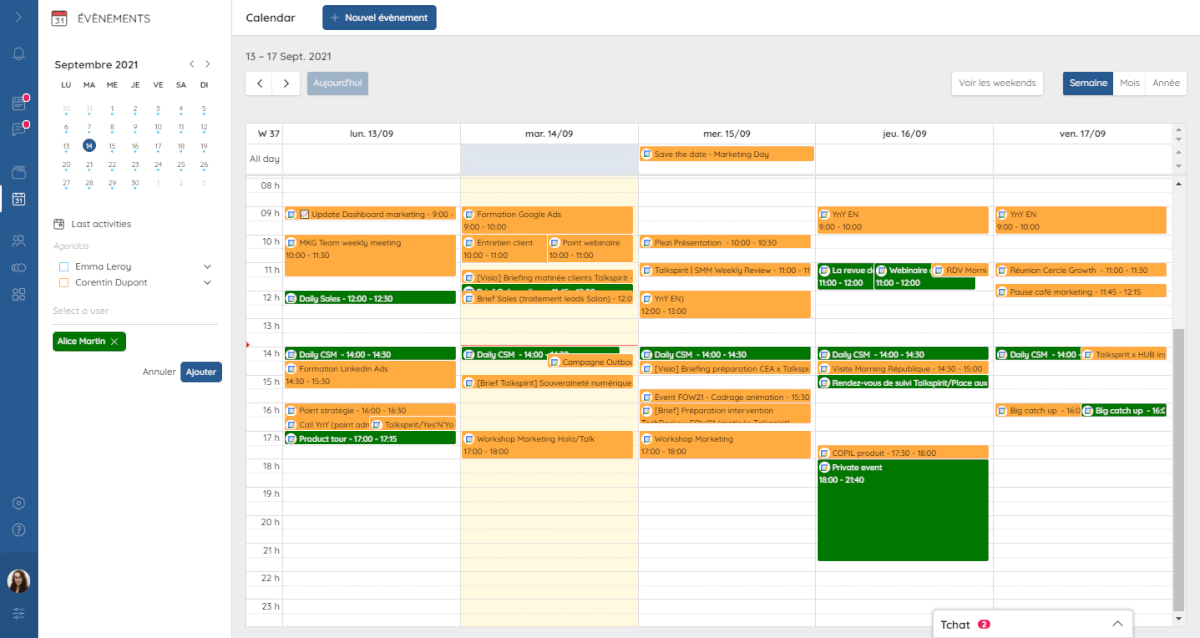
The calendar lets you view in your calendar all events you've been invited to (whether or not you're attending) — with a weekly, monthly or yearly view.
You can also check other users' or groups' calendars, and save calendars as favourites for easier access.
Event and meeting scheduling
The Talkspirit calendar lets you schedule two types of events:
- public events, whose title is visible to everyone on your calendar
- private events, whose title is only visible on your calendar to users invited to the event
When scheduling an event, you can:
- check the availability of users you want to invite
- set the date, time and location of the event
- add to the invitation
- a video conferencing link,
- a description,
- attachments (for example, a link to a document from the drive),
- and a cover image
- set a recurrence, if you'd like the event to take place regularly (every week, for example)
- decide whether the invitation requires a response from participants
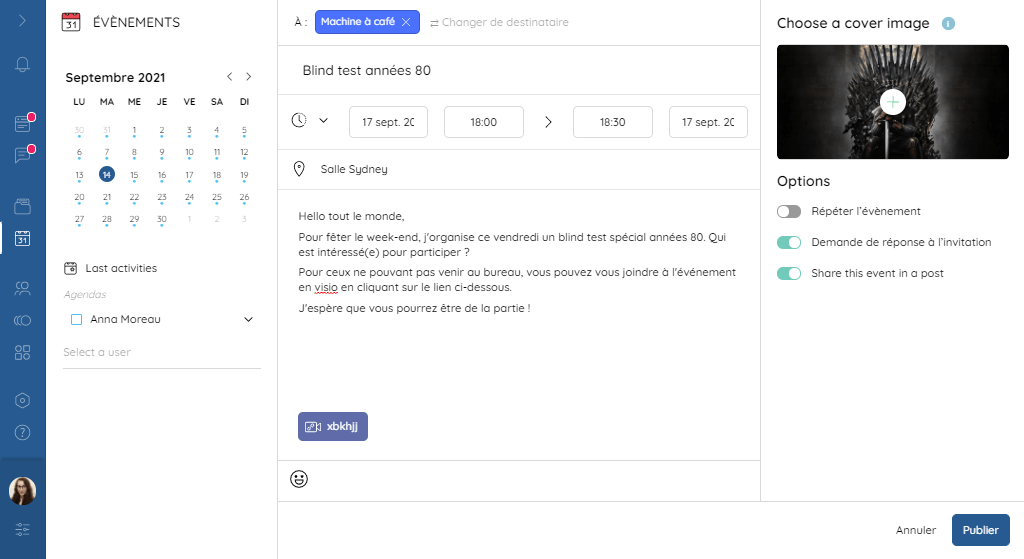
Once the invitation is sent, guests receive a notification on the "events" icon in their navigation bar, followed by a reminder on Talkspirit 10 minutes before the event.
The organiser can also share the event in a post to add further information (for example, a poll or a task checklist).
Sync with your Google and Outlook calendars
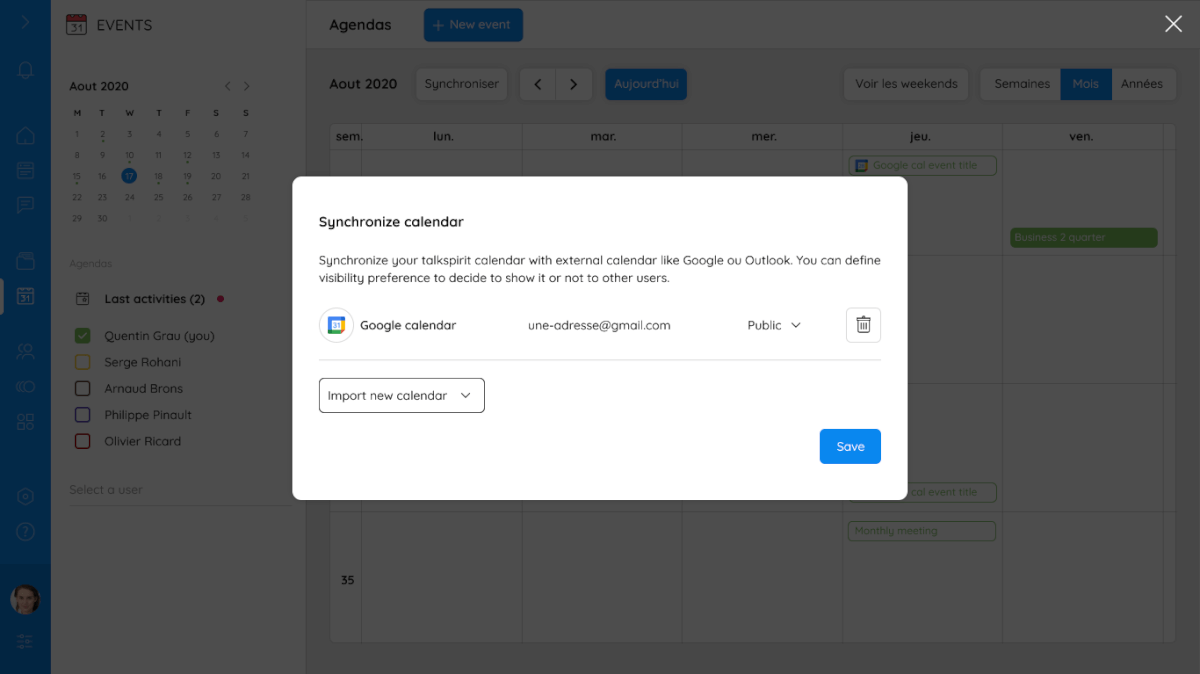
You can now connect your Talkspirit calendar with the online calendar you already use (Google or Outlook).
No more juggling between multiple calendars: thanks to sync with Google and Outlook, you can centralise all your appointments and events in one place — simplifying your daily routine!
The sync works both ways, which means:
- events scheduled in your Talkspirit calendar will automatically appear in your Google or Outlook calendar
- and vice versa
Benefits
Talkspirit is your teams' productivity partner. With this upgrade to the calendar module, the Talkspirit team aimed to save your employees time and simplify their daily lives!
In detail, with the new Talkspirit calendar, your employees will be able to:
- manage their schedules more easily
- have better visibility over upcoming events and meetings
- create both in-person and virtual events (accessible to remote participants)
- share events and meetings in one click
- see everyone's availability in real time, without going through email or chat
"Meetings are a central element of collaboration, which is why we wanted to strengthen this feature on Talkspirit. The calendar was designed for all users who want to get a quick overview of their schedule, without having to switch between different applications. The goal is to make organising meetings and events as seamless as possible, so employees have more time to dedicate to their important tasks", explains Arnaud Brons, Product & Project Manager at Talkspirit.
*
* *
Would you like to find out more about Talkspirit's calendar features? Check out this article or contact us directly. Our team will be happy to answer your questions.
_
Author: Emmanuelle Abensur