Talkspirit Launches a Library to Simplify Knowledge Management
.svg)
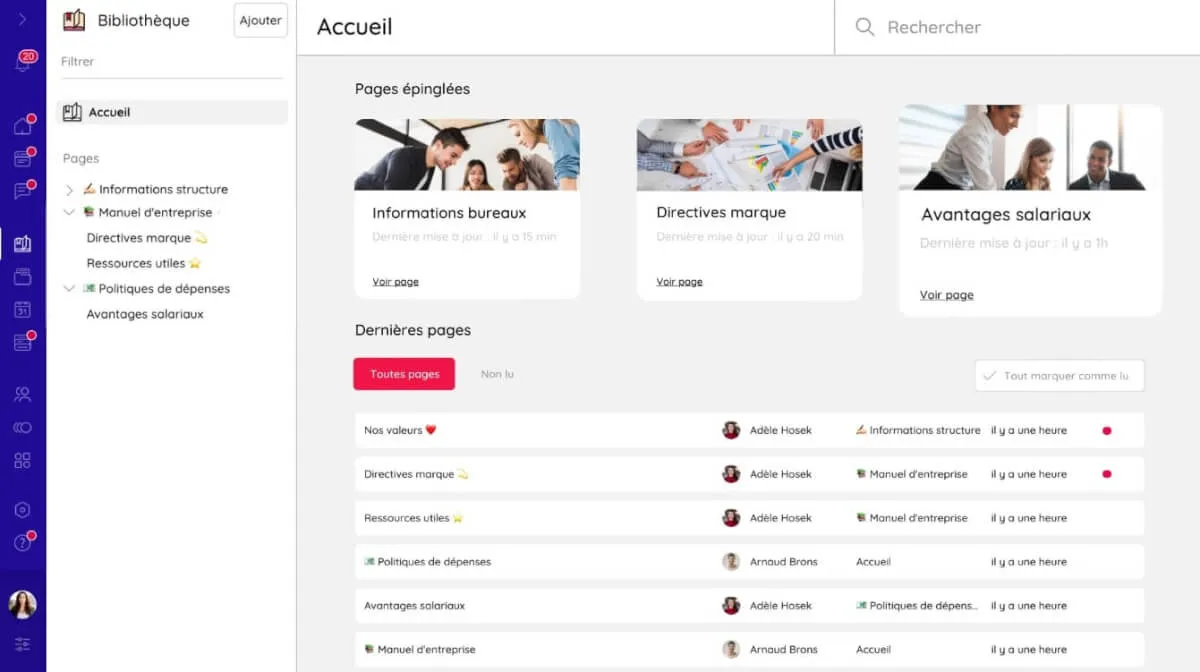
A library is coming soon to Talkspirit! Its goal? Improve knowledge management and sharing by centralizing all your internal resources and information in one dedicated tool.
Usable alongside the drive and the welcome portal, the Talkspirit library lets you create wiki-style pages with custom content and organize them to fit your needs. But that's not all!
Discover below all the benefits the library can bring to your organization, along with our best practices for making the most of this new feature.
The Talkspirit Library: What Value Does It Bring to Your Organization?
Centralize and Organize Your Internal Resources
The library's primary advantage is its ability to centralize your internal resources in one place.
Say goodbye to chasing down a busy colleague for information, or digging through email threads for an attachment. With the library, you can now organize all your knowledge as pages and sub-pages, structure the content of each page with headings and subheadings (H1, H2, H3, etc.), and pin important pages to your homepage.
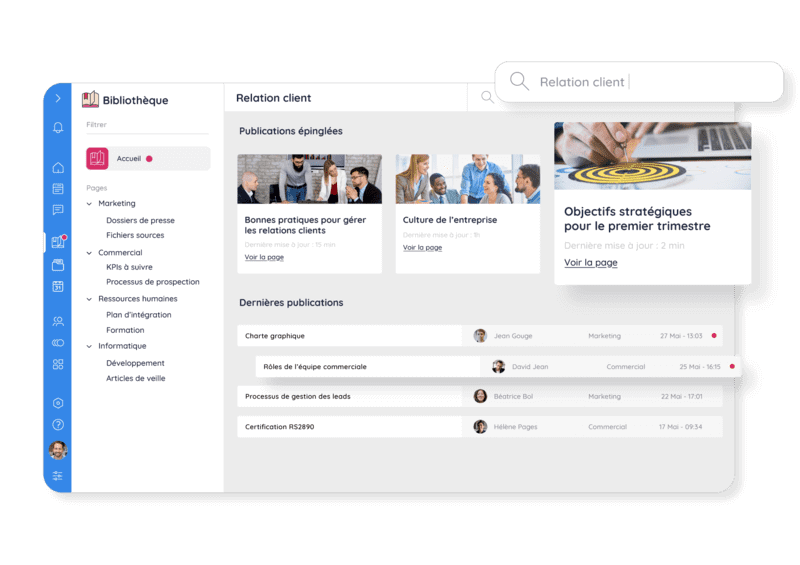
Talkspirit library homepage
You can organize your library by topic and/or department, then create sub-pages to group all the knowledge, processes, and best practices relevant to each subject. For example, if you create a main page for your marketing department, you can add sub-pages covering your brand guidelines, editorial style, content templates, tools, and usage tips.
Of course, you can also create pages aimed at all users—such as a FAQ, an onboarding guide for new hires, a product/org update roundup, a guide to company values and culture, and more.
Streamline Knowledge Sharing and Access
The Talkspirit library is ideal for making knowledge easier to access and share across your organization, thereby fostering collective intelligence. Any library manager can create and update pages in just a few clicks, which simplifies content maintenance.
Thanks to its built-in search engine and page-based structure, users and managers can find the information they need in no time—a genuine time-saver and productivity boost in daily work!
The library also features access rights management, letting you define the audience for each piece of content (for example, all members, or only specific ones). Everyone sees only the information relevant to them.
Pages created in your library can then be shared on your news feed or your welcome portal—giving them maximum visibility on the platform!
Make Your Content More Engaging
For internal content to be read, it needs to be easy to read—both in substance and in form. The Talkspirit library meets this need head-on, combining great usability with ease of use.
It includes a rich text editor that lets you create attractive pages with custom headings and formatting (lists, quotes, bold, italic, etc.). You can also embed various media—images, tables, attachments, and more.
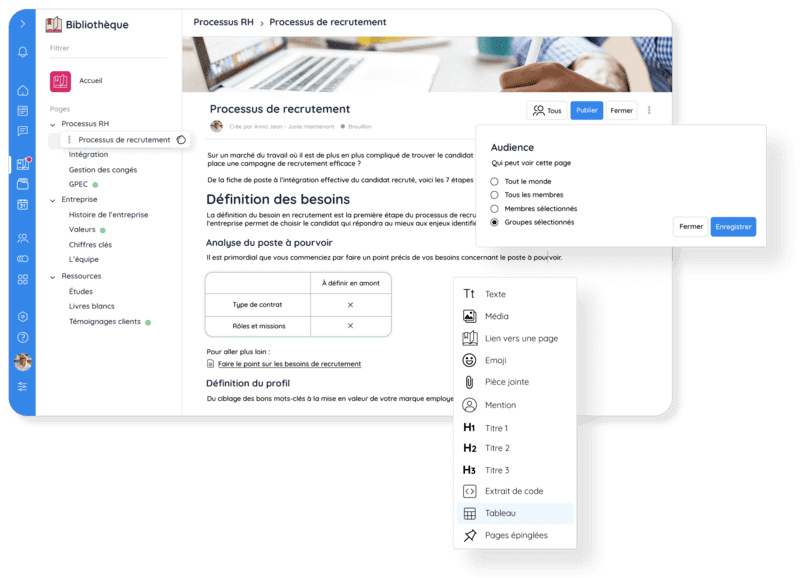
Library page being edited
Beyond showcasing your internal communications, the Talkspirit library helps improve the user experience on the platform. This makes it—in fine—a key lever for driving employee engagement.
9 Best Practices for Getting the Most Out of the Library
Not sure where to start with the library? Follow these 7 best practices to make the most of our new module:
- Create a board in our project management tool to map out all the actions needed to launch your library, and assign responsibilities
- Define your library architecture (i.e., how it will be organized) with your team, along with the main pages you'll add
- Assign one or more managers who will be responsible for creating and updating library pages
- Create a page or document outlining the usage guidelines for the library, for both admins and users
- Centralize all your "cold knowledge" in your library (e.g., processes, onboarding resources, tool tutorials, etc.), organized by pages and sub-pages
- Set up an editorial calendar (for example, using our Projects module) to track upcoming pages and their status
- Survey your employees (e.g., via a poll or an ideas box) to gather feedback on new pages to create and existing ones to improve
- Make your library pages more engaging by structuring them with headings and adding media (images, tables, etc.)
- Keep your content up to date to prevent pages from becoming outdated
*
* *
You now know all the features and benefits of the Talkspirit library, along with our best advice for setting it up in your organization.
Want to see this new module in action? Schedule a personalized demo with our team:
–
Author: Emmanuelle Abensur