Best Software to Improve Productivity

.svg)
- Twelve tools compared: Talkspirit, Microsoft 365, Google Workspace, Slack, Zoom, project management software, Evernote, Zapier, Make, IFTTT, Buffer and LastPass.
- Talkspirit is an all-in-one platform, 100% made in France, with 1,000+ integrations and data hosted in the EU with Cloud Temple.
- Microsoft 365 and Google Workspace bundle separate apps; the article sets them apart from a platform that centralises work.
- Zapier, Make and IFTTT automate repetitive tasks.
- Slack organises exchanges into channels, but the article flags the risk of too many notifications.
- Microsoft 365, Google Workspace, Slack and Zoom carry the vendor subject to the Cloud Act flag.
Discover the 12 tools that boost productivity for companies and their employees.
Do you feel your teams could be working more efficiently?
Do you sense the need for a new tool that would save your employees time day to day?
Discover our top 12 collaboration software tools that have a decisive impact on productivity :
- Talkspirit
- Microsoft 365
- Google Workspace
- Slack
- Zoom
- Trello, Asana…
- Evernote
- Zapier
- Make
- IFTTT
- Buffer
- LastPass
... and choose the one that fits you best!
1.Talkspirit
The all-in-one platform that simplifies everyday work for businesses
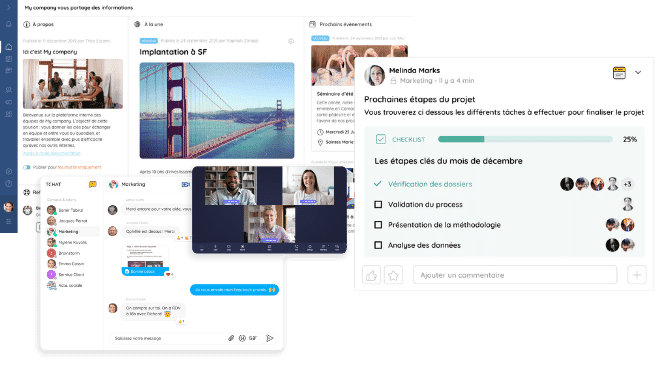
Talkspirit is an all-in-one collaboration software that's 100% made in France. Our ambition? To give companies an online workspace that covers all of their collaboration needs. With Talkspirit, there's no more juggling between different apps to manage your projects, message a colleague, share an important update, run a live internal training session or meet over video. The payoff? A better work experience and a clear boost in productivity.Talkspirit is used by 500 customers who connect more than 150,000 employees. Among them:Gîtes de France, CEA, Eckes Granini, the French Army and more.
Key features:
- all-in-one platform
- many natively integrated features (chat, video conferencing, checklists & task assignment, news feed, co-editable documents…)
- ease of use
- 1,000+ integrations
- email-free access
- mobile & desktop apps
- responsive customer service & user support (FR and EN) 7 days a week
- GDPR: data hosted in the EU (with Cloud Temple)
Limitations / drawbacks: its lack of name recognition ;)
Pricing:
- paid plans starting at €5 / month per user (volume discounts from 500 users and special rates for nonprofits)
- free trial (15 days)
Read what Talkspirit users have to say
2.Microsoft 365
The productivity suite that brings together every Microsoft app
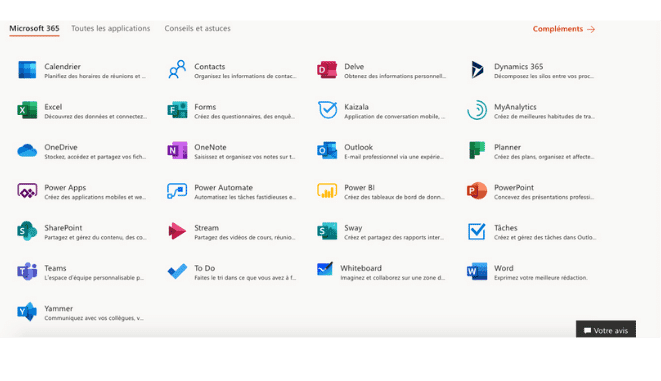
Microsoft 365 is a bundle of independently developed apps designed to make daily work easier. Among them you'll find the collaborative messaging tool Teams, the cloud storage service OneDrive, the email client Outlook, but also the famous Word, Excel and PowerPoint, as well as Viva Engage.
Key features:
- easy to use
- tightly integrated ecosystem of solutions
- multi-device content syncing
Limitations / drawbacks:
- Microsoft 365 is a bundle of tools rather than an all-in-one platform that centralizes work and communication
- vendor subject to the Cloud Act *
Pricing:
- Microsoft 365 Business Basic at €4.20 / month per user
- Microsoft 365 Business Standard at €10.50 / month per user
- Microsoft 365 Business Premium at €16.0 / month per user
- Microsoft 365 Apps at €8.80 / month per user
3.Google Workspace
The suite of tools from California giant Google
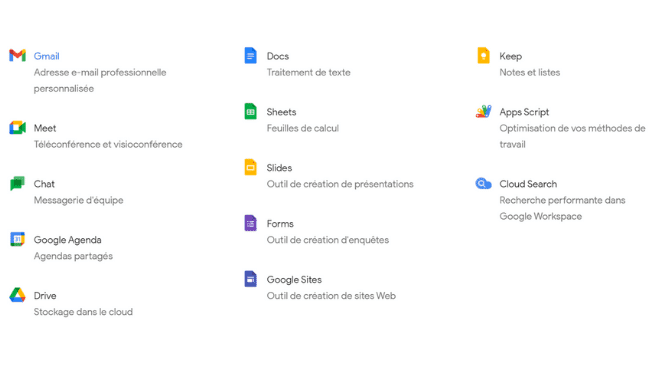
Formerly known as G Suite, Google Workspace brings Google's apps together in a single integrated solution. This near-all-in-one suite of tools is built for the professional world. Among its flagship apps you'll find: Google Chat for instant messaging, Gmail for email, Google Meet for video conferencing, Google Drive for storing and sharing documents, Google Docs for word processing and document co-editing… Well integrated with one another, these tools boost productivity and make your teams' work more efficient.
Key features:
- easy to get started with
- 100% cloud-hosted, so accessible from any internet-connected device
- powerful document co-editing tools (spreadsheet, word processing, presentation, forms, drawings)
- frequent updates
Limitations / drawbacks:
- G Suite doesn't offer a desktop app
- frequent updates require users to keep adapting
- vendor subject to the Cloud Act *
Pricing:
- Business Starter plan at €4.68 / month per user
- Business Standard plan at €9.36 / month per user
- Business Plus plan at €15.60 / month per user
- Enterprise plan on request from the sales team
- 14-day free trial
4.Slack
The team messaging tool startups love
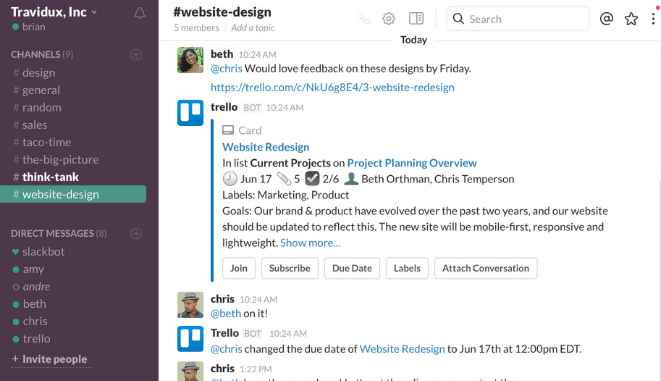
Slack is a team messaging tool that improves your productivity by streamlining team conversations. Unlike traditional email, Slack lets you organize your communication into customizable channels instead of silos. As a result, you cut down on daily back-and-forth while boosting productivity.
Key features:
- very wide range of integrations
- customizable tool
- channel-based organization system
Limitations / drawbacks:
- too many notifications and interruptions, which can ultimately hurt productivity
- vendor subject to the Cloud Act *
Pricing:
- starting at €6.25 / month per user, with a freemium version
5.Zoom
The go-to video conferencing tool
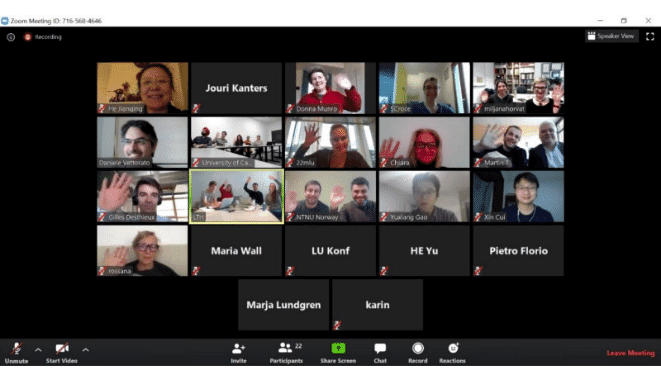
Zoom is a tool that lets you easily host video conferences and online meetings. It also includes a chat feature. This software makes your communication more flexible and more efficient, and reduces the number of daily meetings. So you save time.
Key features:
- high-definition audio and video
- screen sharing
- video recording and transcription
- instant messaging
- meeting engagement tools (polls, live Q&A, "raise hand" option…)
- large capacity for video conferencing sessions
Limitations / drawbacks:
- limited collaboration module
- vendor subject to the Cloud Act *
Pricing:
- Free plan
- Pro plan at €13.99 / month per user
- Business plan at €18.99 / month per user
6.Trello, Asana, Basecamp…
The software that transforms the way you manage projects
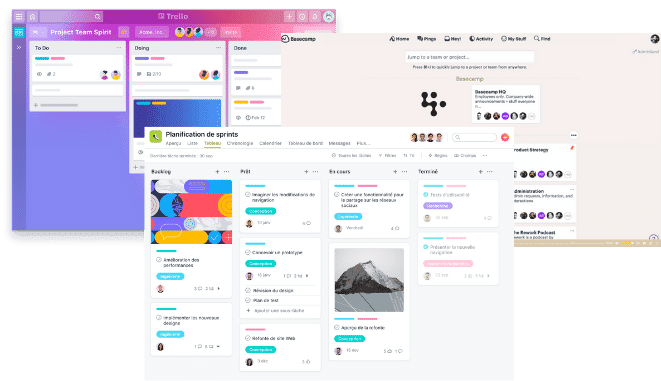
You can't talk about productivity without mentioning project management software. These tools help you organize your teams' work more efficiently, track progress so you can address sticking points quickly, and gain visibility into what's happening across your company. Ultimately, you save time and your team performs better.
7.Evernote
The best note-taking app
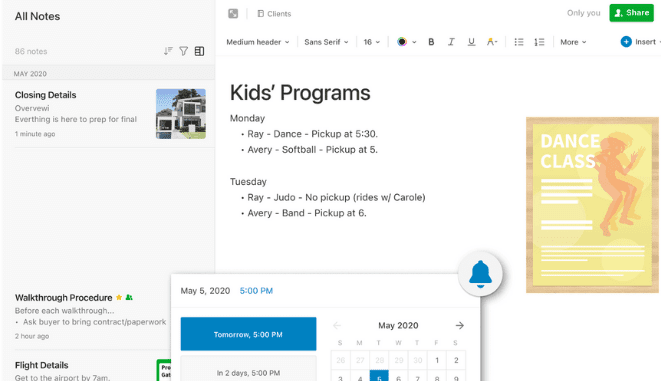
Evernote is a tool that lets you take notes in many forms (written, photo, audio…). What sets it apart? Its intuitive design makes creating notes fast, and its powerful search makes them easy to find again.
Key features:
- multimedia: drawings, video recordings, audio recordings, etc.
- powerful search function
- web app
Limitations / drawbacks:
- limited free version
- range of integrations could be broader
Pricing:
- Basic plan free
- Premium plan at €6.99 / month per user
- Business plan at €13.99 / month per user
8.Zapier
The tool that connects your apps and automates your tasks
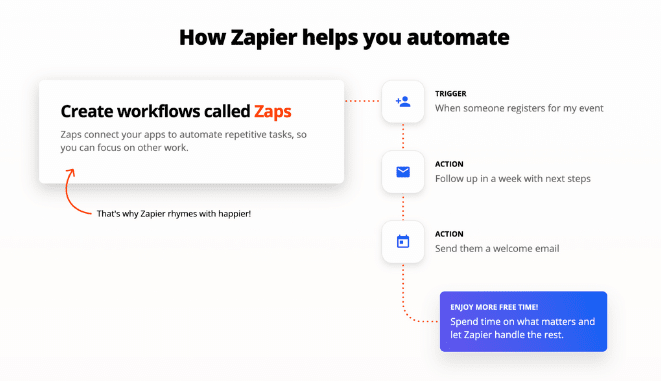
Zapier is a powerful task automation tool (task automation in English) that can take the services you use every day, connect them, and program a chain of automated actions. Zapier is especially valuable for saving time and improving productivity for employees who regularly handle repetitive tasks.
Key features:
- ease of use
- custom workflow creation
- pleasant interface
- no-code automation tool
Limitations / drawbacks:
- Zapier is easy to use, but solid technical know-how is needed to unlock the app's full potential
- website available in English only
Pricing:
- Free plan
- Starter plan at $19.99 / month
- Professional plan at $49 / month
- Team plan at $299 / month
- Company plan at $599 / month
9.Make
The European Zapier, to automate your workflows
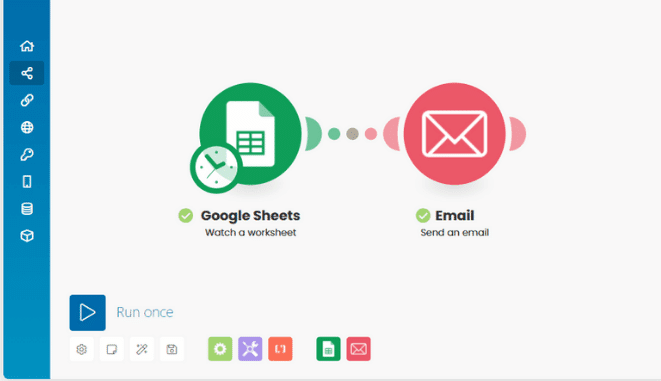
Make is a tool that lets you automate your workflows with ease. Its many features can automate a wide variety of tasks, from social media to project management to customer support.
Key features:
- ease of use
- a broad range of features that makes the tool useful across many industries
Limitations / drawbacks:
- thin help documentation
Pricing:
- free plan
- Basic plan at $9 / month per user
- Standard plan at $29 / month per user
- Business plan at $99 / month per user
- Platinum plan at $299 / month per user
- Custom plan on request
10.IFTTT
A little-known but powerful task automation service
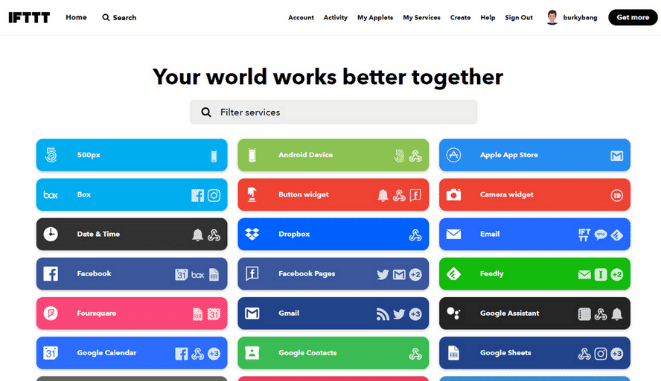
“If This Then That” (IFTTT) is an app that can connect a set of services and automate tasks easily, following the algorithmic principle stated above: if a given thing happens, then a given other thing should run automatically. A great way to save time.
Key features:
- intuitive to get started with
- attractive pricing
Limitations / drawbacks:
- website available in English only
Pricing:
- Standard plan free
- Pro plan at $3.99 / month
- Developer plan at $199 / month
- Team plan with scalable pricing
- Enterprise plan on request
11.Buffer
The tool that helps you organize your social media
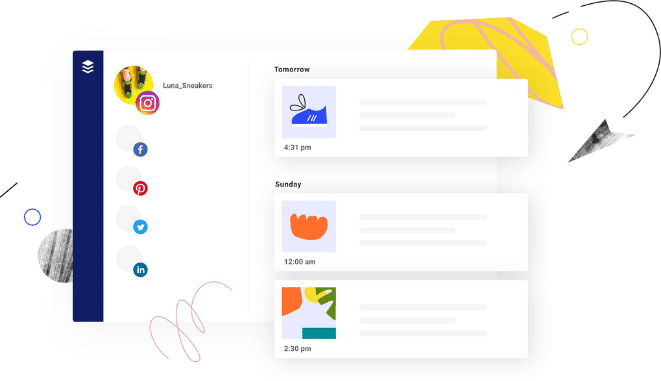
Buffer is a tool that lets you manage your social networks (Facebook, Twitter, Instagram, Pinterest and LinkedIn) all at once. Beyond making it easy to publish content across platforms, this app lets you schedule when your posts go live. It's a tool that will simplify your content manager's day and improve how they handle the editorial calendar.
Key features:
- ease of use
- social media performance analytics
- the ability to add RSS feeds from blogs to automatically share the content they publish
Limitations / drawbacks:
- limited range of features
- no YouTube support
- fairly limited free version, especially when it comes to analytics
Pricing:
- free plan (3 social networks, 10 scheduled posts, 1 user)
- Pro plan at $15 / month
- Premium plan at $65 / month
- Business plan at $99 / month
- 14-day free trial
12.LastPass
The password management software
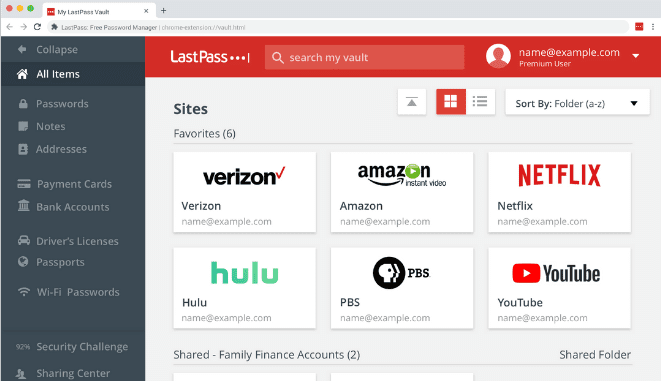
LastPass is a secure password management app that stores your usernames and passwords in one safe place. On top of saving you time by remembering your passwords and making it easier to sign in to the various web services you use, LastPass keeps your entire online life secure.
Key features:
- password generation
- information storage (PIN codes, membership numbers…)
- autofill for address and payment forms
- company-wide password management (useful for IT departments)
Limitations / drawbacks:
- interface could be improved
- stores web passwords only
- the "master" password (created when you first sign up for LastPass) is rarely requested
Pricing:
- MFA plan at €2.90 / month per user
- Teams plan at €3.90 / month per user
- Enterprise plan at €5.70 / month per user
- Identity plan at €7.50 / month per user
- 14-day free trial. See the website for personal plan pricing.
*Cloud Act : a U.S. federal law on the surveillance of personal data, passed in 2018, that requires U.S. service providers to hand over, on request, all stored data to federal authorities; regardless of where the servers are located (even in the EU) (Source: Wikipedia)
- - - - - - - -
Now that you have everything you need, it's your turn :)
Each of these productivity tools has its own pros and cons. Choose the one that best fits your company. Don't hesitate to take advantage of the free trials these solutions offer, or to reach out to us for more information!
FAQ
The comparison brings together twelve solutions from different families: an all-in-one collaboration platform, office suites, a team messaging tool, a video conferencing tool, project management software, a note-taking app, automation tools, a social media manager and a password manager.
The article contrasts the two. Talkspirit is presented as an all-in-one platform that removes the need to juggle between different apps, while Microsoft 365 is described as a bundle of tools rather than a platform that centralises work and communication.
Three automation tools feature in the comparison: Zapier, which connects the services you use every day and programs a chain of automated actions, Make, presented as the European Zapier, and IFTTT, which runs an action whenever a given event happens.
Prices vary by tool family. Talkspirit starts at €5 per month per user, with volume discounts from 500 users; Microsoft 365 Business Basic is €4.20, Google Workspace Business Starter €4.68, and LastPass €2.90 for the MFA plan.
The comparison flags it for Slack: the tool streamlines team conversations by organising them into customisable channels, but too many notifications and interruptions can ultimately hurt productivity.
The article applies the flag to four US vendors: Microsoft 365, Google Workspace, Slack and Zoom. Talkspirit, whose data is hosted in the EU with Cloud Temple, does not carry it.