Best Collaborative Work Software

.svg)
- The roundup covers 9 collaborative work software, from Talkspirit to eXo Platform.
- Talkspirit, Jamespot, Jalios and eXo Platform are French solutions; Talkspirit hosts its data in the EU with Cloud Temple.
- Microsoft 365 and Google Workspace have a vendor subject to the Cloud Act, a 2018 US federal law.
- Monday and Asana are the most project-oriented, with Kanban, timeline views and Gantt charts.
- Pricing starts at €4 per user per month with Jamespot and eXo Platform, and rises to €24.99 for the Asana Business plan.
- eXo Platform has no free trial, and Jalios prices on request only, with no online purchase.
Discover our roundup of the 9 best software for making collaborative work easier across your organization.
Do you need to improve how your teams collaborate?
Are you looking for a solution to improve collaboration and communication among your team members?
You’re in the right place!
In the age of digital transformation, collaboration is a real challenge for companies, especially those looking to explore new ways of working. As a result, more and more organizations are turning to solutions that make their teams’ work flow more smoothly, wherever they are.
There’s a wide range of tools and features to make collaborative work easier.
Video conferencing, chat, project management, news feeds, document storage and sharing… the possibilities are many!
Here is our list of the best collaborative work software (January 2022 edition):
- Talkspirit
- Slack
- Monday
- Microsoft 365
- Google Workspace
- Jamespot
- Asana
- Jalios
- eXo Platform
Find out which solution best meets your needs.
1. Talkspirit
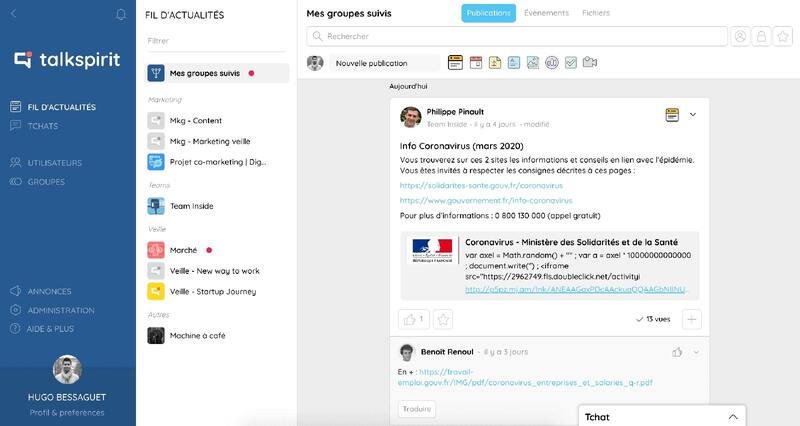
The complete collaborative work platform that energizes internal communication and simplifies exchanges between team members.
Talkspirit is a collaboration tool that is secure and 100% made in France, helping information flow freely and simplify communication and collaboration within your teams. The platform packs in many features for remote collaborative work: chat, video conferencing, groups, sharing and co-editing of office documents, polls, checklists… It is designed for companies of all sizes (SMBs, mid-market and large groups), nonprofits and public-sector organizations. Among its clients: Gîtes de France, CEA, Eckès Granini, the French Army …
Key features:
- chat & video conferencing
- documents co-editable online (docs, spreadsheets, presentations)
- checklists and task assignments
- a project management module that lets you collaborate with stakeholders inside and outside your organization
- email-free access so you can include ALL your team members
- available on mobile
- responsive customer service & user support (FR and EN), 7 days a week
- GDPR: data hosted in the EU (with Cloud Temple)
Limitations / drawbacks:
- Talkspirit is a versatile solution that may not be the ideal fit if you are only looking for a tool for a single need.
Pricing:
- paid plans starting at €5 / month per user. Volume discounts from 500 users. Preferential rates for nonprofits.
- free trial (15 days)
- free personalized demo
In 2022, Talkspirit was named the number 1 collaboration tool by GetApp’s ranking (Gartner group).
Read user reviews of Talkspirit.
2. Slack
The collaboration app that replaces your emails for greater productivity.
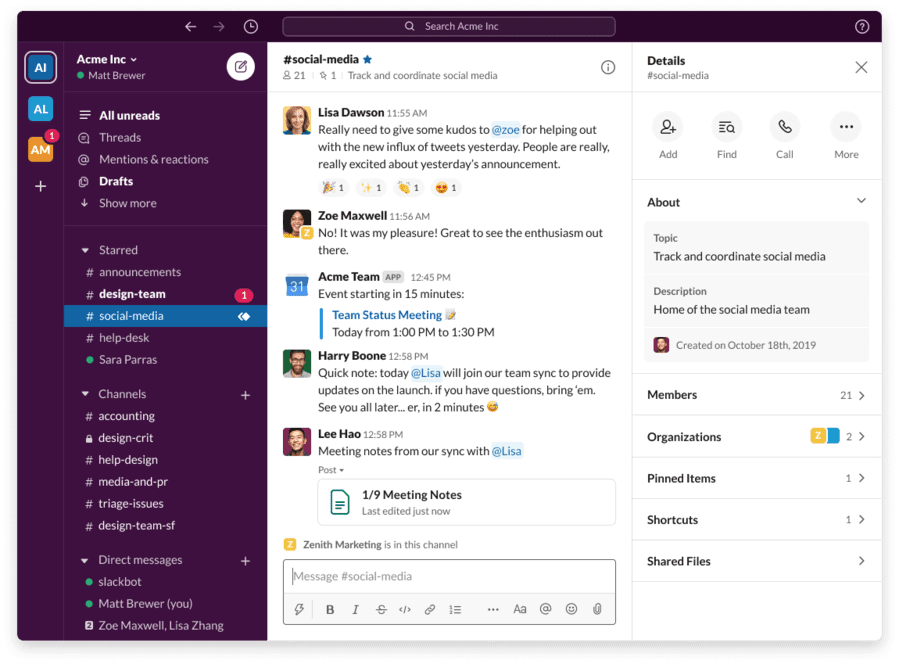
Slack is a collaborative work platform that brings together people, the right information and the tools needed to get projects done. Unlike Talkspirit, Slack is a platform geared particularly toward instant messaging, one-to-one or in groups. It’s easy-to-use software that centralizes communication flows and connects with many collaboration tools.
Key features:
- instant messaging
- a market reference, particularly among developer teams
- document organization and storage
- numerous business-tool integrations
- smart, intuitive content search
Limitations / drawbacks:
- constant notifications
- high pricing
- an app designed mainly for startups
Pricing:
starting at €6.25 / month per user, with a freemium version
3. Monday
The ideal platform to plan, organize and track your teams’ work.
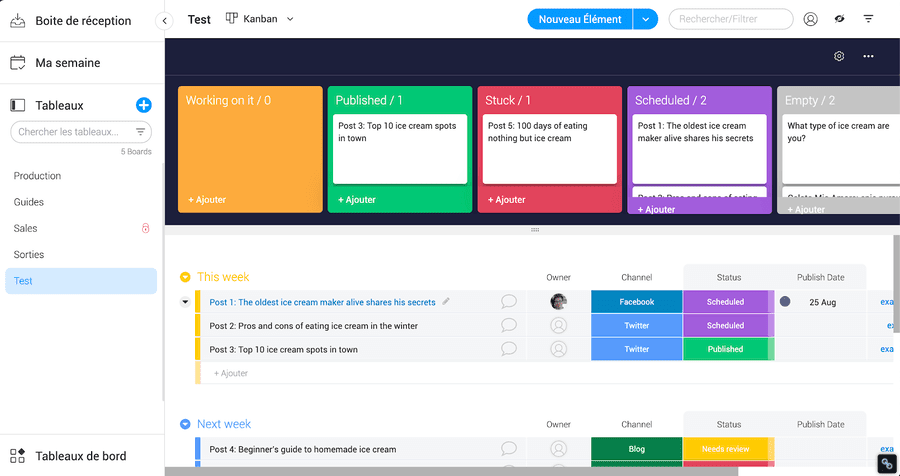
Monday is a cloud-based collaborative work tool and project management tool that lets teams of all sizes plan and complete their tasks in one place. Users can create shared or private boards and set up automations to save time.
Key features:
- fully customizable platform
- dashboards with widgets to get an overview of your projects
- the ability to invite your clients and partners onto the platform
- several board views: Kanban, calendar, chart, file, and more
- Gantt chart creation
- Google Workspace, Outlook and Slack integrations
Limitations / drawbacks:
- you cannot assign comments to team members
- limited task dependencies
- pricing that is unfavorable to SMBs and large companies
- data hosted in the United States
Pricing:
starting at €8 / month per user, with a 14-day free trial
4. Microsoft 365
The productivity cloud that goes everywhere with you, securely.
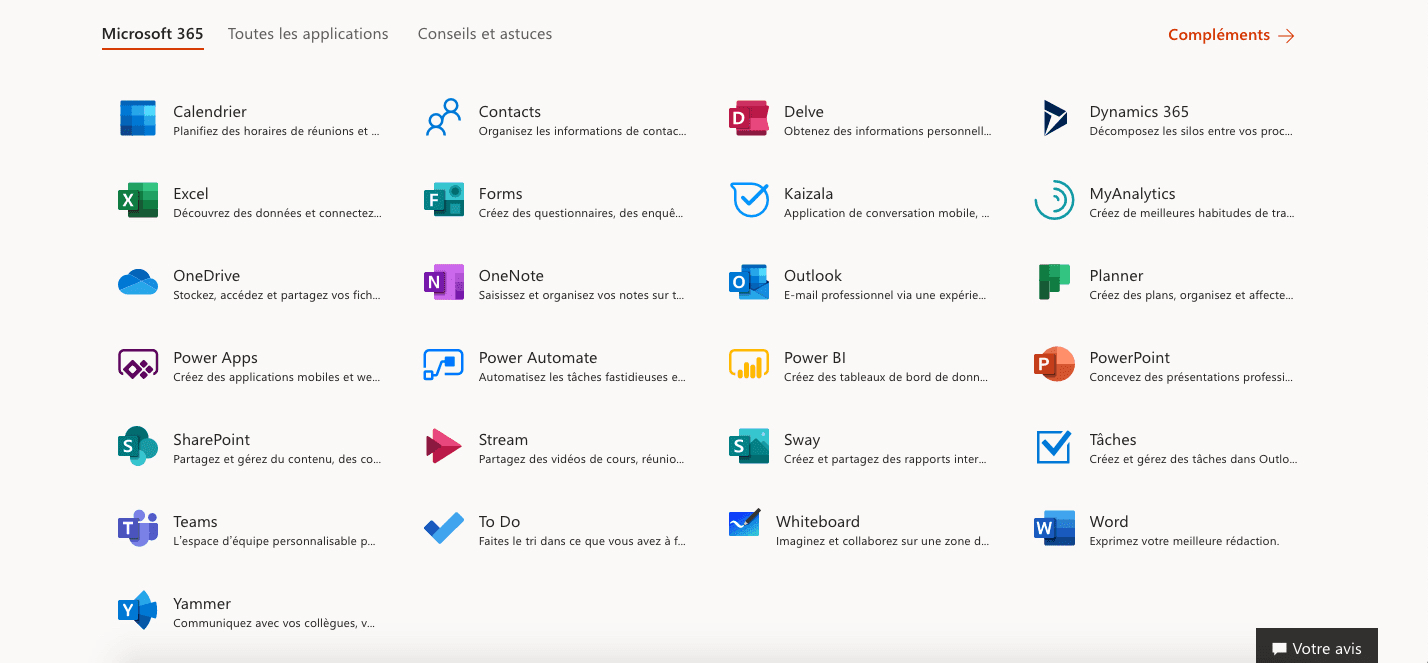
Microsoft 365 (formerly Office 365) is a cloud-based collaborative work tool that brings together a suite of applications including Word, Excel, PowerPoint, Teams, SharePoint, OneDrive and Exchange. The office suite lets teams create, store, edit and share files and documents. You can also connect distributed teams through a shared calendar, instant messaging and video conferencing tools.
Key features:
- familiar interface
- office suite online and on local machines
- real-time co-editing of documents by multiple people
- access to all Microsoft apps across multiple devices
- unified messaging and communications
- syncing of team and individual content
Limitations / drawbacks:
- access only to the web and mobile versions of Office software on the Business Basic plan (you cannot download them onto your computer)
- vendor subject to the Cloud Act *
Pricing:
starting at €4.20 / month per user, with a 30-day free trial
5. Google Workspace
Google’s integrated suite of collaborative cloud apps.
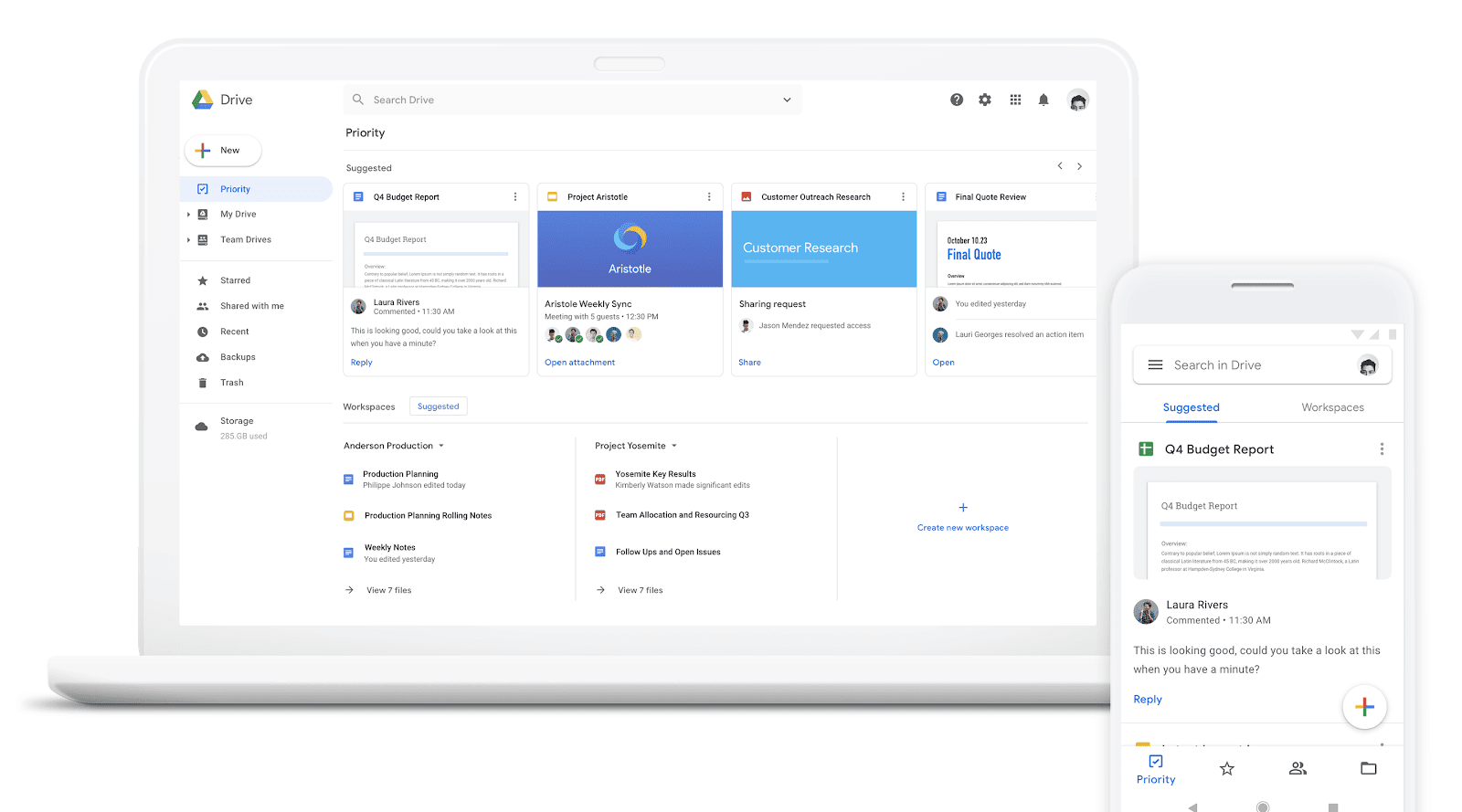
Google Workspace (formerly G Suite) is a collaboration suite that brings together all of Google’s productivity and collaboration tools: Gmail, Calendar, Meet, Chat, and more. The built-in office suite (which includes Google Docs, Sheets and Slides) lets multiple users collaborate on documents.
Key features:
- shared calendar
- file storage and sharing on Drive
- simplified document search
- automatic saving of changes
- create, share and co-edit documents in your browser
- compatible with Microsoft 365 documents and PDFs
Limitations / drawbacks:
- available online only
- vendor subject to the Cloud Act *
Pricing:
starting at $6 / month per user, with a 14-day free trial
6. Jamespot
One of the French leaders in collaborative work platforms and an all-in-one solution
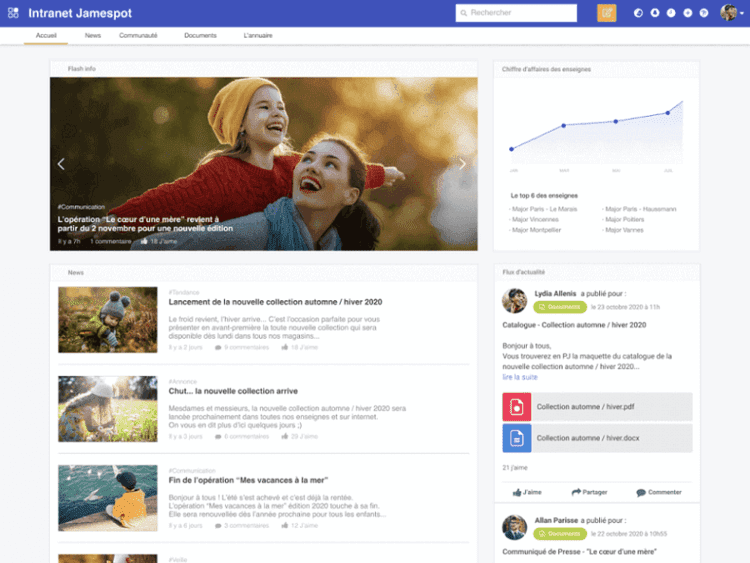
Jamespot is an enterprise social network and a collaboration tool that is 100% French and makes communication within teams easier. The tool simplifies information sharing through business apps accessible in a single click.
Key features:
- a large number of downloadable internal apps
- customizable, ready-to-use platform
- hosting in France and 100% French customer service
- custom, configurable workflows
Limitations / drawbacks:
- you need to download modules in order to use certain features
- technical support is needed to fully benefit from the platform’s flexibility
- analytics feature needs to be developed
Pricing:
starting at €4 / month per user.
7. Asana
A tool that helps team members get organized and collaborate better
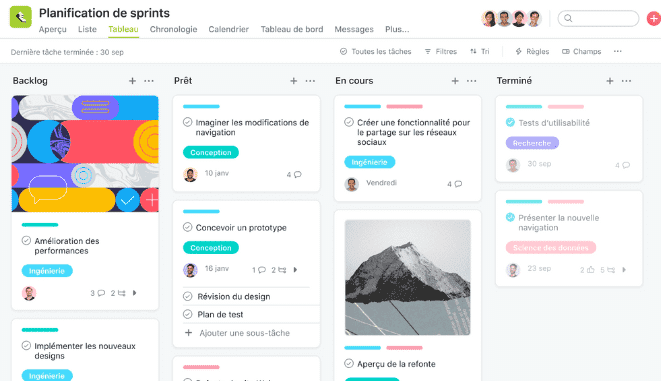
Asana is a SaaS software that lets your teams assign each other tasks and organize their work with ease, whether they’re remote or in the office. In short, you spend less time on the “work about work.”
Key features:
- Kanban method
- systematic task dependency management
- several timeline views available
- useful for managing projects that require a certain level of complexity
Limitations / drawbacks:
a tool that may be too customizable and takes some time to learn
Pricing:
- the Basic plan, free
- the Premium plan starting at €10.99 / month per user
- the Business plan starting at €24.99 / month per user
- the Enterprise
8. Jalios
The French software for being effective together and remotely
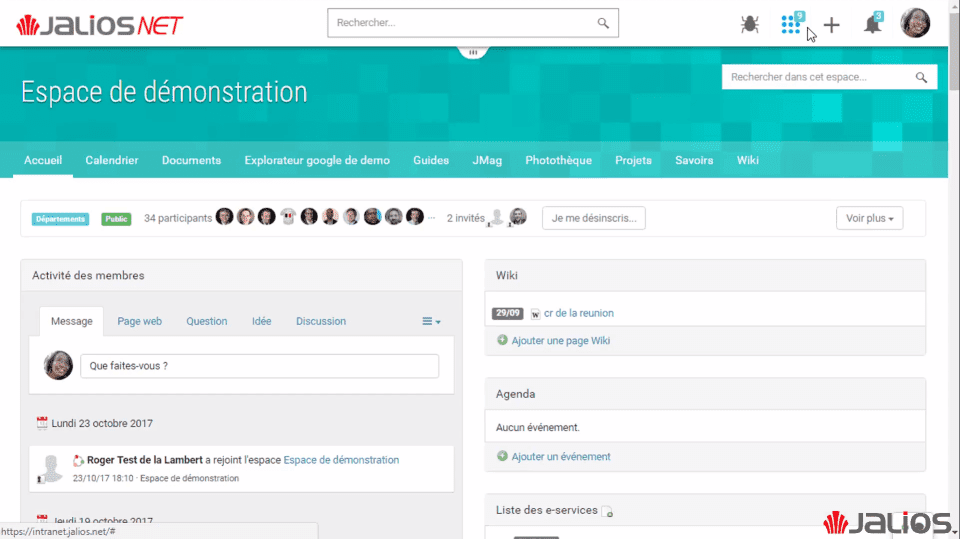
JPlatform is the collaborative work solution from French vendor Jalios, which lets everyone organize their workspace, build business apps, streamline task management and communicate synchronously. This all-in-one platform also offers several knowledge management features: a document library, a search engine, identification of employees’ areas of expertise, and more.
Key features:
- community and collaborative spaces
- functional richness and modularity
- personalized workspace with several business apps
- document sharing and editing, with version control
- creation of a knowledge catalog with Social Learning
- task management with the Kanban view
- integration with Office 365
- available in 16 languages
Limitations / drawbacks:
- training is needed to use some of the features
- pricing only on request (no online purchase)
- no live video
Pricing:
- Jalios Workplace MS 365 Edition plan at €5 excl. VAT / user per month
- Jalios Workplace Liberty Edition plan at €7 excl. VAT / user per month
- Jalios Workplace Google Edition plan at €5 excl. VAT / user per month
More information on the vendor’s website.
9. eXo Platform
The employee-centric tool that adapts to your needs.
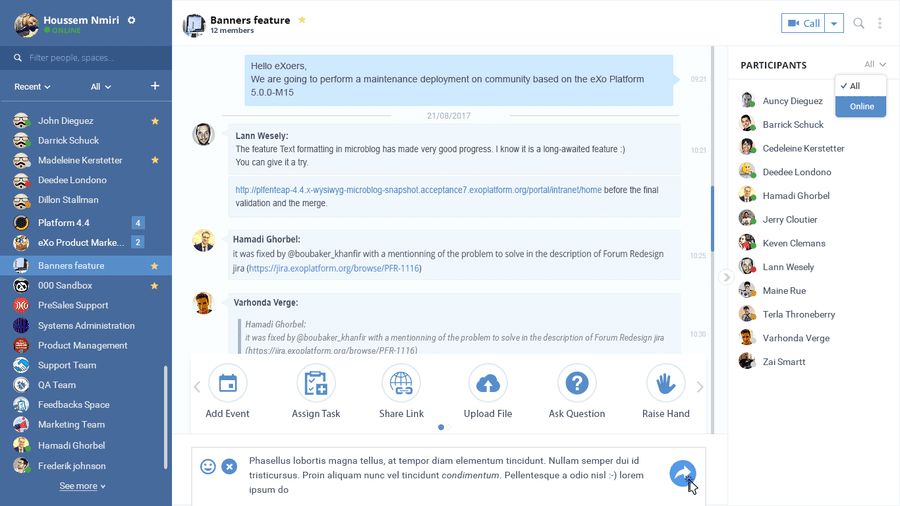
eXo Platform is a French digital platform that strengthens communication, collaboration and knowledge sharing between team members, to improve their performance and engagement. This collaboration tool also makes peer recognition easier between colleagues through several gamification features.
Key features:
- personalized news feed
- creation of project spaces and interest-based communities
- internal knowledge base to centralize know-how
- document sharing and co-editing within each space
- access to business apps and processes
- gamification: leaderboards, kudos, a points system convertible into virtual currency
Limitations / drawbacks:
- no free trial version
- user interface needs improvement
- deploying the platform can take time
- user guide only in English
Pricing:
starting at €4 / month per user (for at least 100 users)
*Did you know?
The Cloud Act is a 2018 U.S. federal law that allows the Department of Justice to order an internet service provider (incl. any SaaS vendor) based in the U.S. to grant access to data stored on its servers, even those located outside the United States.
- - - - - - -
Now all that’s left is to make your choice! :)
Each of the solutions listed has its own pros and cons, so take advantage of the free trials on offer to choose the one that suits you best and that makes collaborative work as easy as possible.
FAQ
The roundup covers 9 software solutions: Talkspirit, Slack, Monday, Microsoft 365, Google Workspace, Jamespot, Asana, Jalios and eXo Platform. Each one is described with its key features, its limitations and its pricing.
Four solutions are presented as French: Talkspirit, 100% made in France with data hosted in the EU with Cloud Temple, Jamespot, hosted in France with 100% French customer service, JPlatform from the French vendor Jalios, and eXo Platform, a French digital platform.
The article flags a vendor subject to the Cloud Act for Microsoft 365 and for Google Workspace. It notes that this 2018 US federal law lets the Department of Justice order a US internet service provider to grant access to data stored on its servers, even outside the United States.
Monday lets teams plan and track their work with shared boards, several views (Kanban, calendar, chart) and Gantt chart creation. Asana relies on the Kanban method, systematic task dependency management and several timeline views.
Prices start at €4 per user per month with Jamespot and eXo Platform, €5 with Talkspirit, €6.25 with Slack and €8 with Monday. Asana offers a free Basic plan, then a Premium plan at €10.99 and a Business plan at €24.99.
eXo Platform has no free trial version, and deploying the platform can take time. With Jalios, pricing is only on request and there is no online purchase. Elsewhere, the trials mentioned run from 14 to 30 days, and Asana offers a free Basic plan.