Best Remote Work Software

.svg)
- The comparison brings together 12 remote work solutions, from Talkspirit to Mattermost.
- Talkspirit, Jamespot, Wimi and Livestorm are French; Talkspirit hosts its data in the EU with Cloud Temple and Wimi hosts in France.
- M-work is not a communication tool but a way to organise hybrid work: desk booking, team scheduling, remote work policies and occupancy data.
- For video conferencing and webinars, the article picks Zoom, Microsoft Teams and Livestorm.
- LumApps, Slack, Zoom, Teams and Mattermost have a vendor subject to the Cloud Act, a 2018 US federal law.
- Pricing ranges from free plans with Zoom, Teams, Asana and Livestorm to €89 per month for the Livestorm Premium plan.
Explore our comparison of the 12 best solutions to make remote work easier across your organization.
Do you need to optimize collaboration and communication across your remote teams?
Are you looking for a way to boost the productivity of your remote employees?
To meet employees’ need for flexibility, more and more organizations are turning to a range of remote work solutions.
With these tools, employees can both work more efficiently and enjoy a better work-life balance.
Explore our top 12 best remote work software for companies:
- Talkspirit
- M-work
- Jamespot
- Lumapps
- Wimi
- Slack
- Klaxoon
- Zoom
- Teams
- Asana
- Livestorm
- Mattermost
Find out which solution best fits your needs.
1. Talkspirit
The all-in-one remote work solution that simplifies information sharing, streamlines collaboration, and energizes team communication
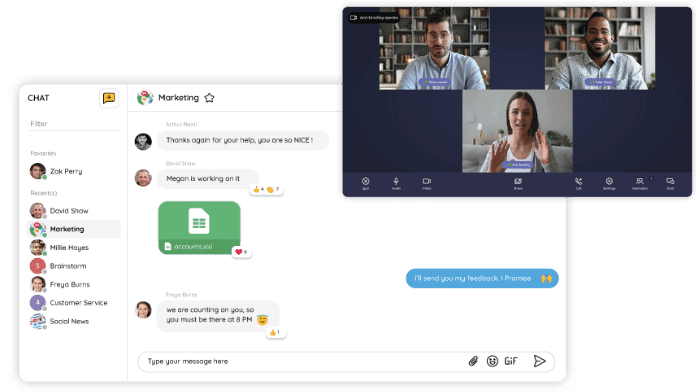
Talkspirit is an enterprise social network developed entirely in France that completely transforms team communication in the workplace. An all-in-one collaborative platform, Talkspirit lets you hold real-time conversations via chat and video conferencing. It’s the perfect solution for supporting your teams’ remote work.
Key features:
- chat & video conferencing
- online co-editable documents (docs, spreadsheets, presentations)
- checklists and task assignments
- email-free access to onboard ALL of your employees
- available on mobile
- responsive customer service & user support (FR and EN), 7 days a week
- GDPR: data hosted in the EU (with Cloud Temple)
Drawbacks: Talkspirit is a versatile solution that may not be ideal if you’re looking to address a single, specific need.
Pricing:
- paid plans starting at €5 / month / user (volume discounts from 500 users and preferential terms for nonprofits)
- 15-day free trial
- free, personalized demo
Read what Talkspirit users have to say.
2. M-work
The remote work and flex-office software that simplifies hybrid work organization and optimizes office management
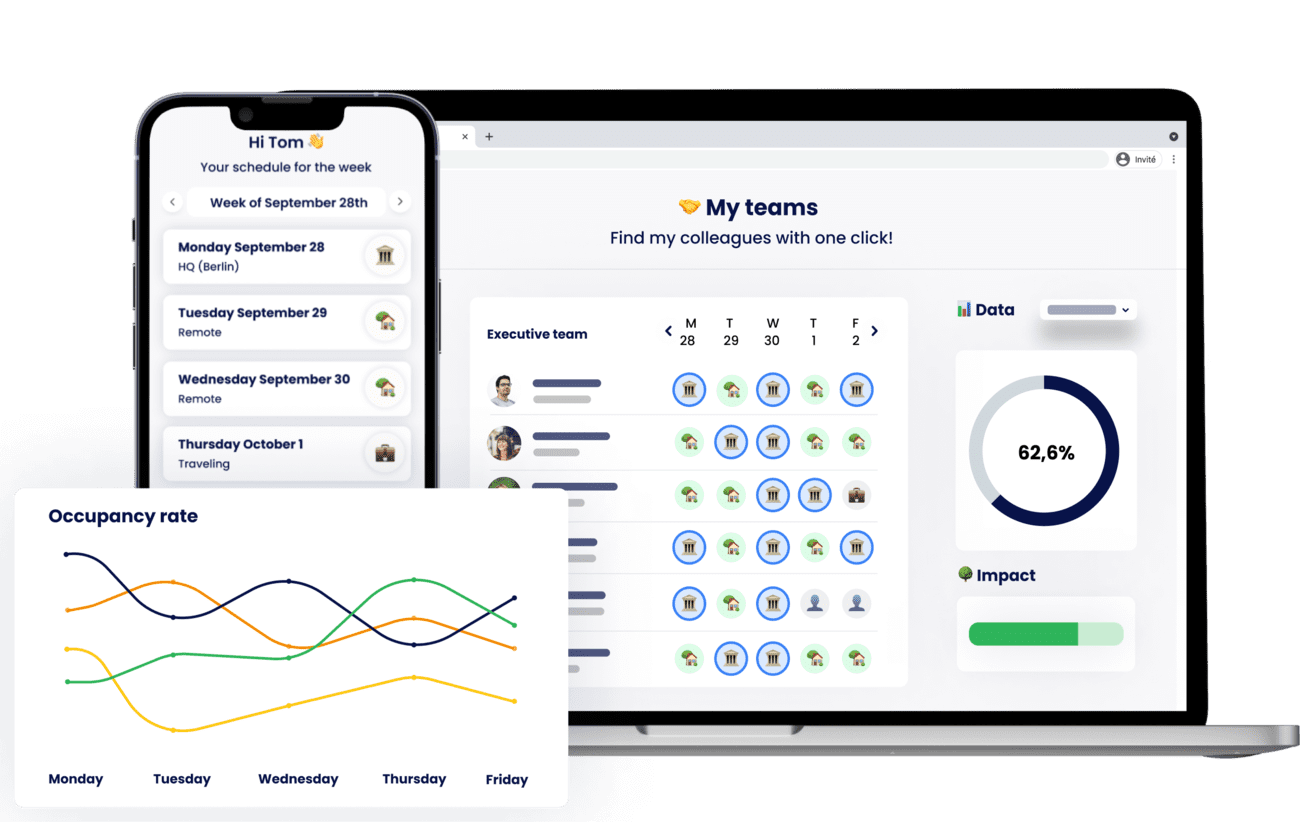
M-work is a SaaS platform that simplifies workplace management, team scheduling, and remote work tracking for companies. Designed for HR managers, facilities teams, and executives, the app enables more effective workplace organization, integrated with your IT systems (Microsoft, Google, HRIS, etc.)
Key features:
- Desk booking
- Remote work policy management
- Online hybrid team scheduling
- Occupancy and remote work data
- Meeting room and shared resource booking
- Company parking management
Drawbacks: Free plan with limited features for large teams
Pricing:
- s-work plan, free for small teams
- m-work plan starting at €4 per month for more advanced features and dashboards
- Enterprise plan on a quote basis
3. Jamespot
One of France’s leading enterprise social networks and an all-in-one remote work solution
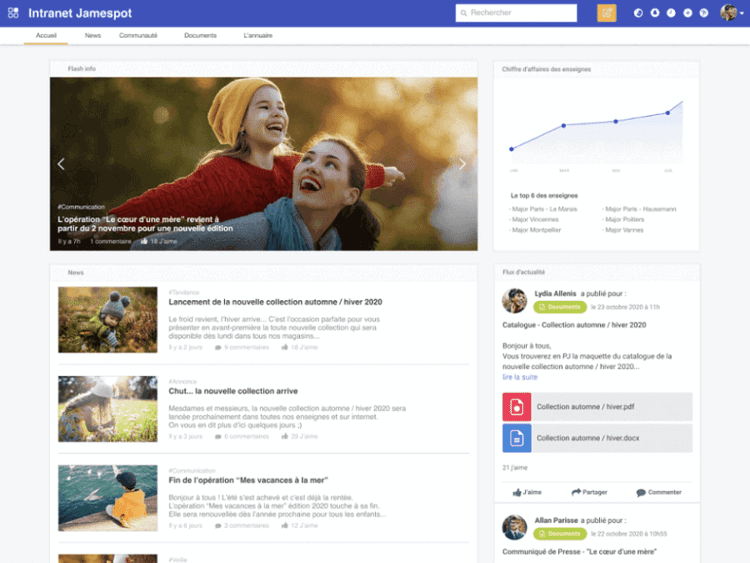
Jamespot is an enterprise social network and a remote work tool 100% French that makes team collaboration easier, even remotely. The tool simplifies information sharing through business apps available in a single click.
Key features:
- a wide range of downloadable in-house apps
- customizable, ready-to-use platform
- hosting in France and 100% French customer service
- custom, configurable workflows
Drawbacks:
- modules must be downloaded to access certain features
- technical support needed to fully leverage the platform’s flexibility
- analytics features still to be developed
Pricing: starting at €4 / month per user.
4. LumApps
Engage and connect your employees on a remote work solution that integrates with Google Workspace and Microsoft 365.
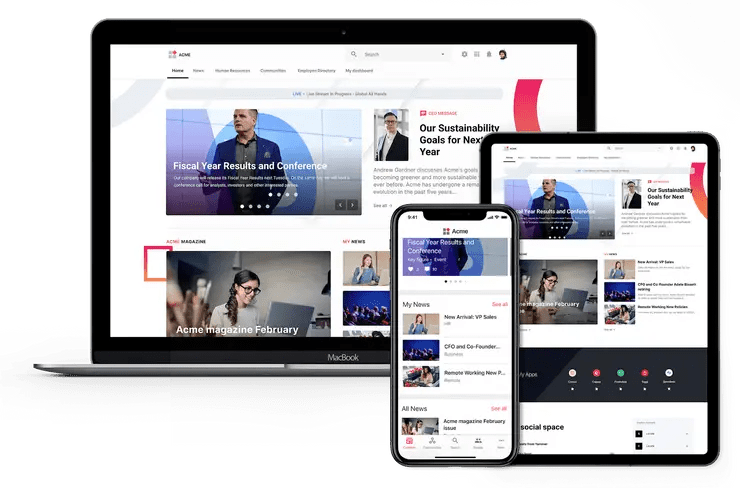
LumApps is a platform that boosts communication and employee engagement across your organization. With this remote work solution, you can connect all your professional tools and apps (including Google Workspace and Microsoft 365).
Key features:
● interface customization
● access to business apps
● shared team calendar and drive
● available in 15 languages
● officially approved by Google and Microsoft
● native integrations with Microsoft 365 and Google Workspace
Drawbacks:
● no free trial available; pricing mostly on a quote basis
● more focused on project and knowledge management than collaboration
● tightly tied to Microsoft and Google collaboration solutions, and therefore subject to the Cloud Act *
Pricing: on a quote basis only
5. Wimi
The software for simple, effective remote work
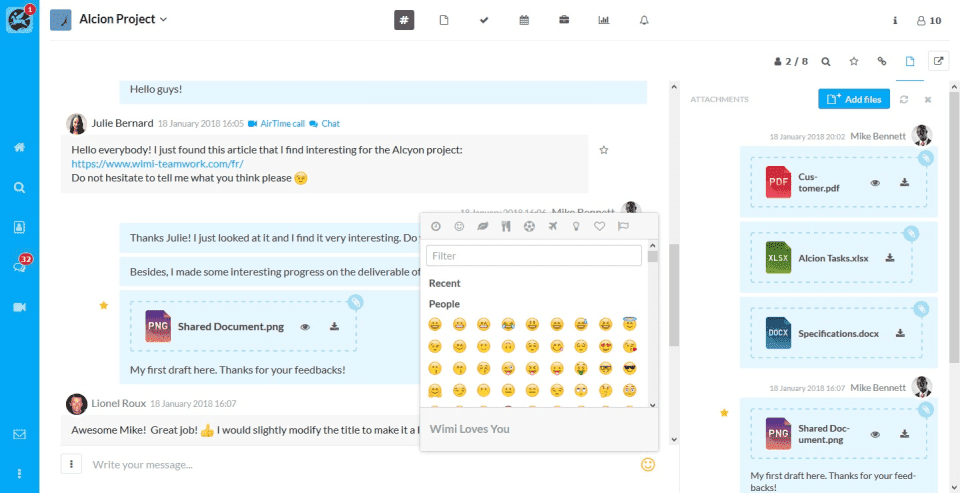
Wimi is a team management and remote work tool that makes team collaboration easier. Project tracking is especially clear on Wimi. Thanks to shared files, messaging channels, calendars, and video conferencing, everyone on the team can work remotely with ease.
Key features:
- all-in-one project management solution
- intuitive, clear interface
- data hosted in France
Drawbacks: too many email notifications (can be adjusted manually).
Pricing:
- starting at €3 / month per user, with a 14-day free trial.
6. Slack
The remote work solution startups love
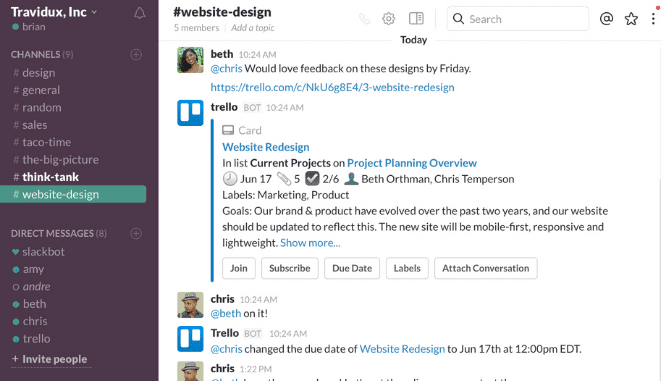
Slack is a team messaging app and a remote work solution that boosts your productivity at home by streamlining your internal conversations. Slack lets you organize your exchanges not in silos, but in customizable channels. This cuts down on the number of daily back-and-forths while increasing your productivity when working remotely.
Key features:
- a very rich range of integrations
- extensive tool customization
- channels to stay organized
Drawbacks:
- frequent notifications that can undermine remote work productivity
- vendor subject to the Cloud Act *
Pricing:
- starting at €6.25 / month per user, with a freemium version
7. Klaxoon by Wrike
The remote work toolkit that makes your meetings more interactive and effective.
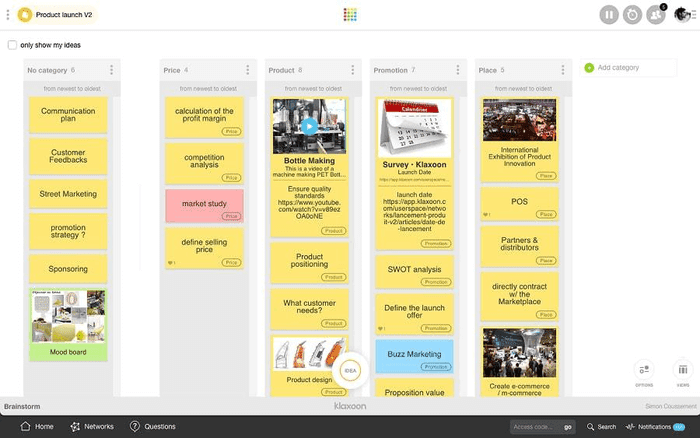
Klaxoon makes running remote meetings and training sessions easier by sparking the exchange of ideas through brainstorming activities and boosting employee participation. Accessible from any device, the tool takes a fun, hands-on approach that brings remote meetings to life.
Key features:
- brainstorming via a Board, a virtual whiteboard with a sticky-note system
- integration with many collaboration tools such as Teams, Skype, and Zoom
- ability to run polls
- reports downloadable as PDF
- no installation required
Drawbacks:
- free version with limited features: no integrations, no data import/export, no access to polls, capsules, quizzes, adventures, or missions…
- fairly limited storage depending on the plan chosen (5 GB on the Board version)
Pricing:
- starting at €3.40 excl. VAT, with a freemium version
8. Zoom
The cloud-based video conferencing platform and a remote work essential
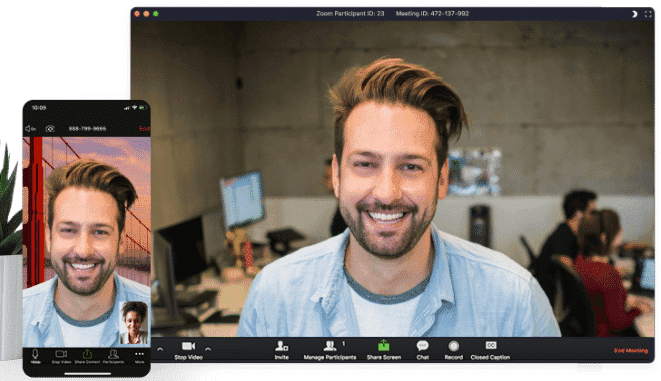
Zoom is a video conferencing platform widely used for remote work. It lets you host high-definition meetings and webinars. Zoom also supports file sharing and the creation of groups for collaborative work sessions.
Key features:
- HD video and audio integration
- transcripts and recordings
- discussion groups
- integration of collaboration tools
Drawbacks:
- less-than-optimal user support
- mobile app stability that could be improved
- vendor subject to the Cloud Act *
Pricing:
- free plan
- Pro plan at €13.99 / month per license
- Business plan at €18.99 / month per license (up to 300 participants)
- Enterprise plan at €18.99 / month per license (up to 500 participants)
- the Zoom United Affaires plan at €33 / month per license
9. Microsoft Teams
Microsoft’s tool for running remote meetings
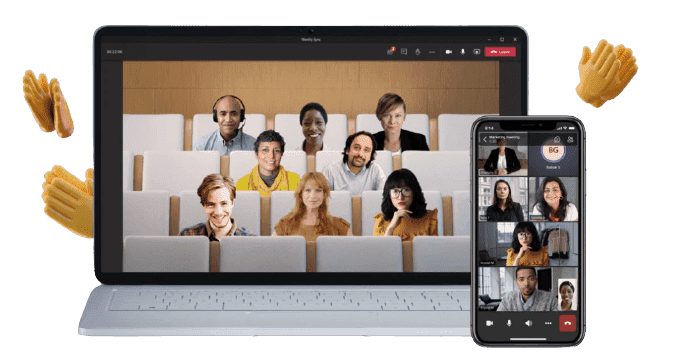
Microsoft Teams is built into the Microsoft 365 suite as a collaboration hub. Teams lets you run remote meetings, call colleagues or people outside your organization, and make group conversations easier.
Key features:
- recording option
- live captions
- screen sharing
Drawbacks:
- no access without an email address
- vendor subject to the Cloud Act *
Pricing:
- free plan
- Microsoft 365 Business Basic plan at €4.20 / month per user
- Microsoft 365 Business Standard plan at €10.50 / month per user
- Office 365 E3 plan at €19.70 / month per user
10. Asana
A tool that helps employees stay organized when working remotely
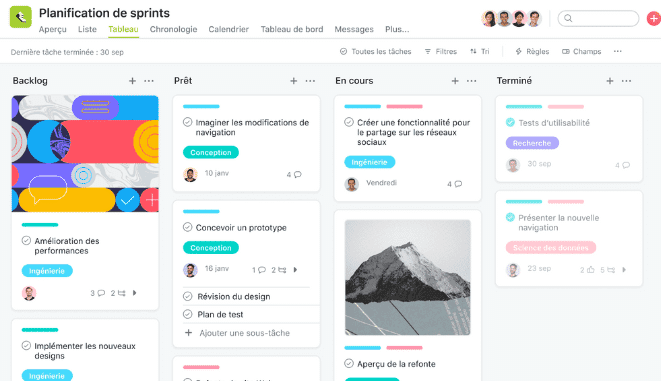
Asana is a SaaS tool that lets your teams assign tasks to one another and organize their work with ease, whether they’re working remotely or in the office. In short, you spend less time on “work about work.”
Key features:
- Kanban method
- systematic task dependency management
- several timeline views available
- useful for managing fairly complex projects
Drawbacks: a tool that may be overly customizable and takes some time to get used to
Pricing:
- Basic plan, free
- Premium plan, starting at €10.99 / month per user
- Business plan, starting at €24.99 / month per user
- Enterprise plan
11. Livestorm
An all-in-one video conferencing tool and a great French alternative to Zoom
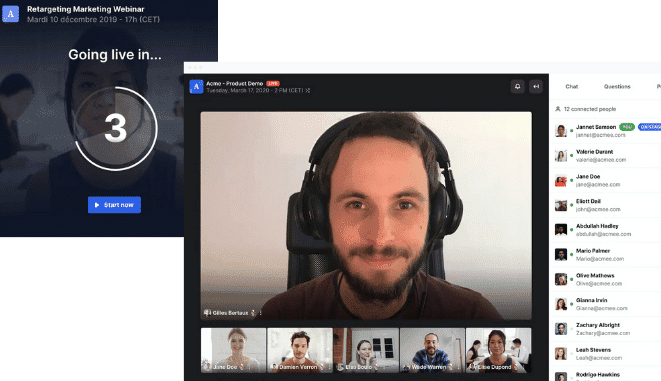
Livestorm is a video communication platform that lets you set up an effective, direct internal communication strategy. Accessible straight from your browser, Livestorm makes it easy to organize online events such as webinars.
Key features:
- unlimited HD webinars
- built-in chat, poll, and Q&A modules
- screen sharing
Drawbacks: N/A
Pricing:
- Starter plan, free
- Premium plan at €89 / month
- Enterprise on a quote basis
12. Mattermost
The secure, open-source team messaging app.
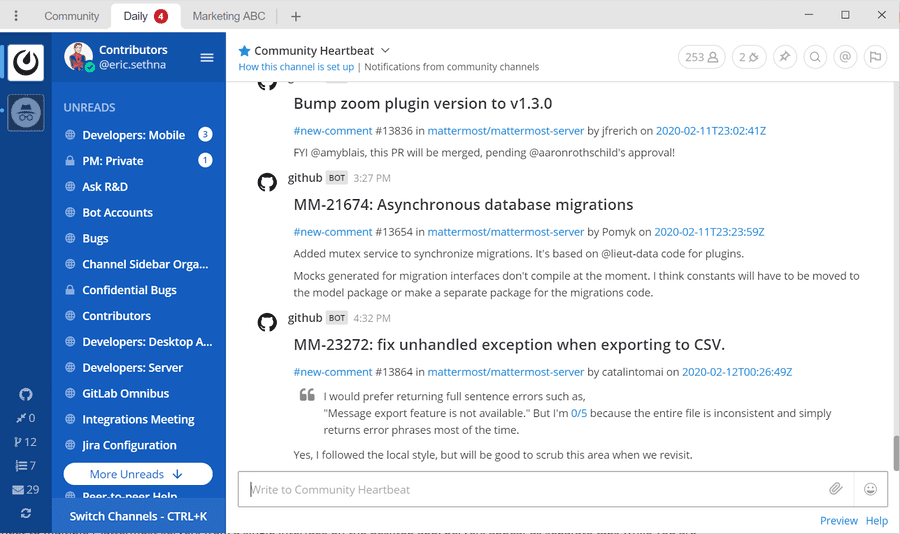
Mattermost offers most of Slack’s features. It’s an open-source instant messaging solution, ideal for DevOps teams that often work from home. The platform lets you centralize all your workflows and communications through several key features such as video conferencing, chat, groups / channels, file sharing, and more.
Key features:
- instant messaging
- secure self-hosting
- file sharing and search across multiple devices
- a large number of plugins and bots to boost efficiency
- option to import your data from Slack
- no storage limit
Drawbacks:
- limited number of integrations
- mobile app that needs improvement
- the app must be installed locally
- vendor subject to the Cloud Act *
Pricing: starting at $10 / month per user. Free version for small teams (fewer than 10 people).
*Did you know?
The Cloud Act is a 2018 US federal law that allows the Department of Justice to order a US internet service provider (including any SaaS vendor) to grant access to data stored on its servers, even those located outside the United States.
- - - - - - -
Now all that’s left is to make your choice! :)
Each of these solutions has its pros and cons, so take advantage of the free trials on offer to choose the one that suits you best and that makes remote work as simple as possible for your employees.
FAQ
The comparison brings together 12 solutions: Talkspirit, M-work, Jamespot, LumApps, Wimi, Slack, Klaxoon, Zoom, Teams, Asana, Livestorm and Mattermost. Each one is presented with its key features, its drawbacks and its pricing.
M-work is a SaaS platform that simplifies workplace management, team scheduling and remote work tracking. It covers desk booking, meeting room and shared resource booking, remote work policy management, occupancy data and company parking management.
Zoom hosts high-definition meetings and webinars, with transcripts and recordings. Microsoft Teams runs remote meetings with live captions and screen sharing. Livestorm, described as a French alternative to Zoom, makes it easy to organise online events such as webinars, straight from the browser.
The article flags a vendor subject to the Cloud Act for LumApps, Slack, Zoom, Microsoft Teams and Mattermost. This 2018 US federal law lets the Department of Justice order a US internet service provider to grant access to data stored on its servers, even outside the United States.
Several solutions have a free plan: Zoom, Microsoft Teams, the Asana Basic plan, the Livestorm Starter plan and the s-work plan from M-work. Paid plans start at €3 per user per month with Wimi, €4 with Jamespot and M-work, and €5 with Talkspirit.
Four solutions are presented as French: Talkspirit, developed entirely in France, Jamespot, hosted in France with 100% French customer service, Wimi, whose data is hosted in France, and Livestorm, described as a great French alternative to Zoom.