8 Change Management Tools to Support an Organisational Transformation

.svg)
- Eight categories of tools cover change management from end to end, from surfacing needs to measuring results.
- Thinking phase: brainstorming platforms (Miro, Mural, Lucidspark, Mindmeister) surface needs through mind maps, flowcharts and virtual whiteboards.
- Framing and roll-out: self-management software maps roles and sets OKRs, project management software plans the work (kanban boards, Gantt charts, workload).
- Deployment: internal communication platforms explain the change, digital adoption platforms (Lemon Learning, WalkMe, Shortways, Whatfix) walk users through the new software step by step.
- Follow-up: automation (Zapier, Make, Pipefy, IFTTT) frees up time, employee engagement tools collect feedback, reporting tools measure the outcome.
- Tools do not replace method: without an action plan and support, the toolkit is just another line of spend.
Which software supports an organisational transformation in a mid-sized or multi-site company? No single tool covers it. A transformation calls on eight families of tools, one per phase: surfacing needs, clarifying roles and objectives, planning, communicating, driving adoption, automating, collecting feedback and measuring results. This toolkit takes them in order.
Change management can cause some serious headaches for people in organizations and businesses. Among employee resistance, hidden costs, and unexpected delays, the process can quickly turn into a minefield… To get beyond these challenges, we’d like to stress methodology and putting the right tools in place!
When managed effectively, change management gives your business a growth lever. In fact, the more you prepare for and follow up on changes, the more likely your employees will welcome them with open arms. This can help you successfully deploy your project.
Several digital tools can facilitate change management, from planning to project monitoring to team communication and collaboration. Here’s a toolkit that walks you through the entire process.

1. Brainstorming platforms
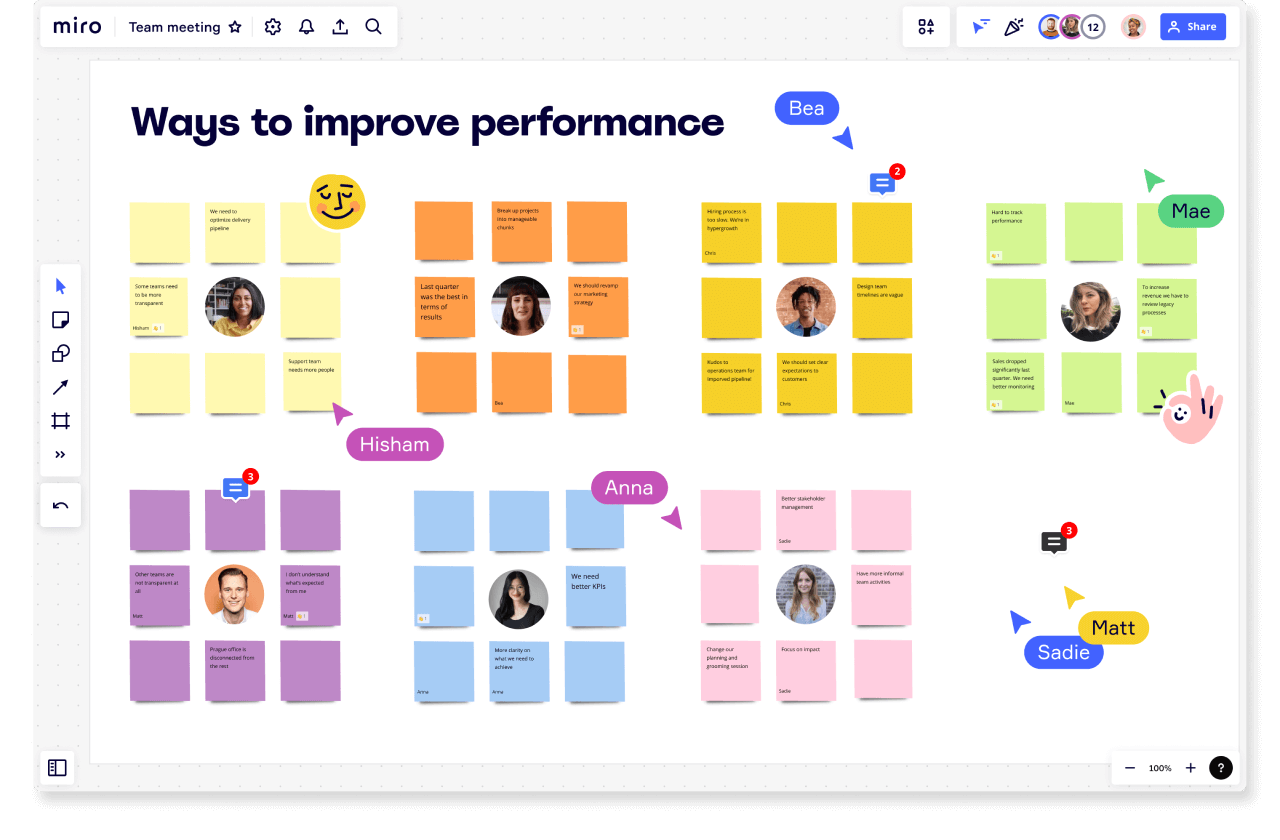
The first step in any change management project is a thinking phase. This escalates needs and identifies which actions you’ll need to implement. Brainstorming platforms can be particularly useful during this process!
As their name suggests, these platforms facilitate your brainstorming sessions thanks to a few nifty features:
- mind maps: these allow you to organize your ideas in a visual way, connecting a central topic to several sub-topics.
- flowcharts: you can use these to create intelligent diagrams of different shapes to identify problems, work processes, etc.
- virtual whiteboards: these allow you to create diagrams and user flows, illustrate ideas, and offer everyone the chance to contribute.
Here are some brainstorming platforms that integrate these features:
2. Self-management software
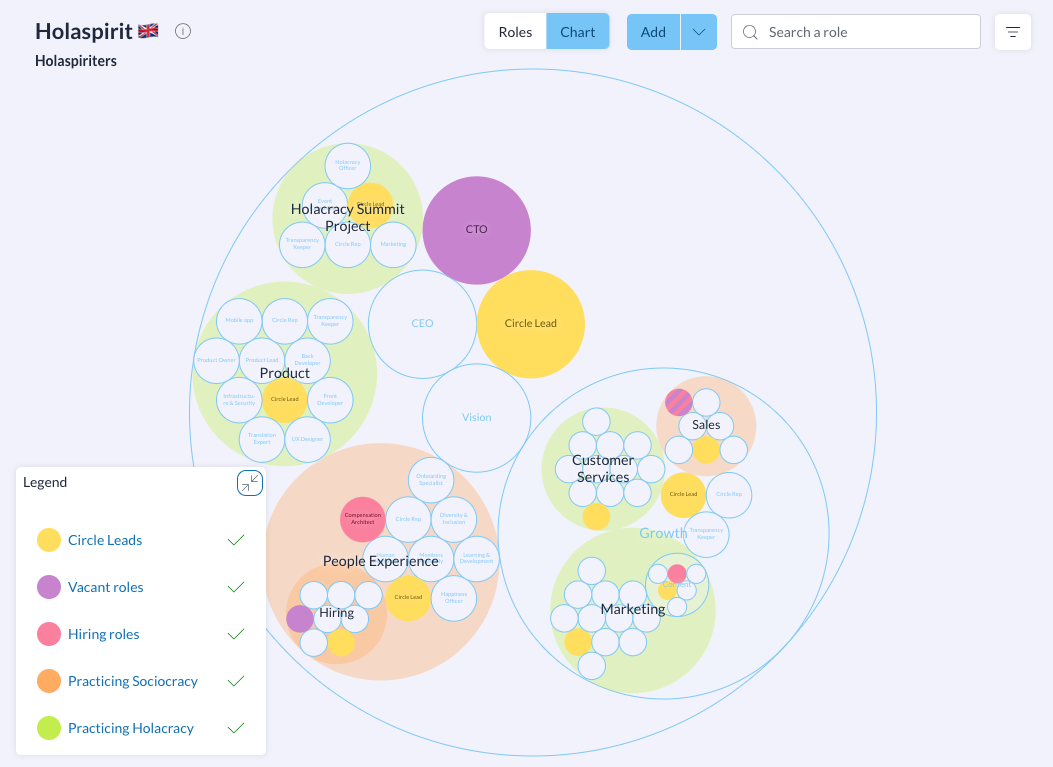
Self who? In business, self-management refers to employees’ ability to solve problems on their own, without any need for lengthy instructions and handholding.
The advantage of this mode of operation? Teams are more autonomous and agile, and they take more initiative. Integrating a self-management tool into your change management methodology can therefore be a real plus over time.
Talkspirit is THE flagship solution for self-management. This software brings more transparency to your organization and improves your teams’ performance and agility. It can help you not only identify which resources and talent you have internally but also set your project’s objectives.
With Talkspirit, you can:
- map your organization’s roles
- document your work policies and processes
- define OKRs (objectives and key results) for your organization and your teams
- host meetings where everyone gets to speak
3. Project management software
Project management platforms are another of the key tools for change management. Very useful for the implementation phase, these allow you plan your actions and monitor their implementation, all thanks to features like:
- Kanban boards: these help you visualize the progress of your project through maps organized by column.
- Gantt charts: these enable you to visualize the duration of each task and associated tasks.
- Time management: you’ll of course want to ensure that the workload of the team is well adapted.
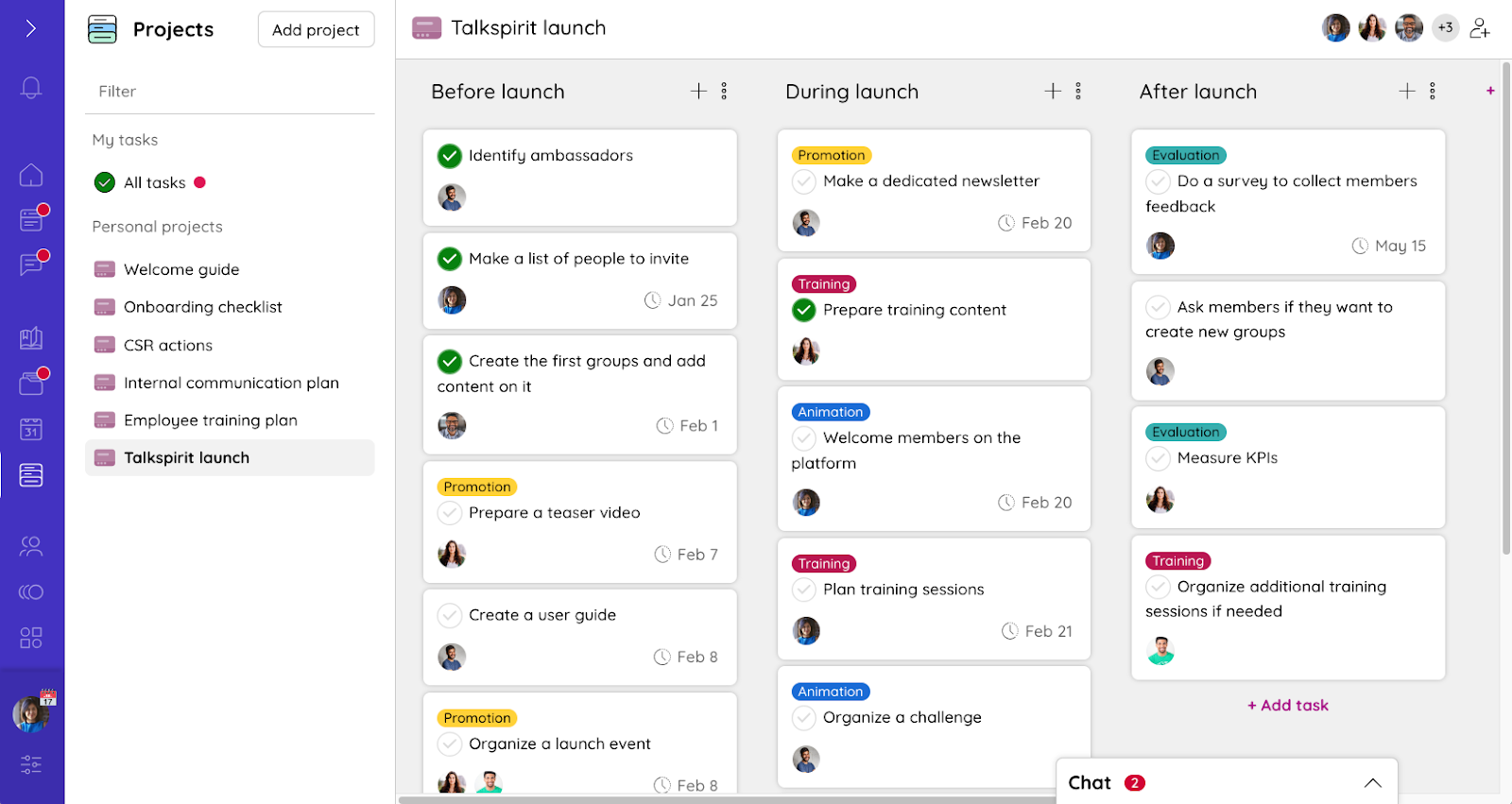
Are you looking for software that integrates this type of functionality? See how the Talkspirit Projects module works: kanban boards, task assignment and deadlines, next to the news feed where you announce the change.
4. Internal communication platforms
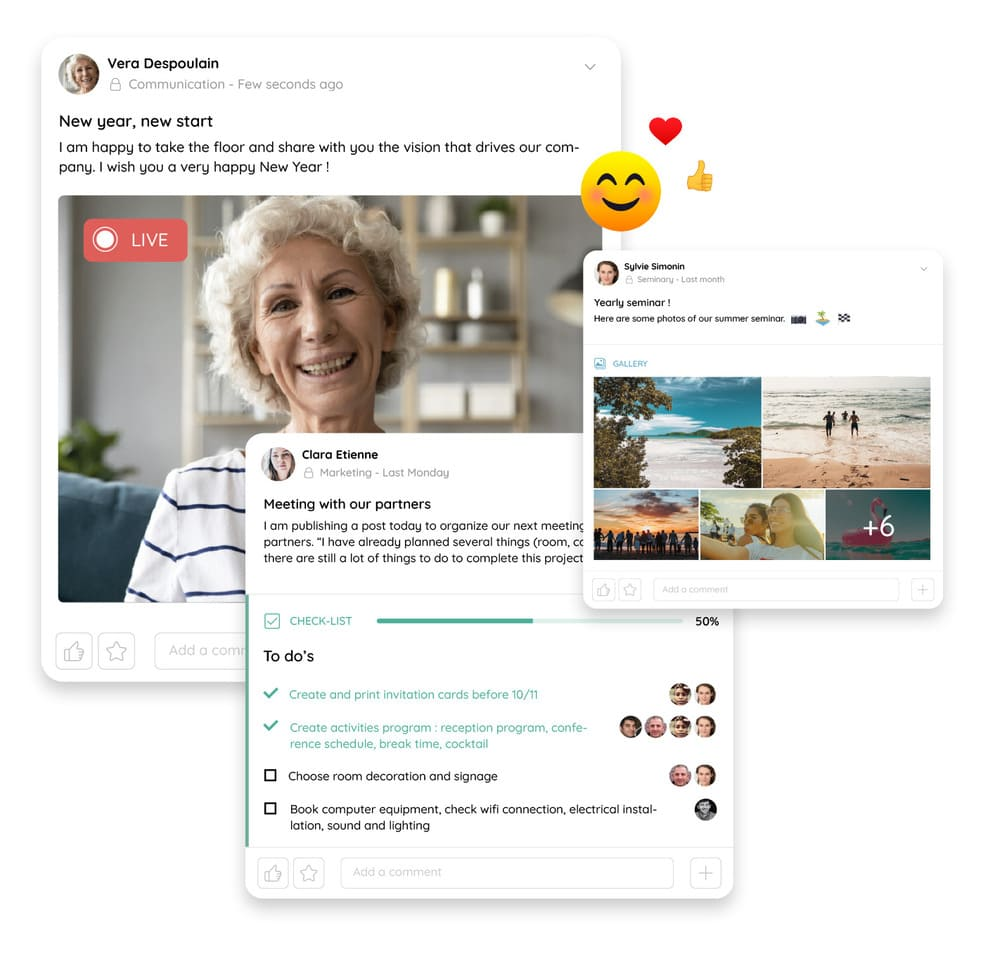
Once you’ve defined your action plan, it’s time to communicate it to your employees. This is an opportunity to explain why the change is being implemented, how it will impact teams, and what objectives it will accomplish.
For this step, we advise you to use an internal communication platform that will allow you to:
- share information in thematic groups
- highlight your project on a welcome portal via publications on a news feed
- proofread internal announcements before they’re published through a validation process
- facilitate feedback via surveys, comments on posts, and chat
- centralize documentation and best practices in a library
On Talkspirit, you can find all these features and much more. Don’t hesitate to test our platform to begin boosting your internal communication!

5. Digital adoption platforms
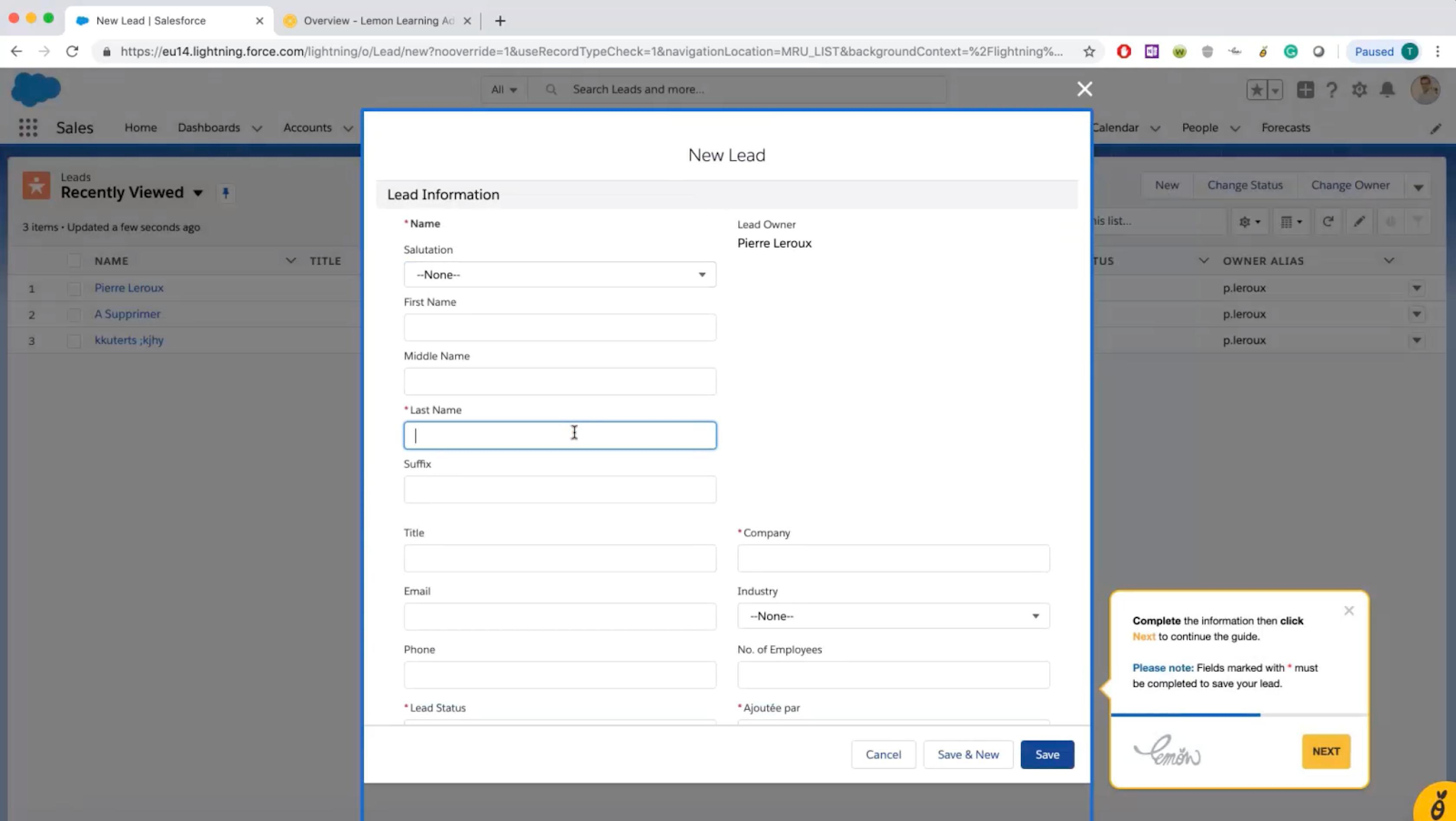
Change management tools can also help you adopt new applications! This is the case of the digital adoption platform, which integrates directly with the software you currently use. Its objective is to help users adopt these software products by guiding them step by step through interactive on-board guides.
The result: you spend less time training your employees and you accelerate the adoption of your digital tools! If your change management project involves the implementation of complex solutions (for example, a HRIS, a CRM, an ERP, etc.), think about using them!
Here are some of the major digital adoption platforms that can help:
6. Automation solutions
Any business leader that’s been around the block a few times will confirm: change management takes time. However, it’s still possible to automate certain tasks to speed up the process (think billing, leave requests, employee onboarding and customer support). You spend less time on tasks with low added value, while improving the experience of your customers and/ or employees.
Here are some tools that should help you speed up that change:
7. Employee engagement tools
Employee engagement tools are useful throughout the change management process. Thanks to them, you can collect feedback from employees, measure their satisfaction, and identify potential problems they encounter.
These tools include features such as:
- 360° feedback, or the possibility of being evaluated by all the people with whom we have interactions at work (and not just management)
- employee surveys to take teams’ pulse on a routine basis
- recognition (for example: a kudos, a “like,” or just a positive comment)
If you’re looking to boost your exchanges and make simple surveys, a platform like Talkspirit will probably suit you well. However, if you want to make elaborate surveys and develop 360° feedback, these tools may take you further:
8. Reporting tools
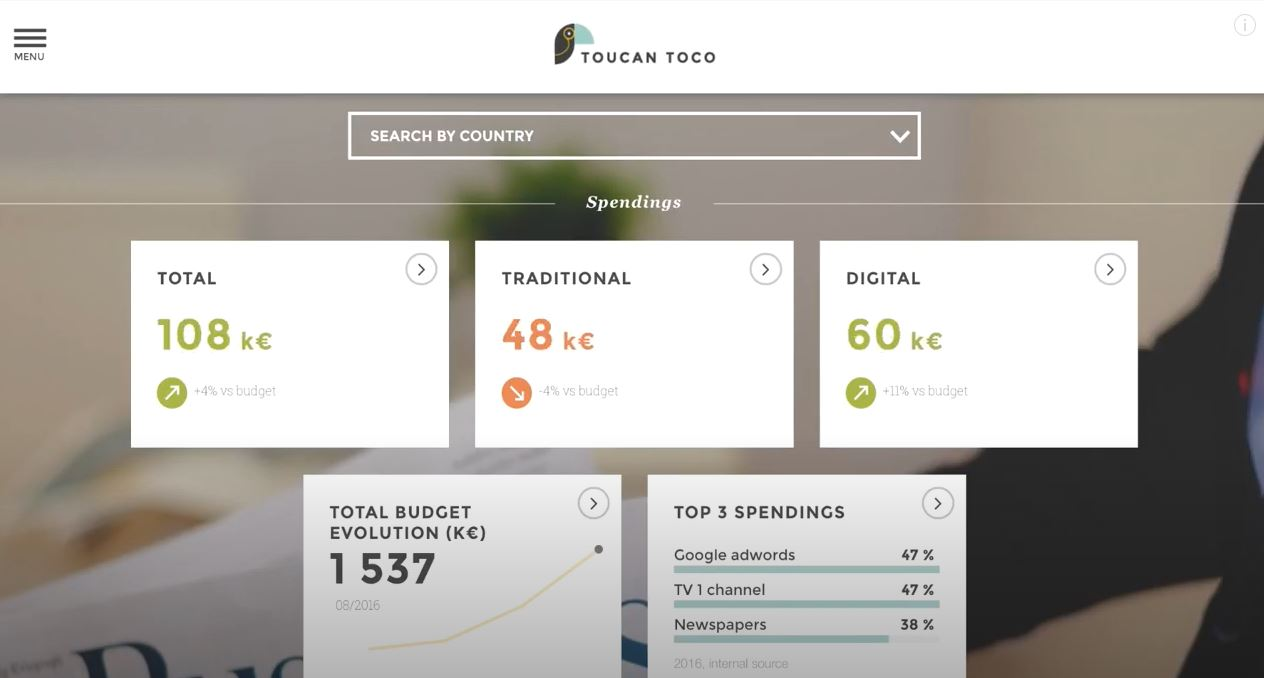
Change management tools can also help you measure the success of your projects. This is the case with business intelligence reporting software, which allows you to facilitate data collection, visualization, and analysis.
With these reporting tools, you no longer waste your time making Excel charts manually. These tools create dashboards for you:
A final word
Digital tools provide essential support for change management. Whether you’re seeking to identify employees’ needs, plan your launch, communicate, or analyze performance, there are plenty of platforms that can help!
Which tool you reach for depends on the phase you are in. To frame those phases, read our three-step change management method, then how to measure whether the change worked. And if the change fades once the project ends, Nick Osborne explains why change doesn’t stick.
Of course, tools aren’t everything. The methodology and action plan you put in place to drive change are equally important. Download our white paper on change management to discover best practices and strategies to successfully lead change in your organization.
Access the White Paper
In our white paper “How to Successfully Lead Change in an Organization?”, you’ll discover:
- The challenges of managing change in the workplace
- Examples of models and strategies to overcome these challenges
- Best practices for effectively leading change in your organization
- Case studies highlighting how 7 companies successfully implemented change

FAQ
A tool that integrates directly with the software you currently use, to help users adopt it by guiding them step by step through interactive on-board guides. You spend less time training employees, and the roll-out of a complex solution goes faster.
With employee engagement tools, throughout the project rather than at the end. They offer 360° feedback (being evaluated by all the people with whom we have interactions at work, not just management), employee surveys to take teams' pulse routinely, and recognition features.
No. Tools aren't everything: the methodology and action plan you put in place to drive change are equally important. What the toolkit does is cover each phase, from identifying needs to planning, communicating and analysing performance.
In the order of the phases. At the start, brainstorming platforms surface needs. During framing, self-management software clarifies roles and objectives while project management software plans the work. At roll-out, internal communication platforms explain the change and digital adoption platforms support users inside the new software. Only then come employee engagement tools, for feedback, and reporting tools, to measure the outcome.


.webp)